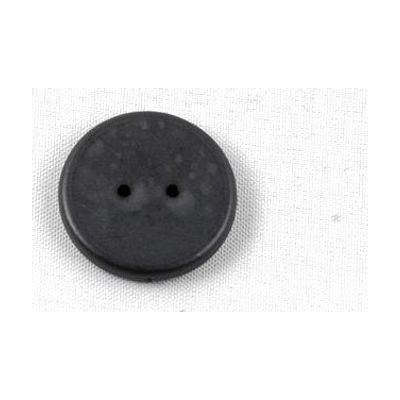
WayTag 2 hole Buttons - 25 Pack
by wayaround
Price is what the vendor listed when last checked. Confirm it with the vendor before buying.
Accessory or replacement part Made to go with another product — check it fits what you have.
Last verified September 20, 2026 · classified June 8, 2026
What it is
Summary
AI-generated from vendor-published content · June 8, 2026
These are NFC button tags — small, quarter-sized discs with two holes so they can be threaded into shoelaces or sewn directly onto clothing. They work as part of the WayAround labeling system: you attach a tag, then use the free WayAround smartphone app to write a description (typed or voice-recorded) that gets stored to that tag's NFC chip. Later, hovering your phone over the tag reads back that information — and when paired with VoiceOver (iOS) or TalkBack (Android), it speaks aloud automatically. This is primarily useful for someone with low vision or blindness who needs to independently identify and organize clothing, shoes, medications, food, or other everyday items. This pack of 25 is just the physical tags — the system requires a compatible NFC-capable smartphone and the free WayAround app to function. The washable, dryer-safe design is a genuine advantage for clothing use, but be aware that NFC phones must be held quite close to the tag for a reliable read, which takes a little practice.
Quick Facts Catalog facts · auto-generated
- Out of pocket
What Setup Looks Like
- Out of the box
Download the free WayAround app on an NFC-capable iPhone or Android phone. - With a guide
- Sew, tie, or pin a button tag onto the clothing item you want to label.
- Open the WayAround app, tap 'Create Tag,' hold your phone near the button, and type or record your description.
- Enable VoiceOver (iOS) or TalkBack (Android) if you want labels spoken aloud when scanned — allow 15–20 minutes total setup. See manufacturer support resources for detailed instructions.
Getting it
Many states lend devices like this for free trial periods — find your state's AT lending program.
Where to Get It
This is the vendor WhatCanHelp tracks for this product — it may also be available from other retailers or a local supplier, and prices vary.
Some links may be affiliate links — WhatCanHelp may earn a small commission from purchases at no extra cost to you. More on affiliates →
As an Amazon Associate we earn from qualifying purchases.
Wondering how equipment like this gets paid for? See the official funding programs in your state.
Compare & explore
Sources & fine print
Vendor facts (name, price, platforms, vendor link) sourced from wayaround — view on vendor site; last verified September 20, 2026.
Classification & description AI-generated from vendor-published content on June 8, 2026 · confidence: high. Vendor specs may lag; verify before relying on details in a clinical or funding artifact.