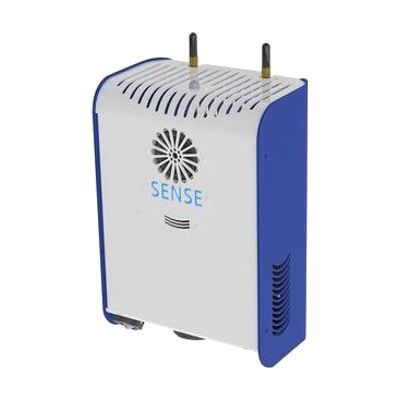
SENse Micro
by SenseWorks
Last verified June 20, 2026 · classified April 26, 2026
What it is
Summary
AI-generated from vendor-published content · April 26, 2026
The SENse Micro is a compact interactive floor projection system that displays animated, responsive visuals on any flat surface — when someone moves through the projected image, the content reacts to their movement in real time. It's designed for people who benefit from sensory stimulation and cause-and-effect exploration: children or adults with profound and multiple learning disabilities, autism, or significant sensory processing differences who may not engage easily with traditional screen-based tools. The package is a self-contained projection unit, though you'll need a suitable mounting solution (ceiling, tripod, or stand) and the projected surface itself — check what accessories are included, as interactive floor systems often require additional hardware for full deployment. Be aware that the 'Micro' designation means a smaller projection area and potentially a shorter throw distance than full-size interactive floor systems, which may limit group use.
Quick Facts Catalog facts · auto-generated
- AT Act lending
- Medicaid waiver
- Out of pocket
- School district
What Setup Looks Like
- With a guide
- Mount or position the projector unit above the intended floor surface using the appropriate stand or ceiling mount.
- Connect power and configure the built-in software or content library following the manufacturer's setup guide.
- Calibrate the interactive sensor to the projected area — allow 30-60 minutes for initial setup. See manufacturer support resources for detailed instructions.
- With professional help
- An occupational therapist or sensory integration specialist can advise on optimal placement, content selection, and how to incorporate the system into a sensory diet or therapy program.
- School or clinic technicians may be needed for ceiling mounting and electrical considerations — plan 1-2 sessions for full therapeutic integration.
Getting it
Try Before You Buy
Devices like this are often available to borrow through your state's AT Act program — typically free or low-cost — so you can try it before buying or pursuing funding.
Where to Get It
Some links may be affiliate links — WhatCanHelp may earn a small commission from purchases at no extra cost to you. More on affiliates →
As an Amazon Associate we earn from qualifying purchases.
How to Fund This
Equipment like this is often pursued through official state programs. These are common starting points — each program decides its own eligibility and what it covers, so the first step is always a phone call.
Compare & explore
Sources & fine print
Vendor facts (name, price, platforms, vendor link) sourced from SenseWorks — view on vendor site; last verified June 20, 2026.
Classification & description AI-generated from vendor-published content on April 26, 2026 · confidence: medium. Vendor specs may lag; verify before relying on details in a clinical or funding artifact.