GoTap Braille
Price is what the vendor listed when last checked. Confirm it with the vendor before buying.
What it is
Summary
AI-generated from vendor-published content · October 1, 2026
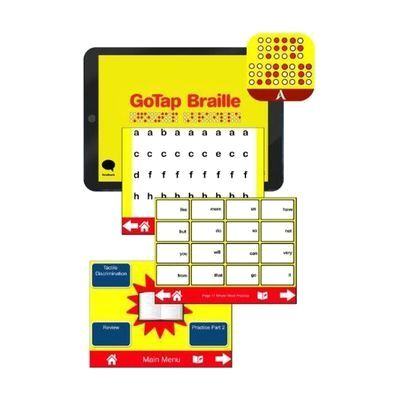
GoTap Braille is a hands-on kit that turns an iPad into a braille learning tool. Tactile overlays sit over the screen and work with the GoTap Braille App to teach and reinforce braille through more than 80 pages of activities. The kit comes with 32 overlays, 5 templates, tactile manipulatives, and a guidebook, so a child has things to feel and handle, not just a screen to tap. It is designed for 10.2 inch iPads, and 9.7 inch iPads need some modification. You supply the iPad, since it isn't included.
Getting it
Try before you buy
Devices like this are often available to borrow through your state's AT Act program — typically free or low-cost — so you can try it before buying or pursuing funding.
Where to get it
This is the vendor WhatCanHelp tracks for this product — it may also be available from other retailers or a local supplier, and prices vary.
How to fund this
These are common places to ask about paying for equipment like this. Each one decides its own eligibility and what it covers, so start by asking them.
Details
Quick Facts Catalog facts · auto-generated
- Addresses
- Platform
- Age range
- Complexity
- Professional guidance helps
- Price
- $749.00
- Funding
- AT Act lending
- Out of pocket
- School district
- Vocational rehab
What setup looks like
- Out of the box
Install the GoTap Braille App on the iPad and look through the guidebook to see how the overlays and templates are used. - With a guide
Fit the overlays onto the iPad as the guidebook shows, and try a few activities to learn how the pieces work together. Plan on about 30 minutes for a first run-through. If you have a 9.7 inch iPad, expect to make some modifications first. - With professional help
A teacher of students with visual impairments (TVI) can choose which activities and overlays fit the child's current braille skills and build them into lessons. This is most useful at the start and when moving to new skills.
Compare & explore
Sources & fine print
Vendor facts (name, price, platforms, vendor link) sourced from Attainment Company — view on vendor site (opens in a new tab); last checked October 10, 2026.
Classification & description AI-generated from vendor-published content on October 1, 2026 · confidence: high. Vendor specs may lag; verify before relying on details in a clinical or funding artifact.