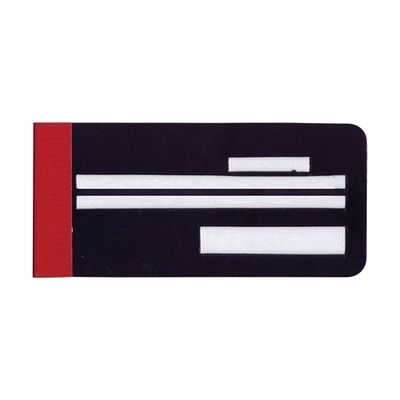
EZ Check Writing Guide without Memo Space
by MaxiAids
Last verified July 5, 2026 · classified July 7, 2026
What it is
Summary
AI-generated from vendor-published content · July 7, 2026
A flat plastic or cardboard template that sandwiches a personal check and uses cut-out windows to locate each required field — date, payee line, numeric amount, written amount, and signature. It's designed for people with low vision or blindness who have difficulty finding and staying within the correct lines on a standard check. This is a complete, standalone tool that requires no batteries, apps, or setup — just slide in the check and write through the openings. There's no memo field cut-out on this version, so if signing checks that require a memo entry (rent, utility accounts), consider the model that includes that window.
Quick Facts Catalog facts · auto-generated
- AT Act lending
- Out of pocket
What Setup Looks Like
- Out of the box
- Slide a personal check between the two halves of the guide so the check fields align with the cut-out windows.
- Write in each field through the corresponding opening, then remove the completed check.
Getting it
Try Before You Buy
Devices like this are often available to borrow through your state's AT Act program — typically free or low-cost — so you can try it before buying or pursuing funding.
Where to Get It
Some links may be affiliate links — WhatCanHelp may earn a small commission from purchases at no extra cost to you. More on affiliates →
Wondering how equipment like this gets paid for? See the official funding programs in your state.
Compare & explore
Sources & fine print
Vendor facts (name, price, platforms, vendor link) sourced from MaxiAids — view on vendor site; last verified July 5, 2026.
Classification & description AI-generated from vendor-published content on July 7, 2026 · confidence: high. Vendor specs may lag; verify before relying on details in a clinical or funding artifact.