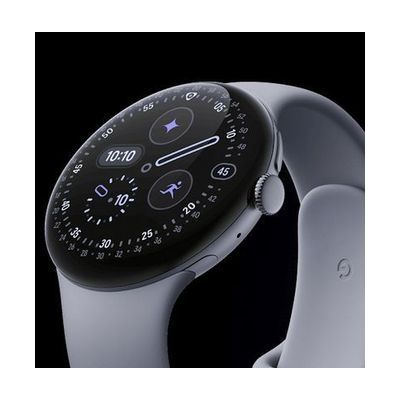
Google Pixel Watch 4
by Google
Last verified July 28, 2026 · classified April 26, 2026
What it is
Summary
AI-generated from vendor-published content · April 26, 2026
The Google Pixel Watch 4 is a smartwatch that pairs with Android phones to track health metrics including heart rate, blood oxygen, ECG, sleep stages, and fall detection, with Emergency SOS built in even when the phone isn't nearby. It's particularly relevant for people managing chronic conditions, seniors who benefit from passive health monitoring and fall alerts, or anyone who uses voice control (Google Assistant on the wrist) as a hands-free access method. This is a complete, ready-to-use consumer device — it comes with bands in two sizes and works out of the box once paired with an Android 11+ phone, which is required. While the health and safety features are genuinely useful as AT, many advanced accessibility integrations (like TalkBack on the watch or switch access for notifications) may need some configuration time to get right.
Quick Facts Catalog facts · auto-generated
- Out of pocket
- Vocational rehab
What Setup Looks Like
- Out of the box
Put on the watch and charge it if needed — it powers on automatically. - With a guide
- Download the Pixel Watch app on your Android 11+ phone and follow the pairing prompts.
- Enable accessibility features (TalkBack, large text, or assistive gestures) in watch Settings > Accessibility.
- Configure Emergency SOS and fall detection in the Safety & Emergency section of the app — allow 15–20 minutes total for initial setup.
Getting it
Many states lend devices like this for free trial periods — find your state's AT lending program.
Where to Get It
These are the vendors WhatCanHelp tracks for this product — it may also be available from other retailers or a local supplier, and prices vary.
Some links may be affiliate links — WhatCanHelp may earn a small commission from purchases at no extra cost to you. More on affiliates →
As an Amazon Associate we earn from qualifying purchases.
How to Fund This
Equipment like this is often pursued through official state programs. These are common starting points — each program decides its own eligibility and what it covers, so the first step is always a phone call.
Compare & explore
Sources & fine print
Vendor facts (name, price, platforms, vendor link) sourced from Google — view on vendor site; last verified July 28, 2026.
Classification & description AI-generated from vendor-published content on April 26, 2026 · confidence: high. Vendor specs may lag; verify before relying on details in a clinical or funding artifact.