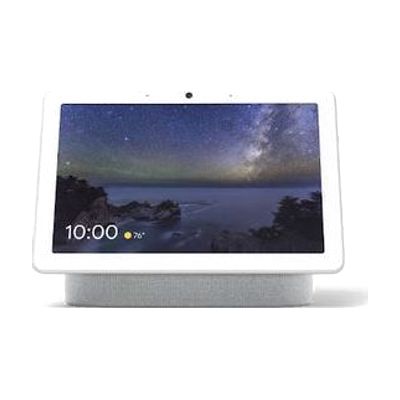
Google Nest Hub Max
by Google
Price is what the vendor listed when last checked. Confirm it with the vendor before buying.
What it is
Summary
AI-generated from vendor-published content · October 1, 2026
The Nest Hub Max is a smart display that lets you run a home by voice while also seeing what's happening on screen. It shows captions, video calls, visual timers, and smart home controls, so you get visual feedback alongside spoken replies, which helps someone who is deaf or hard of hearing. It can control Nest-compatible lights, locks, cameras, and thermostats, and its gesture Quick Phrases allow touchless control for someone who finds touching a screen or speaking hard. It works with the Google Assistant, so the devices you want to control need to be compatible.
Getting it
Try before you buy
Devices like this are often available to borrow through your state's AT Act program — typically free or low-cost — so you can try it before buying or pursuing funding.
Where to get it
This is the vendor WhatCanHelp tracks for this product — it may also be available from other retailers or a local supplier, and prices vary.
How to fund this
These are common places to ask about paying for equipment like this. Each one decides its own eligibility and what it covers, so start by asking them.
Details
Quick Facts Catalog facts · auto-generated
- Platform
- Age range
- Complexity
- Setup with instructions
- Price
- $229.00
- Funding
- AT Act lending
- Medicaid waiver
- Out of pocket
- Vocational rehab
What setup looks like
- With a guide
- Plug in the display, then follow the on-screen prompts and the Google Home app on your phone to connect it to your Wi-Fi and Google account.
- Add your Nest-compatible lights, locks, cameras, or thermostats in the app and give them names you can say easily.
- Try voice commands and the gesture Quick Phrases, and adjust captions and timers until they suit the person using it. Plan about 30-45 minutes. See manufacturer support resources for detailed instructions.
Compare & explore
Sources & fine print
Vendor facts (name, price, platforms, vendor link) sourced from Google — view on vendor site (opens in a new tab); last checked October 31, 2026.
Classification & description AI-generated from vendor-published content on October 1, 2026 · confidence: medium. Vendor specs may lag; verify before relying on details in a clinical or funding artifact.