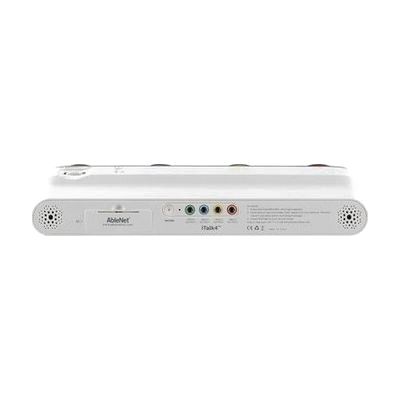
iTalk4
by AbleNet
Price is what the vendor listed when last checked. Confirm it with the vendor before buying.
Last verified September 18, 2026 · classified July 16, 2026
What it is
Summary
AI-generated from vendor-published content · July 16, 2026
The iTalk4 is a simple, fixed-message communicator with four pressure-activated buttons — red, yellow, blue, green — each capable of storing and playing back a recorded phrase. Six total minutes of recording time is shared across the four locations, so you can record short, frequently used messages like greetings, requests, or responses. It's designed for someone who needs reliable, low-tech voice output for a small set of core messages — adults or children who may have physical, cognitive, or communication support needs. Each button has a clear snap cap that holds a photo or symbol card, making it easy to pair messages with visual cues. This is a standalone device that requires no apps or external hardware, but someone — a caregiver, therapist, or teacher — needs to record the messages and swap out the symbol cards, so it functions as part of a daily communication routine rather than an independent self-setup solution.
Quick Facts Catalog facts · auto-generated
- AT Act lending
- Insurance
- Medicaid waiver
- Out of pocket
- School district
- Vocational rehab
What Setup Looks Like
- Out of the box
- Insert batteries and press any button to confirm the device is working.
- Slip a photo or symbol card under the clear snap cap on each button to visually label each message location.
- With a guide
- Record messages for each button by following the record-and-playback instructions in the manual.
- Coordinate with caregivers or teachers on which phrases to record for the user's environment — expect 15–30 minutes for initial setup. See manufacturer support resources for detailed instructions.
- With professional help
- An SLP or ATP can help select vocabulary that matches the user's communication goals and physical access needs.
- For users with complex communication needs, integrate the iTalk4 into a broader AAC system or daily schedule with 1–2 sessions of guidance.
Getting it
Try Before You Buy
Devices like this are often available to borrow through your state's AT Act program — typically free or low-cost — so you can try it before buying or pursuing funding.
Where to Get It
This is the vendor WhatCanHelp tracks for this product — it may also be available from other retailers or a local supplier, and prices vary.
Some links may be affiliate links — WhatCanHelp may earn a small commission from purchases at no extra cost to you. More on affiliates →
As an Amazon Associate we earn from qualifying purchases.
How to Fund This
Equipment like this is often pursued through official state programs. These are common starting points — each program decides its own eligibility and what it covers, so the first step is always a phone call.
Compare & explore
Sources & fine print
Vendor facts (name, price, platforms, vendor link) sourced from AbleNet — view on vendor site; last verified September 18, 2026.
Classification & description AI-generated from vendor-published content on July 16, 2026 · confidence: high. Vendor specs may lag; verify before relying on details in a clinical or funding artifact.