Browse Assistive Technology
Products
-
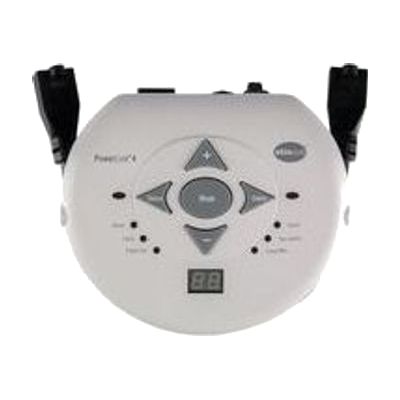
PowerLink 4 (North America)
$330.00
The PowerLink 4 is a control unit that lets someone use a single switch to turn on a plugged-in appliance, such as a fan, a blender, or a toy. It has two outlets and two switch jacks, and it also works with AbleNet's Big Beamer and Jelly Beamer wireless switches. Six control modes decide how the appliance runs: it can act like a normal switch, run for a set time from 1 to 99 seconds or minutes, toggle on and off, count activations, or need both switches pressed together. The built-in display makes setting times and viewing counts simple, which suits cause-and-effect practice, cooperative play, and tracking progress. You will need your own switch and appliance, since neither is included.
Verified 4 days agoProfessional guidance helps -
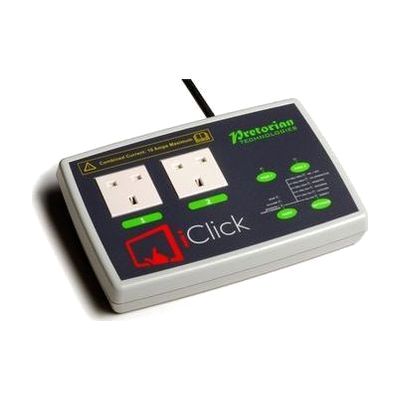
iClick
Est. $150–$350
The iClick lets you switch electrical appliances on and off from an iPad, with no cables between the two. You plug up to two mains devices into its sockets and control them separately through a free app. Modes include holding to run (good for teaching cause and effect), touch on/touch off, a timer from 1 second up to 250 minutes, and a two-person mode that needs two people to work together. It can also be used with wireless switches, and the app works with iOS Switch Control for someone who can't use the touchscreen directly. The sockets are UK mains type, and you need to supply your own iPad (iPad 3 or later).
Verified 4 days agoSetup with instructions -

HomePod mini
$99.00
The HomePod mini is a small Apple smart speaker, about 3.3 inches tall, that you control with your voice by saying "Hey Siri." It plays music with sound that spreads in all directions, and it can also run compatible smart home devices, so someone who has trouble with small buttons, screens, or switches can handle many everyday tasks by speaking. Four built-in microphones help it pick up your voice even when the room is noisy. It's built to work with an iPhone, so plan on having one for setup.
Verified 4 days agoSetup with instructions -
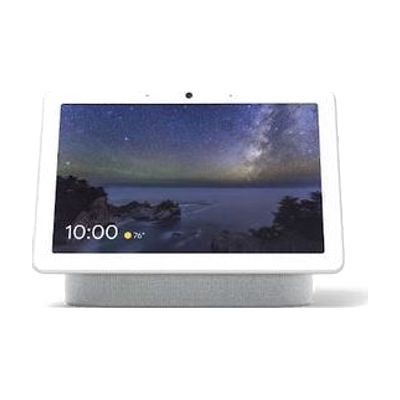
Google Nest Hub Max
$229.00
The Nest Hub Max is a smart display that lets you run a home by voice while also seeing what's happening on screen. It shows captions, video calls, visual timers, and smart home controls, so you get visual feedback alongside spoken replies, which helps someone who is deaf or hard of hearing. It can control Nest-compatible lights, locks, cameras, and thermostats, and its gesture Quick Phrases allow touchless control for someone who finds touching a screen or speaking hard. It works with the Google Assistant, so the devices you want to control need to be compatible.
Verified 4 days agoSetup with instructions -
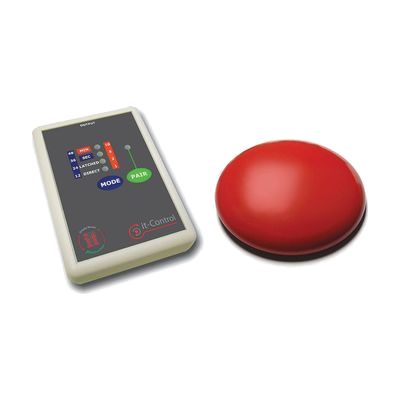
it-Control Starter Pack
Est. $60–$120
The it-Control Starter Pack lets someone run a battery-operated, switch-adapted toy wirelessly from a separate switch. The it-Switch is a low, slanted switch that responds to very light movement, so it works for people who can't press a standard button. The it-Control box plugs into the toy through a 3.5mm jack and offers four modes: direct (on while pressed), latched (press to turn on, press again to turn off), and timed runs in seconds or in minutes. You choose the switch size and color, and both parts take AAA batteries. This is a good fit for cause-and-effect play and early learning, but it only works with toys that have been adapted for switch use.
Verified 4 days agoProfessional guidance helps -

Ray-Ban Meta Glasses Wayfarer Gen 2, Large
$379.00
These camera-equipped smart glasses pair with the Meta AI app on your phone, so you can ask questions about what's in front of you and hear spoken answers through speakers in the temples. Someone with low vision might use them to have a room or street intersection described, ask about a menu or product label, or take a photo. They also handle hands-free calls and texts, WhatsApp video calls, music through the built-in speakers, and live conversation translation in six languages. This is the large Wayfarer frame with matte black finish, a high bridge fit, and G-15 green lenses that stay tinted indoors and out. The glasses depend on a phone and the app to do most of their work.
Verified todaySetup with instructions -

EnvirON Starter Pack
Est. $250–$600
The EnvirON Starter Pack is a bundle that lets someone control everyday devices like a TV, lamp, radio, or kitchen appliance without using the original remote or wall switch. It includes a hub that sends infra-red (IR) commands, two large and two small wireless switches that each handle one function, and an iClick that turns mains-powered appliances on and off through a free app. You can run it from an iPad, from switches, or from a scanning remote, and the free iOS app works with Switch Control devices such as the APPlicator or iSwitch. It suits someone who can't easily use standard remotes or controls, and it also works well for teaching cause-and-effect and early environmental control skills in a classroom or at home. The wireless switches each do a single job, so you'll plan out which device each one operates.
Verified 4 days agoSetup with instructions -

Amazon Echo Show (Smart Display)
$249.99
The Echo Show is a smart display that you control by talking to Alexa, Amazon's voice assistant. It can handle everyday jobs like planning meals, making reservations, and managing connected home devices without needing to use a touchscreen or buttons. That makes it a useful hands-free option for someone who has trouble with small controls or screens, though it needs Wi-Fi and an Amazon account to work.
Verified 4 days agoSetup with instructions -

Joy Player
$349.00
The Joy Player is a media player for music and audiobooks that you start with a switch, so someone who can't work small buttons can still play what they like. It's designed to be easy to load.
Verified 3 days agoSetup with instructions -

Twin SLAT
Est. $80–$200
The Twin SLAT sits between one or two access switches and low-voltage battery toys or appliances, and it changes how a switch press controls them. It has two independent channels and eight modes. The modes include direct (on only while pressed), latched (press once for on, again for off), timed, and co-operative modes where two people must both press before anything happens. Timed settings run from 5 seconds up to 1 hour, set on a two-digit LED display, and a button lets you cancel a timed run early. It's a good fit for teaching cause and effect, turn-taking, and timing, or for giving someone a way to run a toy or small appliance with the kind of switch press that works for them. This is a control box, not a standalone toy: you'll need your own switches and the toy or appliance to connect.
Verified 4 days agoProfessional guidance helps -

HomePod
$299.00
HomePod is an Apple smart speaker that plays music and other audio and responds to your voice through Siri. Because you can speak a request instead of pressing buttons or tapping a screen, it can make everyday tasks easier for someone who has trouble with small controls or screens. It also works as a voice-controlled hub for smart home devices, so you can run compatible lights and other gear by talking. It's a standalone speaker, but getting the most from it means connecting it to your Apple devices and any smart home gear you want to control.
Verified 4 days agoSetup with instructions -
it-Control Pro
Est. $60–$120
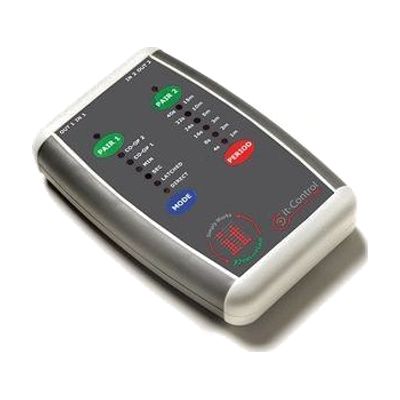
The it-Control Pro sits between your switches and switch-adapted toys, so a child can turn a toy on by pressing a switch. It has two channels, so it can run two toys at once, and each channel can pair with up to three wireless it-Switches. You can also use wired switches, or a mix of both. It offers direct, latched and timed modes, plus two cooperative modes. In one, two switches must be pressed together to start the toy. In the other, one switch turns the toy on and another turns it off. That makes it a good fit for turn-taking and shared play. Toys plug in through 3.5mm jacks, and the controller needs 2 AA batteries. The switches and toys are sold separately, and picking the right mode and switch placement for a child may take some trial and error.
Verified 4 days agoSetup with instructions -
Enabler Socket+ (UK version)
Est. $60–$150
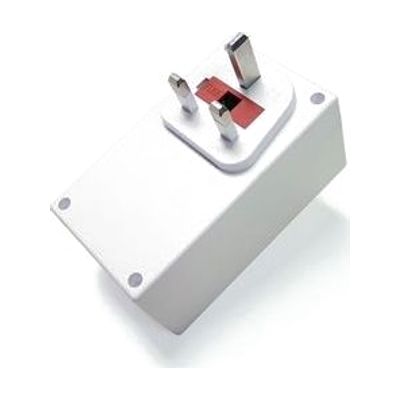
The Enabler Socket+ is a mains power socket that a person can turn on and off with a switch. You plug in a lamp, fan, heater, or stereo, or a switch-adapted toy or device, and press a standard 3.5mm switch to control it. It can also be driven from the Control USB, and up to 16 units can be linked so one person can manage several devices in a room. Three modes let you pick how it behaves: on while pressed, latched on and off, or timed. It uses radio signals that work through walls, so the switch doesn't need to be near the socket. This is the UK version, so check that it matches your plug type and voltage. It does nothing on its own, since you'll need a switch or a Control USB to operate it.
Verified 4 days agoSetup with instructions -
PowerLink 4 (Central Europe)
$330.00
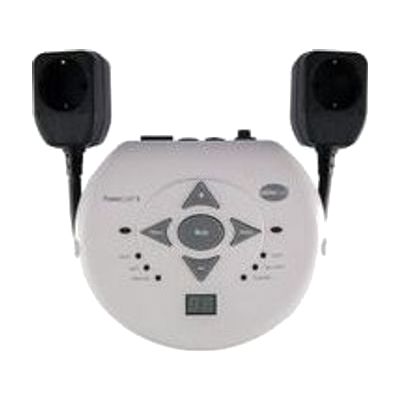
The PowerLink 4 lets someone use a single switch to turn a plugged-in appliance on and off, such as a fan, a blender, or a battery-operated toy adapted for it. You choose how it responds from six modes, including a direct on-while-pressed mode, a timed mode that runs for 1 to 99 seconds or minutes, and a latch mode where one press turns the appliance on and the next turns it off. A built-in display makes it easy to set exact times, and a count mode shows how many times the switch was activated, which helps with tracking progress. This is the Central Europe version, and it takes any single switch, including AbleNet's wireless Big and Jelly Beamer switches. The outlets can power up to two appliances, and a two-switch mode requires both switches to be pressed, for shared or safer activation. It is only one piece of the setup, so you'll need a switch and an appliance to go with it.
Verified 4 days agoProfessional guidance helps -
iControl
Est. $600–$1,200
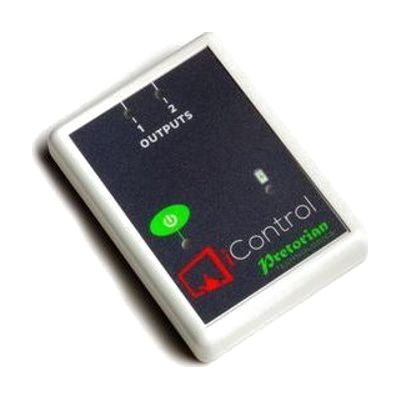
The iControl lets someone run up to two battery-operated toys or appliances without a wired switch, using a tablet or phone instead. Two 3.5mm sockets connect the devices, and the iClick app on iOS or Android sets how each one behaves. There are seven control modes, including direct, latching, timed, and cooperative, so it can teach cause and effect or let two people share control. On-screen buttons can be recolored or swapped for a photo, and the app works with iOS Switch Control scanning for people who can't use a touch screen. It works from up to 20 metres away. You'll need your own compatible tablet or phone, and the toys or appliances have to be battery-operated ones that can be connected through a 3.5mm socket.
Verified 4 days agoSetup with instructions -

Amazon Echo Dot (Smart Speaker)
$49.99
The Echo Dot is a small smart speaker you control by voice, so you can ask Alexa for things instead of using a screen, keys, or buttons. The product page describes it as an AI assistant for jobs like meal planning, booking reservations, finding deals, and managing the home. That makes it a hands-free option for someone who finds touchscreens, small print, or multi-step menus hard to use. Linking it to an Amazon account can shorten setup, and Prime members get the newer Alexa+ features at no extra cost.
Verified 4 days agoSetup with instructions -
ToyBox
Est. $50–$150
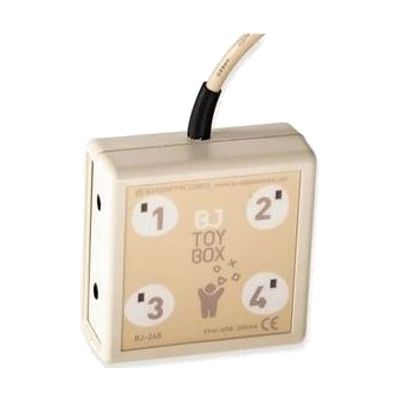
ToyBox is Windows software that lets you run up to four switch-adapted toys or devices from the computer screen. You choose one to four on-screen buttons, set them up in one or two rows, and change how they look to suit the user. It can work in direct, timed, or on/off modes, and it can play a sound when a device turns on. It also supports scanning with one or two switches, with adjustable timing, so it works as a place to teach and practice that skill. You'll need the toys or devices themselves, already adapted for switch use, and some way to connect them to the computer.
Verified 4 days agoProfessional guidance helps -

FireAvert Automatic Shut-Off Device for Stoves and Microwaves
$199.99
The FireAvert is a safety device that shuts off a stove or microwave automatically, helping prevent kitchen fires when someone leaves cooking unattended or forgets that an appliance is on. It's meant for households where memory lapses or distraction make a left-on appliance a real worry, and for family members who want that added peace of mind. The maker says installation is simple and points to a full instructional video that walks you through setup.
Verified 2 weeks agoSetup with instructions -
Grid
Est. $200–$600
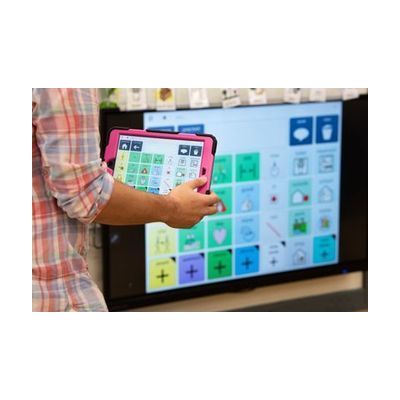
Grid is communication software for Windows and iPad that gives people a voice when speaking is hard. Symbol-based vocabularies support people who communicate with pictures, and text tools with word prediction help people who type. Grid also includes sets for controlling a Windows computer and for running home technology such as a TV, lights and kitchen appliances. It can be customized to fit how a person communicates and accesses a device, and it offers many voices in many languages, including options to upload a recording or use a personalized AI voice. This is software, so you'll need a compatible Windows computer or iPad to run it, and getting the vocabulary and access method right is where an AAC professional helps most.
Verified 4 days agoProfessional guidance helps -
Grid 3 from Smartbox
Price on request: ask the vendor
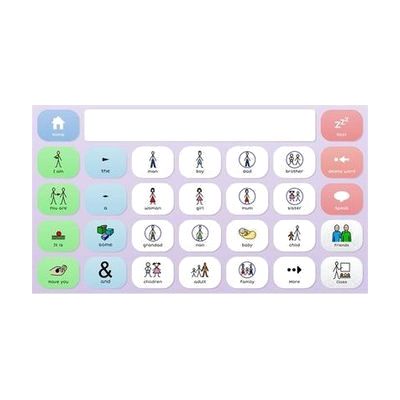
Grid 3 is AAC software, meaning it gives a person a way to speak and write with symbols or text on a screen. It can be used by touch, switch, a pointing device, or eye gaze, so it fits people with very different physical access needs. It starts with ready-made symbol grid sets and grows into text tools with on-screen keyboards and word prediction, so it can follow someone from early cause-and-effect play to advanced writing. It also covers more than talking: it includes 25 animated learning activities, built-in apps like email, SMS, YouTube, and Facebook, full computer control, and control of lights, doors, and TVs. That last feature needs compatible environmental control hardware. Grid pages can be edited and updated remotely, which helps a therapist or family member support the user without taking the device away.
Verified 4 days agoProfessional guidance helps