Browse Assistive Technology
Products
-
Android Switch Access
Free
Switch Access is an Android feature that lets someone control a phone or tablet with one or more switches instead of touching the screen. It is built into the device, so there is no separate app to buy. It suits people who find tapping, swiping, or pinching on a touchscreen hard or impossible. You will still need at least one switch to use it, and it takes some time to set up and practice before it feels comfortable.
Verified 3 days agoSetup with instructions -
Simply Works – Wireless Switch Access
$199.00
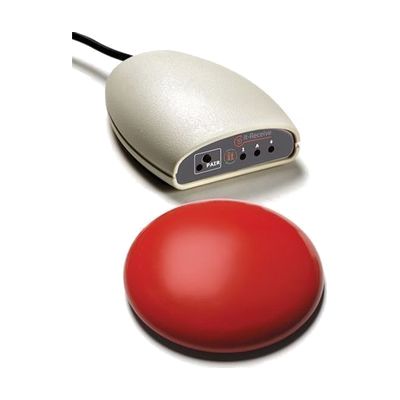
Simply Works is a wireless switch set that lets someone control a computer by pressing a single switch from up to 30 feet away. The kit includes the it-Switch, which the person presses, and the it-Receive, a small receiver that plugs into the computer's USB port. Because there's no cable between the two, the switch can sit wherever the person can reach it most comfortably, such as on a tray or a wheelchair mount. It's a good fit for someone who can't use a regular keyboard or mouse but can reliably press a switch. The kit gives you the way in, but you'll still need software on the computer that works with a switch, like a switch-accessible communication or computer access program.
Verified 3 weeks agoProfessional guidance helps -

Apple Switch Control & AssistiveTouch
Free
Switch Control is the scanning feature built into Apple devices. It lets someone run an iPhone, iPad, Mac, or Apple TV without touching the screen the usual way. Instead, the device highlights items one by one, and you pick the one you want using an adaptive switch, a game controller, a head or hand gesture, AirPods gestures, Back Tap, or a simple sound like a click or pop. You can build custom panels and keyboards, save different profiles for different times or places, and use one device to control other Apple devices on the same Wi-Fi network. It's free software, but plan on setting up the scanning style and your input method before it feels comfortable. If you use a physical switch, you'll need to buy that hardware separately.
Verified 3 days agoSetup with instructions -
Switch Skills 3
Est. $40–$120
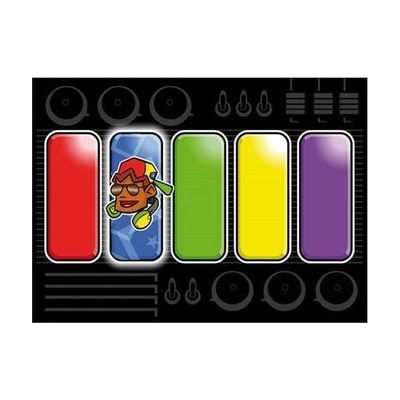
Switch Skills 3 is a set of switch-accessible activities that help someone practice timing their presses and then move on to early scanning. Activities start with simple timing tasks. Many can be set to be error-free, which builds confidence, or set to be harder so the person can practice accuracy. Settings can be adjusted for each learner, so it suits a child who is building more refined switch control. You'll need a switch and a way to connect it to your device, and an iPad version of some of the activities is sold separately.
Verified 1 week agoProfessional guidance helps -
Inclusive Switch Skills Bundle
Est. $600–$1,200
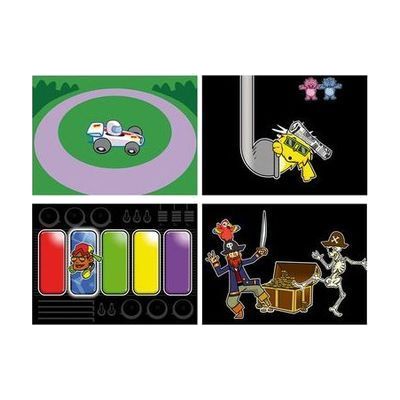
This bundle pairs a Multi2 switch interface and Smoothie Switches with Switch Skills software titles that build core switch control and timing. The activities start with cause and effect and move toward early scanning, so a child can practice using a switch step by step. The listings differ on whether it includes three or four software titles, so confirm that before ordering. It's a ready-made practice kit, but it works best when a therapist or teacher helps match the switches and activities to the child.
Verified 4 days agoProfessional guidance helps -

Inclusive Multi Skills Switch Bundle
Est. $150–$400
This bundle pairs a Multi2 interface and Smoothie switches with three Switch Skills software titles, so a child can practice the core skills of using a switch, like cause and effect and timing. It's built for young learners who are just starting out with switch access and need structured activities to build that control. The interface is what connects the switches to the computer, and the software gives the practice something to do. You'll still need a computer to run the activities, and the exact number of switches in the bundle isn't spelled out here, so confirm that before ordering.
Verified 4 days agoProfessional guidance helps -
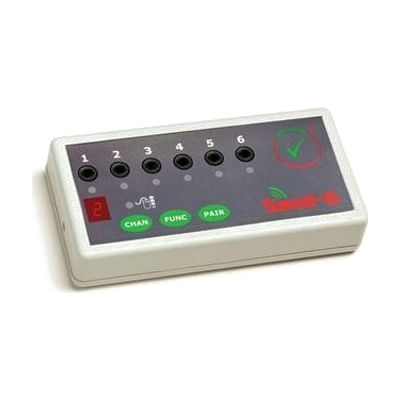
SEND-6
Est. $150–$350
The SEND-6 is a wireless switch interface. You plug up to six wired switches into it, and it sends their signals to a Windows PC or Mac without a cable running to the computer. That helps if someone's wheelchair puts them away from the screen, or if they can't sit close to the computer. Each switch can be set separately to one of 24 functions, including switch accessible software, game pad, mouse and keyboard actions. It needs no software or drivers, so setup is mostly about choosing which switch does what. It's one piece of a switch system: you need your own switches, the it-Receive receiver that plugs into the computer, and 2 AAA batteries.
Verified 4 days agoProfessional guidance helps -

Freedom
Est. $150–$350
The Freedom lets one switch control up to four different devices. You can move between them by holding the main switch down for a set time, or by tapping a second select switch. Each device plugs in through a standard 3.5mm switch jack, and you can program which channels are active so it skips any that are unused. The hold time is adjustable, and the keypad can be locked after setup so settings don't get changed by accident. Phones and tablets may need an extra adapter to connect, and the switch itself is sold separately.
Verified 4 days agoProfessional guidance helps -

Bluetooth Super Switch
$209.00
The Bluetooth Super Switch is a wireless switch with a 5-inch round surface, so it gives a big, easy-to-hit target for someone who can't press a small button. It connects over Bluetooth to an iPad or a computer, which means no cable running to the device. It also has a built-in switch interface, so you can plug in a second switch if you want another way to activate it. A switch like this does nothing alone. It needs a device and the right access settings to be useful, and those are worth sorting out with someone who knows switch access.
Verified 3 weeks agoProfessional guidance helps -

Standard Switch Kit
Est. $400–$750
This kit gathers 13 wired switches in one durable plastic box so you can try different options with the same person before buying any of them. The switches vary in size, activation force, and feel. They range from large buttons with a 125mm pressing surface to small, light-touch and precise-target designs for someone with limited movement. Because it's a trial and assessment set, it works best when someone experienced in switch access helps match each switch to the person's reliable movement. These are wired switches, so you'll need a device or interface to plug them into before they do anything.
Verified 4 days agoProfessional guidance helps -
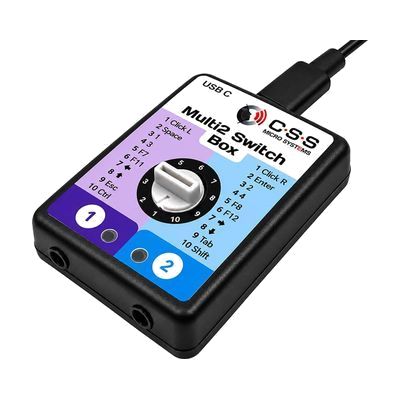
Multi2 Switch Box USB-C
Est. $100–$200
The Multi2 Switch Box USB-C lets one or two wired switches control a computer, tablet, or iPad. It plugs in over USB-C and needs no software, so it works as a simple bridge between a switch and a device that accepts switch input. You'll need your own switches, since none are included. Because the box only passes the switch signal along, you'll also need to set up the device's own switch access or accessibility settings.
Verified 4 days agoProfessional guidance helps -
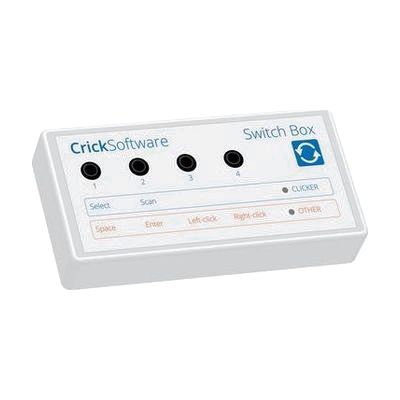
Crick USB Switch Box
Est. $40–$80
The Crick USB Switch Box connects one or more assistive switches to a Mac or PC through a USB lead, which is included. It works with Clicker, a popular educational and communication program, with no setup, so someone who can't use a mouse or keyboard can control the software with a switch. It is built for people who need dependable switch access across different software for learning and communication. This is the interface only, so you'll need your own switches and a switch-accessible program to get any benefit from it.
Verified 4 days agoProfessional guidance helps -
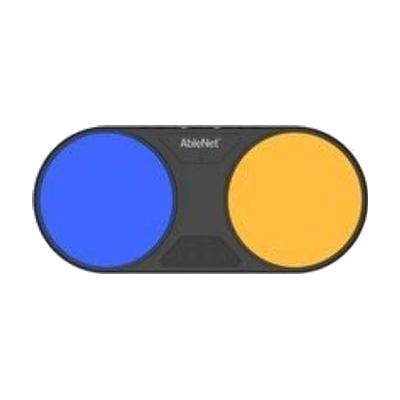
Blue2 FT
$260.00
The Blue2 FT is a wireless Bluetooth switch that activates when you touch it or bring a hand close to it, so no hard press is needed. It gives sound and light feedback when it triggers. It can control an iPad or iPhone through Switch Control, and it also works with Windows, Mac, and Chromebook software that responds to keyboard keys like space, enter, or 1 through 4. It has two jacks for plugging in extra switches, such as a Jelly Bean or Big Red, and the built-in sensors turn off automatically when an external switch is connected. It has a rechargeable battery and threaded inserts for mounting. Setting up the right access method, position, and software takes some trial and error, so this is best chosen with someone who knows switch access.
Verified 4 days agoProfessional guidance helps -

Thumb Switch
$47.95
The Thumb Switch is a hand-held switch you grip in your palm and activate by pressing a red button with your thumb. It works as a momentary switch, so it's active only while the button is held down. It's a good fit for someone who has reliable thumb movement but may find other switch styles hard to reach or press. The body is a yellow cylinder about 4½ inches long that weighs 3 ounces, and it has a cord of roughly 4 feet. On its own it does nothing: you'll plug it into a switch-adapted device or toy, or connect it to a computer through a switch interface, since computers don't have switch access built in.
Not recently verifiedProfessional guidance helps -
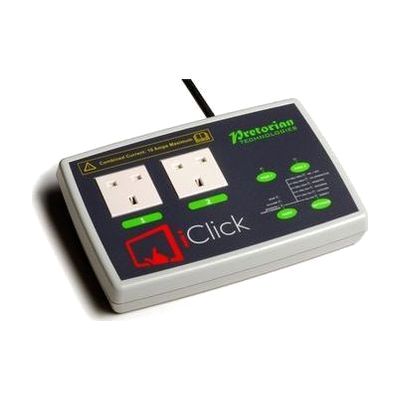
iClick
Est. $150–$350
The iClick lets you switch electrical appliances on and off from an iPad, with no cables between the two. You plug up to two mains devices into its sockets and control them separately through a free app. Modes include holding to run (good for teaching cause and effect), touch on/touch off, a timer from 1 second up to 250 minutes, and a two-person mode that needs two people to work together. It can also be used with wireless switches, and the app works with iOS Switch Control for someone who can't use the touchscreen directly. The sockets are UK mains type, and you need to supply your own iPad (iPad 3 or later).
Verified 4 days agoSetup with instructions -

SwitchIt! Transport Extra
Est. $40–$90
SwitchIt! Transport Extra is Windows software that turns twelve transport themes, such as a school bus, ferry, digger, space rocket and taxi, into cause-and-effect and early choice-making activities. Each theme has flash cards that show a picture and say its name, picture builds that put a scene together with a switch press and end in an animated reward, and animated stories. It's meant for young learners who access a computer by switch, touch screen, mouse or auditory scanning, and who benefit from clear graphics, sound cues and picture menus. Printable extras like flashcards, sequencing, colouring and matching games come with it, and you can adjust the subject choices and access settings for each learner. You'll need your own switch and a way to connect it if switch access is the goal.
Verified 4 days agoSetup with instructions -
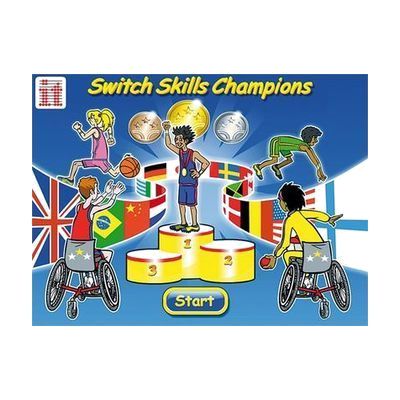
Switch Skills Champions
Est. $30–$80
Switch Skills Champions is a Windows software package of five sports games: basketball, volleyball, boccia, ice hockey and hurdles. A learner presses their switch at the right moment, such as when a player appears to score a goal, win a race or earn a medal, which builds timing and cause-and-effect skills. It can be played alone or with a partner for turn-taking, and each player gets their own difficulty level. A simple training mode is included for early learners who are just starting with switch access, and the games can also be run with a mouse, keyboard, touch monitor or whiteboard. This is software only, so you'll need a Windows computer and a switch with a way to connect it.
Verified 1 week agoSetup with instructions -

Getting Started with Switches Bundle
Est. $150–$350
This bundle gives you a starter set of switches in different shapes and sizes, plus a battery-operated walking toy that a switch can control. It includes the Big Red Switch, Jelly Bean Switch, small Pal Pad, Piko Button 50, large and small Smoothie switches, and a Specs Switch IC. The point is to let someone try several switches and see which one is easiest to press. It suits a person just starting out with switch access, such as practicing cause and effect or playing with the toy. The toy is one of several animal designs, and colors and contents may vary. The toy takes 2 AA batteries, which are included.
Verified 4 days agoProfessional guidance helps -
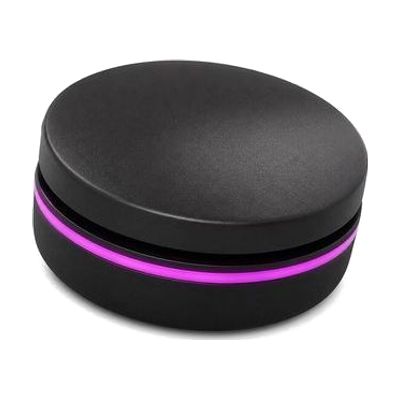
Solo Button
Est. $60–$130
The Solo Button is a small Bluetooth switch that lets someone press one button to control a tablet, computer, or communication aid. It gives feedback you can feel, hear, and see when it's pressed, which helps the user know their press registered. This is the switch only. You'll need a compatible device with switch access set up, and the right placement and software settings make a big difference in how well it works.
Verified 1 week agoProfessional guidance helps -
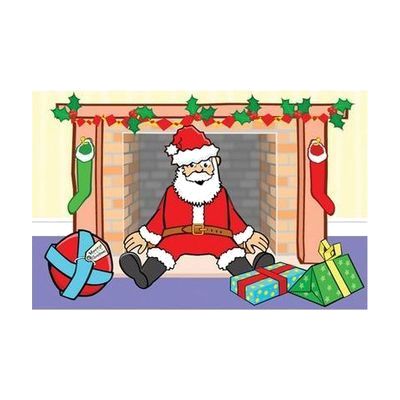
SwitchIt! Xmas Extra
Est. $30–$80
SwitchIt! Xmas Extra is a Windows program of festive-themed activities that a learner can run with a switch, mouse, touch screen, keyboard, IntelliKeys or Concept Keyboard. It has 12 Christmas and New Year sequences, such as building a snowman, pulling a cracker, watching fireworks and decorating the tree. Each one is offered three ways: a step-by-step animation, a picture-building activity, or large flash cards with spoken support. A picture menu lets the learner choose scenes on their own, and you can adjust the number of steps and the timing of rewards to fit one learner's needs. Settings can be saved for different users. It also comes with printable worksheets (dot-to-dot, sequencing, colouring, matching and more) and braille worksheets meant for swell paper and a heat fuser. It works best for children who are building early switch skills, and you'll want a switch and a way to connect it if switch access is the goal.
Verified 4 days agoSetup with instructions -

EnvirON Starter Pack
Est. $250–$600
The EnvirON Starter Pack is a bundle that lets someone control everyday devices like a TV, lamp, radio, or kitchen appliance without using the original remote or wall switch. It includes a hub that sends infra-red (IR) commands, two large and two small wireless switches that each handle one function, and an iClick that turns mains-powered appliances on and off through a free app. You can run it from an iPad, from switches, or from a scanning remote, and the free iOS app works with Switch Control devices such as the APPlicator or iSwitch. It suits someone who can't easily use standard remotes or controls, and it also works well for teaching cause-and-effect and early environmental control skills in a classroom or at home. The wireless switches each do a single job, so you'll plan out which device each one operates.
Verified 4 days agoSetup with instructions -
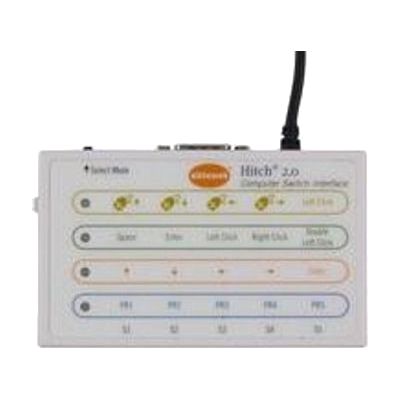
Hitch 2
$120.00
The Hitch 2 is a USB switch interface. It lets one to five switches, or a joystick with a 9-pin D plug, act as a keyboard or mouse for a computer. It sends core keystrokes that switch accessible software commonly uses, and you can program one to four keystrokes of your own. A mouse control mode lets a joystick or several switches move the on-screen cursor. It works with Windows, macOS, Chrome, and Android devices that have a USB connection, and Mac users can pair it with Switch Control for full computer access. This is only the interface: you'll need your own switches or joystick, plus switch accessible software, before anyone gets any benefit.
Verified 4 days agoProfessional guidance helps -
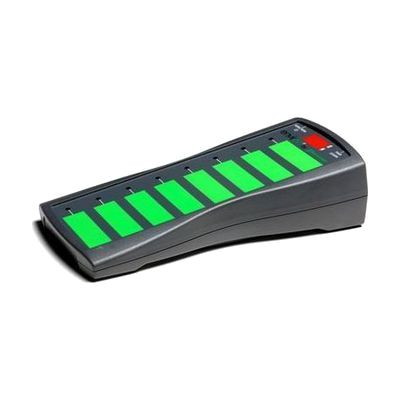
EnvirON Scanning Remote
Est. $150–$350
The EnvirON Scanning Remote lets someone control up to eight functions on infrared and mains-powered devices, such as a TV, radio, lights or kitchen appliances, from one handheld unit. Its large touch-sensitive buttons can be pressed directly, or you can run it with one or two switches that step through the options (scanning). That makes it useful for a person who can't reach or press small buttons but can reliably hit a switch. It's built to work with the EnvirON Hub and the free EnvirON iOS app, and it also works with iOS Switch Control through switches like the APPlicator or iSwitch. Plan on choosing and positioning switches and teaching the scanning pattern; it works best as part of a larger setup.
Verified 4 days agoProfessional guidance helps -

Galaxy Z Flip8
Est. $799–$1,199
The Galaxy Z Flip8 is a Samsung Android smartphone, and it works as an accessibility device because of the tools built into its software. These include the TalkBack screen reader, Voice Access for hands-free control, switch scanning through Universal Switch, and an Assistant Menu that puts buttons and gestures on screen. For hearing, it offers Live Transcribe and Live Caption, sound alerts for things like doorbells and crying, and support for Bluetooth hearing aids. Magnification, color adjustment, and Bixby voice control are in there too. Most of these tools are off by default, so you'll need to pick and turn on the ones that fit the person using it.
Verified 4 days agoSetup with instructions