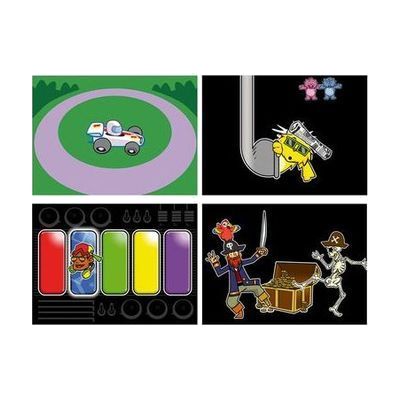
Inclusive Switch Skills Bundle
Price is what the vendor listed when last checked. Confirm it with the vendor before buying.
Last verified September 16, 2026 · classified April 26, 2026
What it is
Summary
AI-generated from vendor-published content · April 26, 2026
This bundle combines a switch interface, two Smoothie switches, and three software titles designed to help someone build the fundamental skills needed to operate assistive technology through switch access. It's aimed at learners who are just starting out with single-switch or two-switch scanning — helping them develop the cause-and-effect understanding, timing, and control needed before they can use switches to run communication devices, computers, or other AT. You get hardware and software together in one package, which means a therapist or educator has most of what's needed to begin structured switch training sessions without sourcing components separately. This is a teaching tool and a starting point — it does not replace the eventual target device the learner will control, and getting meaningful results requires an SLP or OT to guide the training progression.
Quick Facts Catalog facts · auto-generated
- AT Act lending
- Medicaid waiver
- Out of pocket
- School district
- Vocational rehab
What Setup Looks Like
- Out of the box
Connect the Smoothie switches to the Multi2 interface and plug the interface into a computer via USB — switches activate immediately for basic cause-and-effect testing. - With a guide
- Install the three Switch Skills software titles on a Windows or Mac computer following included setup instructions.
- Configure scanning settings in the software to match the learner's current ability level — estimated 30–60 minutes with documentation. See manufacturer support resources for detailed instructions.
- With professional help
- An occupational therapist (OT) or speech-language pathologist (SLP) assesses the learner's motor access and recommends switch placement, activation method, and appropriate starting software level.
- Expect ongoing sessions over several weeks to progress through the switch skills curriculum as the learner develops timing and control.
Getting it
Try Before You Buy
Devices like this are often available to borrow through your state's AT Act program — typically free or low-cost — so you can try it before buying or pursuing funding.
Where to Get It
This is the vendor WhatCanHelp tracks for this product — it may also be available from other retailers or a local supplier, and prices vary.
Some links may be affiliate links — WhatCanHelp may earn a small commission from purchases at no extra cost to you. More on affiliates →
As an Amazon Associate we earn from qualifying purchases.
How to Fund This
Equipment like this is often pursued through official state programs. These are common starting points — each program decides its own eligibility and what it covers, so the first step is always a phone call.
Compare & explore
Sources & fine print
Vendor facts (name, price, platforms, vendor link) sourced from Inclusive Technology — view on vendor site; last verified September 16, 2026.
Classification & description AI-generated from vendor-published content on April 26, 2026 · confidence: high. Vendor specs may lag; verify before relying on details in a clinical or funding artifact.