Browse Assistive Technology
Products
-
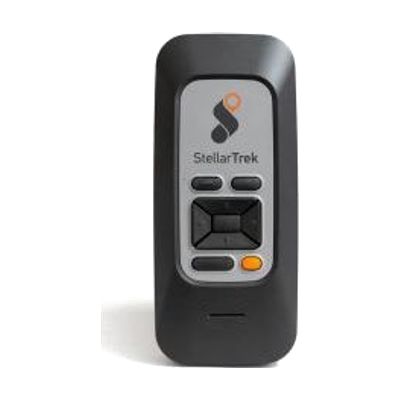
StellarTrek AI Powered Talking Mobility Device
$999.00
The StellarTrek is a handheld talking device that gives spoken, step-by-step directions to a destination and helps with the last 40 feet to a door or entrance. It uses GPS, built-in optical sensors, and AI to describe intersections, detect crosswalks, and identify doors and street addresses. It also reads printed text aloud with OCR (which turns printed words into speech), and it can scan bar codes and name colors, so one device covers street signs, menus, and store products. It runs on its own rechargeable battery through USB-C and doesn't lean on your phone's battery or data. Maps are free to download, and it works in 13 languages.
Verified todayProfessional guidance helps -

Quicktalker FT23
$265.00
The QuickTalker FeatherTouch 23 is a dedicated talking device where you record your own voice messages and trigger them by pressing light-touch squares on its surface. It has 3 larger core message squares plus 20 smaller ones, and it holds up to 18 minutes of recording. You can store several different recordings under each square and swap them in as needs change. Picture or symbol overlays are not included, so you'll need to make or source them yourself. AbleNet offers a free iPad app for creating symbol overlays. It runs on 4 AA batteries, has a carrying handle, and does not have a switch input or mounting connection.
Verified 2 days agoProfessional guidance helps -
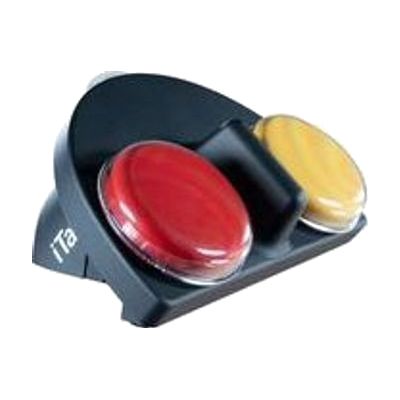
iTalk2
$215.00
The iTalk2 is a simple two-button talking device. Pressing the red or yellow top plays a recorded message, so someone can pick between two choices, like yes or no, or two foods or activities. You can record new messages quickly, or use the levels to pre-record up to three sets ahead of time. A clear snap cover holds picture symbols so the person can see what each button means. The soft-touch coating is easier to hold, and the digital sound is built to work in most settings. Symbol overlays are not included, but AbleNet offers a free iPad app for making them.
Verified 4 days agoProfessional guidance helps -
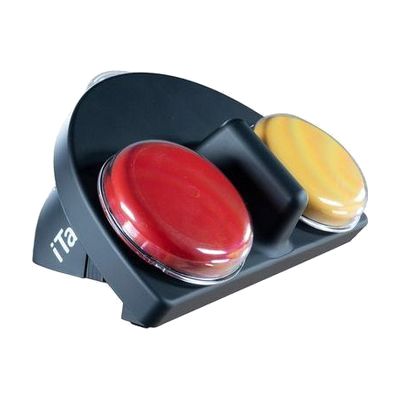
iTalk2 with Levels
Est. $500–$1,200
The iTalk2 with Levels is a talking device with big, colored buttons that each play back a message you record. It has up to 12 messages across three levels and about 6 minutes of total recording time. Dual amplified speakers help messages carry in noisy rooms. The buttons have clear snap caps that hold picture symbols, so each message is easy to recognize. You can plug in external switches (sold separately) so someone can play messages without pressing the buttons, and the toy/appliance outputs let it trigger toys or other devices. The product page describes the four-button iTalk4 model, so confirm the button count for this exact model before ordering.
Verified 4 days agoProfessional guidance helps -
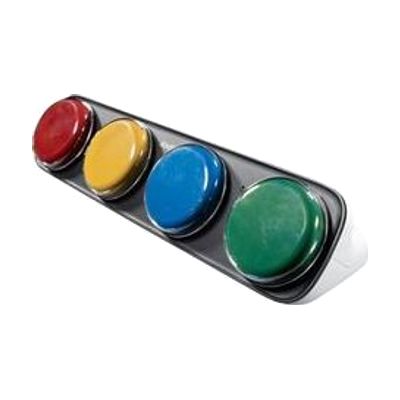
iTalk4 with Levels
Est. $150–$300
The iTalk4 with Levels is a simple talking device with four large buttons, each one playing back a message you record. Switching between three levels gives you up to 12 different messages, with about 6 minutes of total recording time. Each button has a clear snap cap where you can slide in a picture symbol, so the person using it can see what each message says. Two amplified speakers help it carry in noisy rooms. You can plug in external switches (sold separately) for people who can't press the buttons directly, and its toy and appliance outputs let it trigger battery toys or other devices. It can also be fixed to a mounting arm.
Verified 4 days agoSetup with instructions -
GoTalk 9+ Lite Touch
$339.00
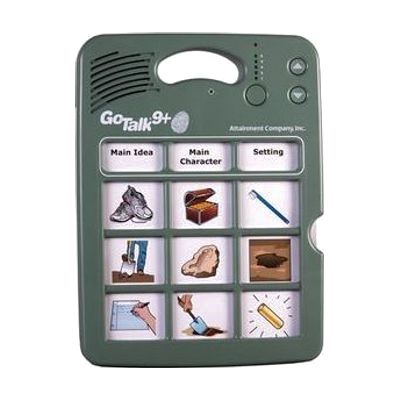
The GoTalk 9+ Lite Touch is a dedicated talking device with nine message keys. You record your own voice messages onto the keys, and each press plays one back. It holds up to 45 messages across five recording levels, with about nine minutes of total recording time, and its keys respond to a much lighter touch than standard GoTalk models, which helps someone with a gentle or limited press. People can use it to start conversations, make requests, answer questions in class, or greet visitors in a hospital room. It has volume control, a record lock and a level lock, and it stores its overlays inside the device. Because every message is recorded by someone, the vocabulary only works as well as it is planned, so it helps to have a speech-language pathologist or teacher decide what goes on each level.
Verified 2 days agoProfessional guidance helps -

VoiceBooster 20 Watt Portable Voice Amplifier MR2300
$92.99
The VoiceBooster MR2300 is a small, 20-watt voice amplifier that makes a quiet or tired voice louder, enough to fill about 6,000 square feet. It comes with a headset microphone, a waistband so you can wear the unit hands-free, and a carry bag. It also takes input from an MP3 player, so you can play music or sound along with your voice. It runs on a built-in rechargeable battery that lasts 10-15 hours per charge. It suits someone whose voice doesn't carry on its own, such as a teacher, a coach, a tour guide, or a person with a vocal disability. It is a stand-alone amplifier, not a talking device, so it makes your own speech louder but doesn't speak for you.
Verified 2 days agoReady to use -
Talk Pad
Est. $1,500–$4,000
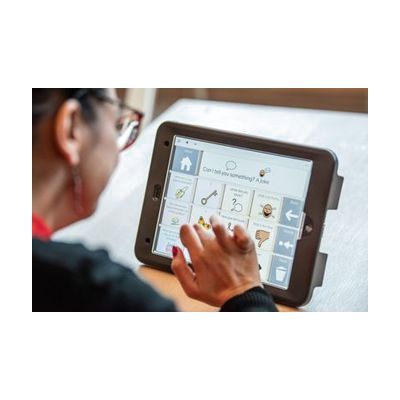
The Talk Pad is a dedicated communication device that speaks for someone who can't rely on natural speech. It comes in an 8-inch or 10-inch size and can be provided with Grid AAC software, which lets a person build messages from symbols and text. You can select by touch, add a keyguard (a overlay with holes) for more precise taps, or connect up to two switches. It's built to go places, with a tactile handle, a carry strap, wheelchair mounting, large blue power and volume buttons, a 1m drop-test rating, and IP22 protection. Because the right size, access method, and vocabulary setup vary a lot from person to person, it helps to have a speech-language pathologist or AAC specialist involved.
Verified 4 days agoProfessional guidance helps -

Talkbook Four
$89.00
The Talkbook Four is a portable communication aid that holds four separate one-message talkers in a folder. Each talker (a GoTalk One) has a large, colorful PLAY button and a picture display, and you record up to 10 seconds of speech on it by sliding a switch on the back to RECORD. That makes it a good fit for someone who needs a few spoken choices or a short sequence of steps, such as a routine, in one place. The vinyl folder has clear pockets for the four talkers plus one large visual cue, and it opens flat to about 13.6 by 6.6 inches. Batteries are included. Each talker only holds one message, so you'll re-record whenever a message needs to change.
Verified 3 weeks agoSetup with instructions -
Talking Button
Est. $20–$50
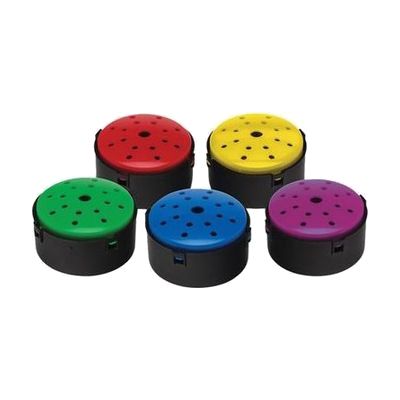
The Talking Button lets you record a message up to 10 seconds long, then plays it back loudly each time someone presses the button. It comes as a pack of five 45mm buttons, one each in blue, green, yellow, purple, and red, so you can sort activities by color, such as question-and-answer games, reminders, or interactive wall and board displays. Each button is small enough to mount on a board or wall, and replaceable LR44 batteries are included. With only 10 seconds per button, it suits short phrases and single messages rather than longer speech.
Verified 4 days agoSetup with instructions -

TalkingBrix 2
$255.00
This set of three TalkingBrix 2 speech devices lets someone press a colored top to play one recorded message of up to 10 seconds. You can place them around a classroom or home for on-the-spot communication, use them to offer choices, or give several people each their own message. They can also connect together to act as a multi-message speech device. A clear snap cover holds a picture symbol so the message has visual context, but symbol overlays are not included. You can make them with AbleNet's free Symbol Overlay app for iPad. The battery is rechargeable.
Verified 4 days agoProfessional guidance helps -
TalkBack
Free
TalkBack is the screen reader built into Android devices. It speaks what is on the screen aloud, so someone who can't see the display well can control the phone or tablet without looking at it. It is meant for people who are blind or have low vision. When you turn it on for the first time, a tutorial opens to teach the gestures, and you can reopen it later. Exact steps and some gestures vary by device maker, Android version, and TalkBack version.
Verified 3 days agoSetup with instructions -

Talking Tiles
Est. $20–$60
The Talking Tile is a square, single-message voice recorder. You record up to 80 seconds of speech, music, or sound, press the tile to play it back, and re-record whenever you want a new message. A removable clear cover lets you slip in a picture, symbol, or word that matches what you recorded. A locking switch protects the message from being erased by accident, and built-in holes let you hang it on a wall for a display. It also has an audio-in socket and a 3.5mm lead, so you can record from a CD player or computer. It holds one message at a time, so it suits simple choices, greetings, and classroom activities better than full conversation.
Verified 4 days agoSetup with instructions -
QuickTalker FT 7
Est. $150–$350
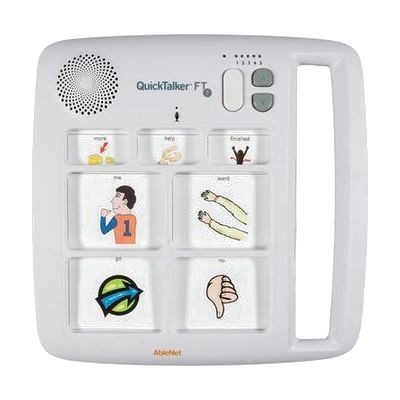
The QuickTalker FT 7 is a portable talker with seven message spots that play back messages you record yourself. Three of those messages stay the same across all five recording levels, such as "I need help," while the other four change with each level, so you can set it up for the classroom, the bus, story time, or home. It records six minutes in total, and its FeatherTouch membrane takes about 70% less force to press, which helps someone with limited strength or dexterity. This is a simple message-playback device, not a full communication system with a growing vocabulary, so it fits best for a learner who needs a handful of messages at a time.
Verified 4 days agoSetup with instructions -

Portable Clear Communication Device
Est. $15–$60
This is a clear, wipe-clean communication board that holds your own custom symbols or Talking Pockets, so you can build a simple, low-tech way to communicate that fits one person. It comes in three sizes and is made to be carried, which suits use at school, in the community, or around the house. It doesn't come with symbols or vocabulary on it. You'll need to choose and make the content yourself, and that's where it helps to have an SLP or AAC specialist weigh in.
Verified 4 days agoProfessional guidance helps -

Voice Pad
Est. $40–$80
The Voice Pad is a simple recordable device: press the red button to record up to 40 seconds of sound, then press the green button to play it back. It comes as a pack of five, so a classroom or group can use several at once. A clear cover with a dry-wipe insert lets you add a picture or words that match each recording, and a lock switch protects a message from being erased by accident. A built-in mirror adds something to look at and explore, and the pad can sit on a table with its kick stand, hang on a wall, or stick to a metal surface with its magnet. It holds only one short message per pad, so it suits single words, phrases, or sound effects rather than anything longer.
Verified 4 days agoReady to use -

Talking Pocket Accessories
Est. $10–$40
These are carrying and display accessories for Talking Pocket, a small recordable voice-message device. The carriers let you take 4 or 8 Talking Pockets with you so messages go wherever the person does. The clear schedule holders are made of durable, washable vinyl. They can be hung sideways or upright, and they combine Talking Pockets with pictures to build a talking schedule. One holder takes up to 6 Talking Pockets and closes with Velcro; the Easy Push version takes up to 8. These are accessories only, so you'll need the Talking Pockets themselves, and you should check which carrier or holder is being ordered.
Verified 4 days agoSetup with instructions