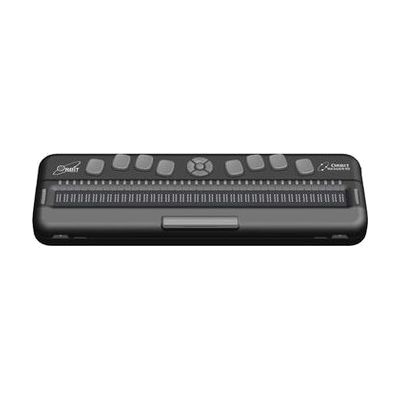
Orbit Reader 40
by Orbit
Price is what the vendor listed when last checked. Confirm it with the vendor before buying.
Last verified September 20, 2026 · classified April 26, 2026
What it is
Summary
AI-generated from vendor-published content · April 26, 2026
The Orbit Reader 40 is a 40-cell refreshable braille display that also functions as a standalone note-taker and book reader — three tools in one compact device. It's designed for blind or low-vision users who want to read digital content in braille, take and save notes, and control a computer or smartphone without needing a separate dedicated device for each task. Out of the box it works as a self-contained unit with onboard apps (clock, calendar, calculator), SD card storage for books and documents, and built-in forward/backward braille translation across 40+ languages; connect it via USB or Bluetooth to use it as a braille display paired with a screen reader on any major platform. One honest heads-up: at 40 cells this is a full-width professional display, which is excellent for productivity but makes it larger and heavier than a 20-cell travel device — not the most portable option if you're primarily reading on the go.
Quick Facts Catalog facts · auto-generated
- AT Act lending
- Medicaid waiver
- Out of pocket
- School district
- Vocational rehab
What Setup Looks Like
- Out of the box
Power on and use built-in apps (clock, calendar, calculator, book reader) with files loaded on SD card — no pairing required. - With a guide
- Pair via Bluetooth or USB to a computer or smartphone.
- Configure your screen reader (JAWS, NVDA, VoiceOver, TalkBack) to recognize the Orbit Reader 40 as the active braille display — typically takes 15–30 minutes following the screen reader's braille display setup guide.
- See manufacturer support resources for detailed instructions.
- With professional help
- An assistive technology specialist (ATP) or orientation and mobility specialist can help configure grade 1 vs. grade 2 braille settings, language tables, and optimal key bindings for the user's screen reader workflow.
- Expect 1–2 sessions for initial setup and training, especially for users new to refreshable braille displays.
Getting it
Try Before You Buy
Devices like this are often available to borrow through your state's AT Act program — typically free or low-cost — so you can try it before buying or pursuing funding.
Where to Get It
These are the vendors WhatCanHelp tracks for this product — it may also be available from other retailers or a local supplier, and prices vary.
Some links may be affiliate links — WhatCanHelp may earn a small commission from purchases at no extra cost to you. More on affiliates →
As an Amazon Associate we earn from qualifying purchases.
How to Fund This
Equipment like this is often pursued through official state programs. These are common starting points — each program decides its own eligibility and what it covers, so the first step is always a phone call.
Compare & explore
Sources & fine print
Vendor facts (name, price, platforms, vendor link) sourced from Orbit — view on vendor site; last verified September 20, 2026.
Classification & description AI-generated from vendor-published content on April 26, 2026 · confidence: high. Vendor specs may lag; verify before relying on details in a clinical or funding artifact.