Braille displays
Products in the braille displays category.
-
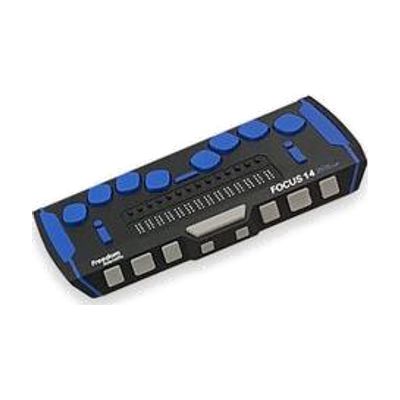
Focus 14 Blue - 5th Generation
The Focus 14 Blue is a portable braille display that shows 14 characters of braille at a time, so you can read what's on a screen by touch. It has an 8-dot braille keyboard for typing, front panel controls, and customizable NAV rockers for moving around. You can switch between five Bluetooth devices and one USB connection, and it works with iOS and Android devices. With JAWS, it also gives contracted braille input and full control in Windows. The housing is aluminum and steel, and it can be used while still in its carrying case. This is a display that goes with a screen reader, so it only works alongside a phone, tablet, or computer.
Verified 4 days agoProfessional guidance helps -

BrailleNote evolve: KeySoft on Windows 11
The BrailleNote evolve is a braille notetaker that runs two environments on one device: HumanWare's KeySoft, built for reading and writing in braille, and Windows 11 Pro. It comes with the NVDA screen reader and Microsoft 365, so someone who is blind can write, read, and work on shared documents using braille. You get a notetaker and a Windows computer in one dedicated device, which suits a student or worker who needs to use mainstream software without sight. Choosing it well takes some thought, because it replaces more than one device and the best fit depends on how the person already works.
Not recently verifiedProfessional guidance helps -
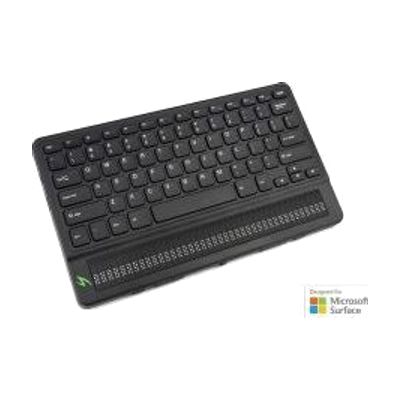
Mantis Q40 braille display
$2,699.00
The Mantis Q40 combines a QWERTY keyboard with a 40-cell refreshable braille display, which raises and lowers small pins to show text as braille. It connects over Bluetooth to a screen reader or smartphone so you can read and type in braille on those devices. It can also be used on its own as a standalone device. If you read braille and want one tool for both typing and reading, this is built for that.
Not recently verifiedProfessional guidance helps -
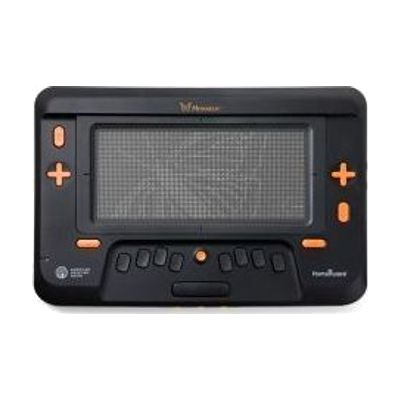
Monarch
$15,500.00
The Monarch is a braille tablet with a refreshable display that is 10 lines tall and 32 cells wide. Because it shows several lines at once, it can present tactile graphics right alongside braille text, so charts, diagrams, and words can be read together under the fingertips. It connects to downloadable digital textbooks and to APH's Tactile Graphics Image Library, which makes it a fit for students and other readers who are blind or have low vision and want to get materials into their hands faster. It's a high-end, dedicated device, so it makes sense to talk with a teacher of students with visual impairments or an ATP about how it fits a learner's materials and routines.
Verified 3 days agoProfessional guidance helps -
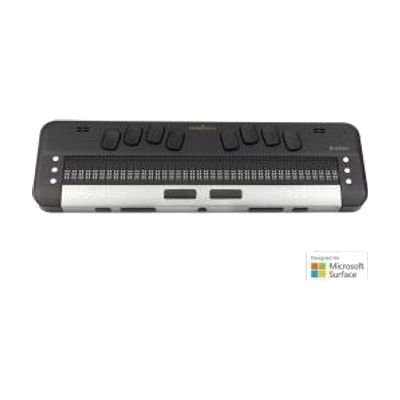
Brailliant BI 40X
$3,759.00
The Brailliant BI 40X is a portable refreshable braille display, meaning small pins rise and fall to form braille cells that you read with your fingers. It pairs with other devices to show what's on their screens, and it also runs standalone applications on its own. The BI X series is described as the first to add built-in text-to-speech, so you can hear text as well as feel it. The page text describes the 20-cell BI 20X; the name indicates this model has 40 cells, so confirm cell count and exact features before ordering. A braille display is a big purchase, and someone who reads braille will get the most from it with help matching it to their devices and setting up connections.
Not recently verifiedProfessional guidance helps -
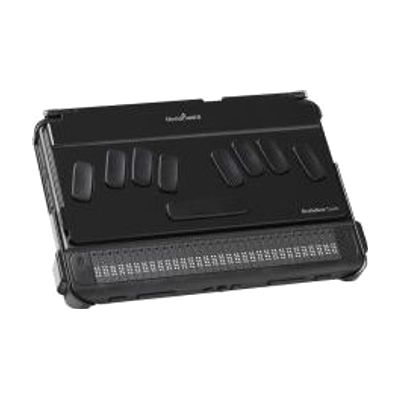
BrailleNote Touch Plus – My First Notetaker
$2,995.00
This special edition of the BrailleNote Touch Plus is aimed at children aged 4 to 8 who are just starting to learn braille. It is a notetaker with a refreshable braille display, which means the braille dots change as the child reads and writes. It also comes with accessible digital tools designed to be easier for young children to use. It is a dedicated device, so it works on its own without a computer or phone.
Not recently verifiedProfessional guidance helps -
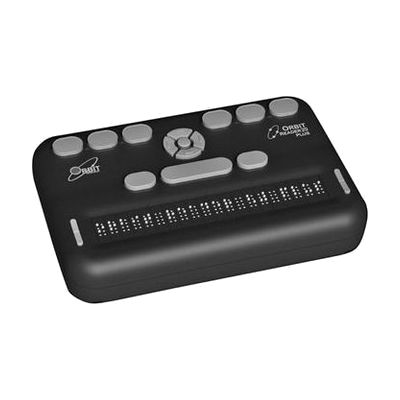
Orbit Reader 20 Plus
$899.00
The Orbit Reader 20 Plus is a 20-cell, eight-dot braille device that works three ways. You can use it by itself as a note-taker or book reader, or connect it to a computer or phone by USB or Bluetooth and use it as a braille display for a screen reader. It translates text into braille and back again on the device, with support for 40+ languages. It also has a clock and alarm, a calendar, and a calculator. It has eight braille input keys, panning keys at each end of the display, an SD-card slot, and a rechargeable battery. It's a good fit for someone who already reads braille and wants one portable tool for notes, books, email, and web browsing. The connected-device features work with Android, iOS, Windows, Fire OS, Chrome, and Linux.
Verified todaySetup with instructions -
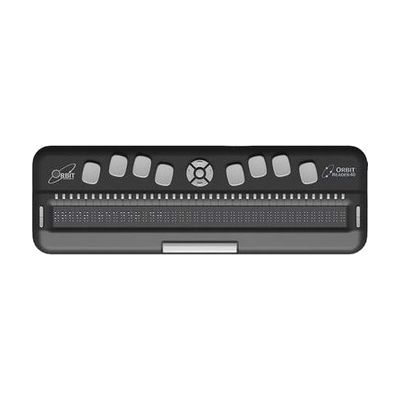
Orbit Reader 40 Braille Display Book Reader
$1,899.00
The Orbit Reader 40 is a portable braille device with 40 eight-dot refreshable cells that raise and lower to show text one line at a time. It works three ways: as a stand-alone book reader for files on an SD card or USB drive, as a note-taker with a Perkins-style 8-key braille keyboard, or as a braille display that connects to up to 5 computers and phones over USB or Bluetooth. It works with the popular screen readers on Windows, Mac, iOS, Android, Fire OS, Chrome OS and Linux. Cursor routing buttons, a 4-way cursor pad and panning keys at each end of the display handle navigation. It also has a clock and alarm, calendar and calculator, with braille translation in more than 40 languages. It's best for someone who already reads braille, and you'll need a screen reader on each device you connect.
Verified 2 days agoSetup with instructions -
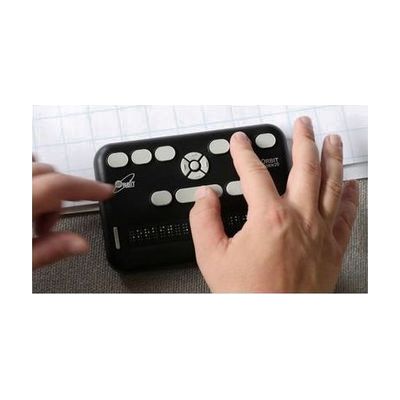
Orbit Reader 20
$799.00
The Orbit Reader 20 is a small refreshable braille device with 20 eight-dot cells that does three jobs. On its own, it reads books and files from an SD card (BRF, BRL, or text) and works as a note-taker using its Perkins-style 8-key braille keyboard. Connected to a computer, phone, or tablet by USB or Bluetooth, it becomes a braille display for a screen reader, so you can read and send messages, check email, and browse the web. It works with common screen readers on Windows, Mac, iOS, Android, and Chrome, and weighs under a pound. Twenty cells show only a short line of braille at a time, so you pan through longer text with the navigation keys.
Verified todaySetup with instructions -
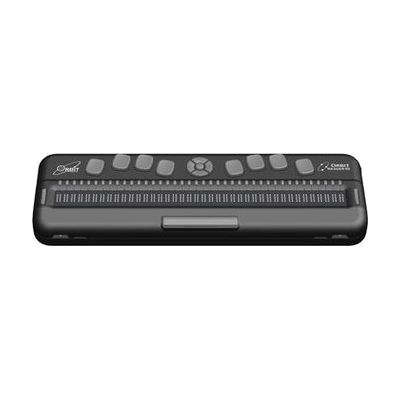
Orbit Reader 40
$1,899.00
The Orbit Reader 40 is a refreshable braille device with 40 eight-dot braille cells. You can use it on its own to read books and documents in braille and to take notes, saving them as braille or text files. It also connects by USB or Bluetooth to a computer or smartphone, where it acts as a braille display for web browsing, email, and texting with a screen reader. It has braille input keys, cursor routing buttons, and rocker keys for moving through text. A clock and alarm, calendar, and calculator are built in, and files can be stored on an SD card. Learning the controls and pairing it with your other devices takes some practice, so a vision professional or braille teacher can help you get the most from it.
Verified todayProfessional guidance helps -
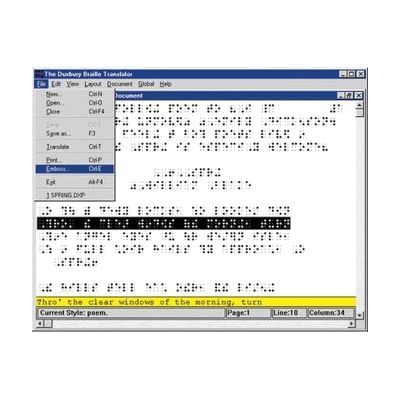
Duxbury Braille Translation For Windows
$695.00
Duxbury Braille Translator is Windows software that turns print documents into braille, and braille back into print. It takes files from Word, HTML, Open Office and other formats, and it can bring in text by email or through OCR, which reads printed pages. It handles American or British braille, contracted or uncontracted, across more than 170 languages, and math braille codes are available too. The output can be sent to any commercial braille embosser. It's built for people who prepare braille, such as teachers of students with visual impairments, transcribers, and publishers. It's a production tool, not a reading device, so it doesn't replace a braille display.
Verified yesterdayProfessional guidance helps -

Classic Perkins Brailler
$810.00
The Classic Perkins Brailler is a manual braille writer. You press its keys to emboss braille dots onto heavy braille paper, with no power or computer needed. It has adjustable margin stops, large paper feed knobs, and room for paper up to 14 inches long. A standard 11" x 11-1/2" sheet holds 25 lines of 42 cells each. It suits a braille learner, student, or adult who wants a dependable way to write braille by hand. It is a heavy machine at about 14 pounds, and it takes real finger effort to press the keys, which can tire you over long sessions. An electric model, the Smart Brailler, is sold separately for people who need a lighter touch.
Verified todaySetup with instructions -
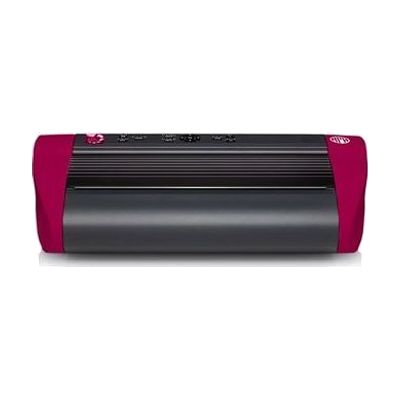
PageBlaster
$4,295.00
The PageBlaster is a braille embosser, a printer that punches raised braille dots into paper instead of printing ink. It feeds continuous fanfold paper, so you can run longer documents without loading single sheets. It comes with TactileView drawing software for making tactile graphics. This is a good fit for a classroom or home where someone needs braille copies of documents.
Verified 3 days agoSetup with instructions -

Pocket Braille Slate (Pins Up), Dark Plastic with Large Handle Stylus
$14.77
This pocket braille slate lets you write braille by hand, using the included large-handle stylus to press dots into paper. It has 4 lines of 28 cells, so you can jot down notes, labels, or short messages on the go. At about 8 by 2 inches and under a tenth of a pound, it slips easily into a pocket or bag. The slate is made for people ages 6 and up who read braille and want a simple, battery-free way to take notes. Writing by hand is slower than using a brailler, and it takes practice to form dots correctly.
Verified 3 days agoSetup with instructions -

Mantis Q40
$2,682.00
The Mantis Q40 pairs a QWERTY keyboard with a 40-cell refreshable braille display in one wireless unit. It lets a braille reader type and read braille wherever they are, instead of being tied to a desk setup. You can connect it to other devices as a keyboard and braille display, and it can also work on its own as a dedicated device. One limit to plan for: moving files between a Mac and the Mantis over USB doesn't currently work, so you'll need a USB drive or SD card to carry files across.
Verified 3 days agoSetup with instructions -
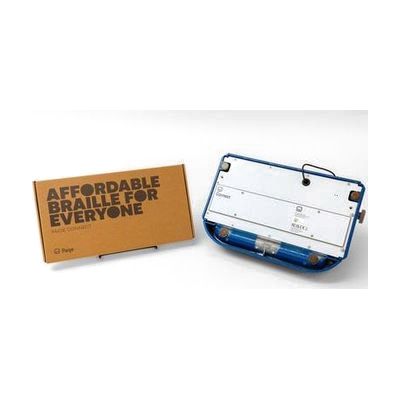
Paige Connect
$339.00
Paige Connect adds digital input to a classic braille writer, so what someone types on the braille writer shows up on a smart device. This lets braille be translated instantly and supports game-style learning activities on the device. It suits students and adults learning or practicing braille who already use a braille writer. Because it connects a braille writer to a phone or tablet, you'll need both of those on hand.
Verified 3 days agoSetup with instructions -
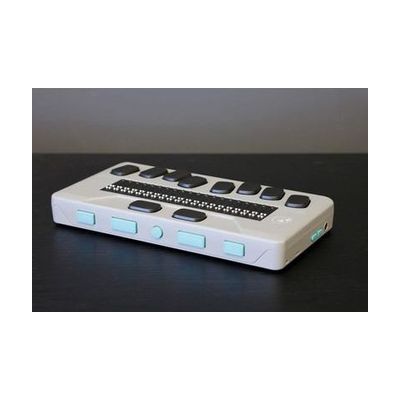
Chameleon 20
$1,715.00
The Chameleon 20 is a portable braille display, a device that raises and lowers small pins to form braille you read by touch. It also has text-to-speech, so you can hear text as well as feel it, which helps when learning or reinforcing braille. It runs built-in apps, including an editor and a library, so you can write and read without a separate computer, in the classroom or at work. The case comes in three colors, and some software options can be changed to suit you. If you use a Mac, file transfer over USB doesn't work right now. You'll need to move files with a separate USB drive or SD card instead.
Verified 3 days agoSetup with instructions -
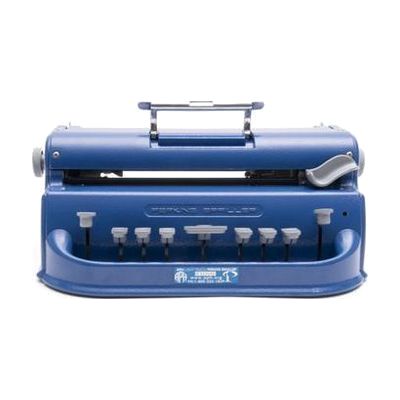
APH Light-Touch Perkins Brailler
$1,049.00
The APH Light-Touch Perkins Brailler is a manual braille writer that needs less finger pressure on the keys than a standard Perkins Brailler, so typing is faster and easier on the hands. It's a good fit for a braille learner or user who tires when pressing stiff keys, or who wants smoother, quicker writing. This is a stand-alone mechanical machine, so it doesn't connect to a computer or show braille on a screen.
Verified 3 days agoSetup with instructions -
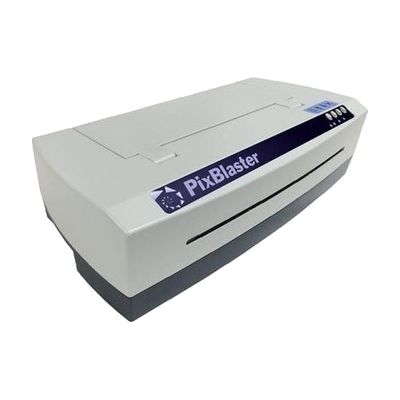
PixBlaster
$4,295.00
The PixBlaster is an embosser, a machine that prints braille and tactile graphics (raised pictures and diagrams) onto paper you can feel. It's meant for a classroom or a home where someone needs braille documents or raised images made on demand. The manufacturer offers embosser set-up and training tutorial videos, which helps with getting started.
Verified 3 days agoSetup with instructions -

CAN-DO 4 Line x 18 JUMBO Cells Aluminum Slate & Stylus, Pins on Bottom
$11.95
This aluminum slate and stylus lets someone write braille by hand, one dot at a time. It has four lines of 18 jumbo-sized cells, with the pins on the bottom, and a stylus comes with it. The slate measures 8 by 2 inches and has slots for tape, so you can secure paper while you write. It's a manual writing tool, not an electronic display, so there's nothing to read back from it on screen. Writing with a slate and stylus takes practice, since the dots are pressed into the paper from the back.
Verified todaySetup with instructions -
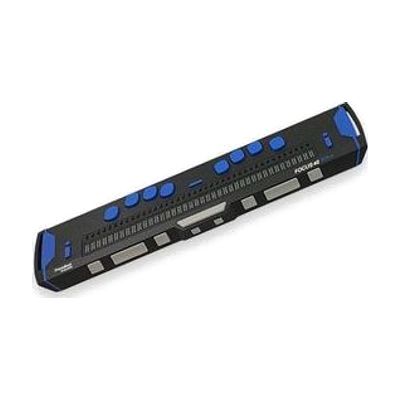
Focus 40 Blue - 5th Generation
The Focus 40 Blue is a portable braille display with 40 cells. It raises and lowers pins to show what's on a computer or phone screen as braille, so someone who reads braille can follow text by touch. It's built tough, with an aluminum housing on a steel base, bumpers that absorb knocks, and drop testing to a US military standard. A single smooth cap covers the cells so you feel only the pins, and the dot keys and spacebar are made to feel smooth and run quietly. The name points to Bluetooth, and the vendor notes that iOS connection needs iOS 11. You'll need a screen reader on your computer or phone for it to have anything to show.
Verified 4 days agoSetup with instructions -
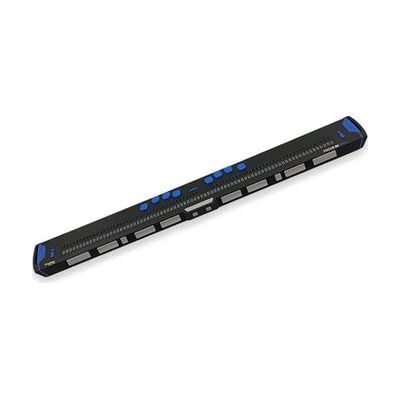
Focus 80 Blue - 5th Generation
The Focus 80 Blue is a portable braille display that lets you read on-screen text as refreshable braille, using 80 braille cells (the 80 in its name). The housing is aluminum over a steel base, with shock-absorbing bumpers meant to handle drops and knocks, and a single smooth cap over the cells so your fingers feel only the pins. The dot keys and spacebar are built for smooth, quiet typing, so you can also use it to enter text. It's for someone who reads braille and wants a durable display to carry between home, school, and work. It is a display only, so you'll need a computer or phone running screen reader software to send text to it.
Verified 4 days agoSetup with instructions