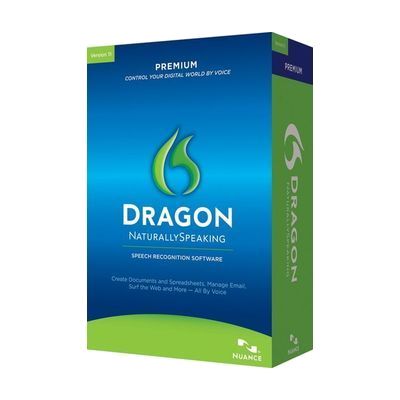
Dragon NaturallySpeaking Premium Spanish Version (Non-Returnable)
Price is what the vendor listed when last checked. Confirm it with the vendor before buying.
Last verified September 20, 2026 · classified April 26, 2026
What it is
Summary
AI-generated from vendor-published content · April 26, 2026
Dragon NaturallySpeaking Premium Spanish Version is voice recognition software that converts spoken Spanish into typed text on a Windows PC — you speak, and your words appear in documents, emails, and other applications without touching a keyboard or mouse. It's designed for Spanish-speaking users who have difficulty typing due to motor impairments, repetitive strain injuries, or conditions affecting hand and arm use, as well as those who simply find dictation faster than typing. This is a complete software solution, but it requires a Windows PC meeting minimum hardware specs and a compatible microphone (not included); a headset microphone is strongly recommended for accuracy. Note that this appears to be an older boxed version (v13) that may have compatibility issues with current Windows 11 systems, and as indicated by the non-returnable policy, buyers should verify compatibility before purchasing.
Quick Facts Catalog facts · auto-generated
- AT Act lending
- Out of pocket
- Vocational rehab
What Setup Looks Like
- Out of the box
Insert disc or run installer, complete setup wizard, and create a voice profile by reading training passages aloud — basic dictation typically works within 30 minutes. - With a guide
- Configure a quality headset microphone for best accuracy — USB headsets tend to outperform 3.5mm on modern PCs.
- Complete the voice profile training session and run accuracy tuning after initial use.
- Learn core navigation and editing voice commands using the built-in Dragon Sidebar help panel — expect 2-4 hours to reach comfortable proficiency. See manufacturer support resources for detailed instructions.
- With professional help
- An occupational therapist (OT) or assistive technology professional (ATP) can assess whether voice control is the best access method and configure Dragon for specific workflow needs.
- Vocational rehabilitation counselors can coordinate software with workplace accommodations — typically 1-2 sessions.
Getting it
Try Before You Buy
Devices like this are often available to borrow through your state's AT Act program — typically free or low-cost — so you can try it before buying or pursuing funding.
Where to Get It
This is the vendor WhatCanHelp tracks for this product — it may also be available from other retailers or a local supplier, and prices vary.
Some links may be affiliate links — WhatCanHelp may earn a small commission from purchases at no extra cost to you. More on affiliates →
As an Amazon Associate we earn from qualifying purchases.
How to Fund This
Equipment like this is often pursued through official state programs. These are common starting points — each program decides its own eligibility and what it covers, so the first step is always a phone call.
Compare & explore
Sources & fine print
Vendor facts (name, price, platforms, vendor link) sourced from Nuance Communications — view on vendor site; last verified September 20, 2026.
Classification & description AI-generated from vendor-published content on April 26, 2026 · confidence: high. Vendor specs may lag; verify before relying on details in a clinical or funding artifact.