Alternative input
A keyboard modified for people who have difficulty using a standard one. Options include large-key keyboards, mini keyboards for limited range of motion, one-handed layouts, keyguards to prevent accidental presses, and on-screen keyboards.
-
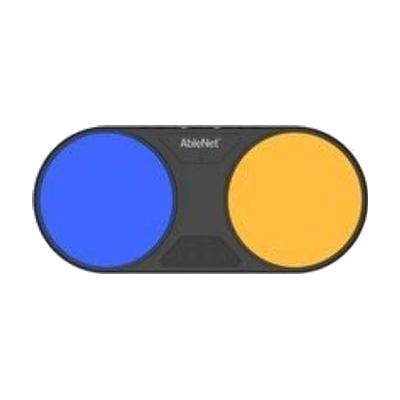
Blue2 FT
$260.00
The Blue2 FT is a wireless Bluetooth switch that activates when you touch it or bring a hand close to it, so no hard press is needed. It gives sound and light feedback when it triggers. It can control an iPad or iPhone through Switch Control, and it also works with Windows, Mac, and Chromebook software that responds to keyboard keys like space, enter, or 1 through 4. It has two jacks for plugging in extra switches, such as a Jelly Bean or Big Red, and the built-in sensors turn off automatically when an external switch is connected. It has a rechargeable battery and threaded inserts for mounting. Setting up the right access method, position, and software takes some trial and error, so this is best chosen with someone who knows switch access.
Verified 4 days agoProfessional guidance helps -
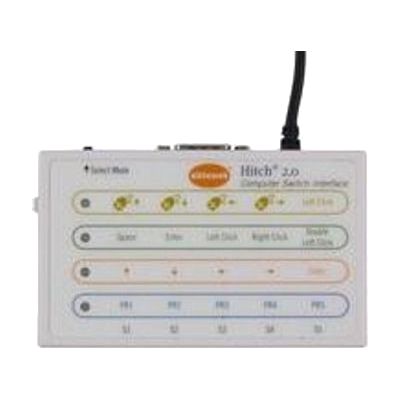
Hitch 2
$120.00
The Hitch 2 is a USB switch interface. It lets one to five switches, or a joystick with a 9-pin D plug, act as a keyboard or mouse for a computer. It sends core keystrokes that switch accessible software commonly uses, and you can program one to four keystrokes of your own. A mouse control mode lets a joystick or several switches move the on-screen cursor. It works with Windows, macOS, Chrome, and Android devices that have a USB connection, and Mac users can pair it with Switch Control for full computer access. This is only the interface: you'll need your own switches or joystick, plus switch accessible software, before anyone gets any benefit.
Verified 4 days agoProfessional guidance helps -
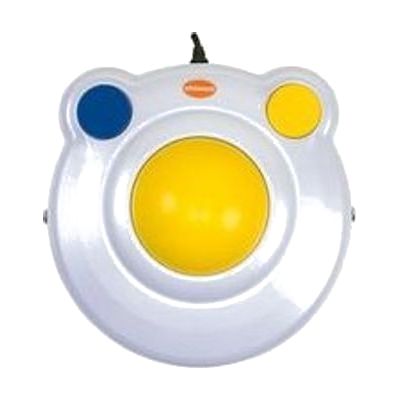
BIGtrack 2
$100.00
The BIGtrack 2 is a USB mouse built around a large 3-inch trackball. You move the cursor by rolling the ball with a hand, an arm, or even a foot, which suits someone who can't control a standard mouse with fine finger movements. Two oversized, color-coded buttons handle left and right clicks, and two switch jacks let you add your own switches for clicking. A drag lock feature lets you move items on screen without holding a button down. The switches are sold separately, and it needs a USB Type A port on the computer.
Verified 4 days agoSetup with instructions -
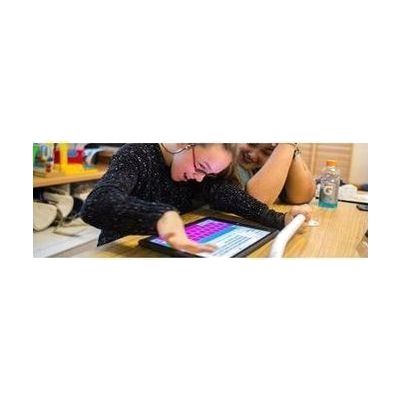
Keeble - AssistiveWare
Est. $4–$20
Keeble is an accessible keyboard for iPhone and iPad that you can use to type in almost any iOS app. It lets you change the colors and fonts, including a dyslexia-friendly font. It also has ways to cut down on typos, like selecting a key when you lift your finger and speaking each letter or word as you type. It's made for people with physical or vision impairments who find the standard keyboard hard to use, and it also has features for people with dyslexia.
Verified 4 days agoSetup with instructions -

TD Control
TD Control is Windows software that lets you run your computer with your eyes. It handles navigating Windows, browsing the web, email and social media, games, reading, and video. It's meant for someone who can't use their hands for a mouse or keyboard but wants to use their computer independently. It starts at a beginner level and builds toward full eye-only control as the user gets more practice. It comes with TD I-13 and TD I-16 devices and PCEye 5 eye trackers, so it works as part of an eye gaze setup rather than as a standalone program.
Verified 4 days agoProfessional guidance helps -

TD Browse
TD Browse is a web browser built for eye control. You look at links and controls to scroll, click, and move around a page, and no earlier eye tracking experience is needed. It helps people who can't use their hands to browse the internet. Color-coded links help you hit both large and small targets accurately, and you can jump back to favorite sites from your browsing history. It only runs on Tobii Dynavox TD I-Series devices (the TD I-13 and TD I-16), so it isn't something you can install on a regular computer or tablet.
Verified 4 days agoProfessional guidance helps -

Apple Switch Control & AssistiveTouch
Free
Switch Control is the scanning feature built into Apple devices. It lets someone run an iPhone, iPad, Mac, or Apple TV without touching the screen the usual way. Instead, the device highlights items one by one, and you pick the one you want using an adaptive switch, a game controller, a head or hand gesture, AirPods gestures, Back Tap, or a simple sound like a click or pop. You can build custom panels and keyboards, save different profiles for different times or places, and use one device to control other Apple devices on the same Wi-Fi network. It's free software, but plan on setting up the scanning style and your input method before it feels comfortable. If you use a physical switch, you'll need to buy that hardware separately.
Verified 3 days agoSetup with instructions -
Android Switch Access
Free
Switch Access is an Android feature that lets someone control a phone or tablet with one or more switches instead of touching the screen. It is built into the device, so there is no separate app to buy. It suits people who find tapping, swiping, or pinching on a touchscreen hard or impossible. You will still need at least one switch to use it, and it takes some time to set up and practice before it feels comfortable.
Verified 3 days agoSetup with instructions -

Windows Eye Control
Free
Windows Eye Control lets someone operate a Windows 11 PC with their eyes, using a compatible eye tracker. You look at on-screen controls and the built-in tools to move the pointer, click, and type on an on-screen keyboard. It's a feature of Windows, not a device, so you'll need a supported eye tracker. The supported list includes several Tobii Dynavox models and some laptops and monitors with eye tracking built in. The on-screen keyboard works only with the EN-US layout, and some settings are available only in English. Microsoft notes that a friend, family member, or caregiver may need to help with setup and settings changes.
Verified 3 days agoProfessional guidance helps -

Xbox Adaptive Controller
$99.99
The Xbox Adaptive Controller is a flat hub that lets you build a custom game controller from the switches, buttons, mounts, and joysticks that work best for your body. It has 3.5mm jacks and USB ports for plugging those devices in, and each one can stand in for a button, thumbstick, or trigger input. It works with Xbox Series X|S, Xbox One, and Windows PCs, and connects by Xbox Wireless, Bluetooth, or USB. You can remap buttons and save profiles in the Xbox Accessories app, then flip between three of them with the built-in Profile button. The controller alone isn't a full setup: the buttons, switches, and joysticks that plug into it are sold separately.
Verified 3 days agoSetup with instructions -
OptiKey
Free
OptiKey is a free on-screen keyboard for Windows computers that lets someone type and control the computer without using their hands. It works best with an eye-tracking device, so a person can write email and do other computer tasks with their eyes alone. A mouse or webcam can also drive it. It was built with people who have motor neuron disease in mind. It runs on Windows 8, 8.1, and 10, and it's open source, so the software costs nothing. The eye tracker or other input device is a separate purchase.
Verified 4 days agoSetup with instructions -
RelayKeys
Free
RelayKeys lets one computer send keystrokes and mouse movements to other devices over Bluetooth, so those devices think a regular keyboard and mouse are connected. It's aimed at people who depend on one dedicated system, like an eye gaze setup, but need to use other computers, tablets, or phones for work or fun. It works over Bluetooth rather than a shared network, which matters in schools and offices where network sharing isn't allowed. It's open source and runs as software on the main computer plus Bluetooth hardware, with a couple of hardware options. Expect to build or set up the hardware and install software, so it suits someone comfortable following technical documentation.
Verified 4 days agoSetup with instructions -
Universal Joystick Remapper
Free
UJR is a free Windows program that takes buttons and axes from one or more physical joysticks and combines them onto a single virtual joystick. You can tweak how each input behaves, with options like axis inversion, deadzones, and sensitivity. It's mainly used by gamers, for example to merge two pedal axes into one rudder axis, but the same control remapping can help someone who needs a game controller to respond differently to their movement. The developer says it is no longer maintained and has been replaced by a newer tool called UCR, so look at that one first. It also contacts the developer's website to check for new versions.
Verified 4 days agoSetup with instructions -

Windows Voice Access
Free
Voice Access is a built-in Windows 11 feature that lets you run your PC by speaking. You can open and switch between apps, browse the web, and write and read email, and it works without an internet connection. It's a good fit if using a keyboard and mouse is hard or tiring. It's only available on Windows 11 version 22H2 or later, so older PCs will need the update first. A built-in guide walks you through the basic commands and has a practice area, which helps because learning the spoken commands takes some time.
Verified 3 days agoSetup with instructions -
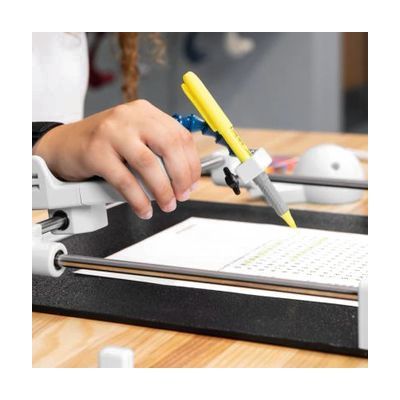
Guided Hands Bundle - Assistive Hand Mobility Kit for Writing, Drawing, Painting & Tech with Custom Adaptations
$999.00
The Guided Hands Bundle is a kit for people who have limited hand mobility and want an easier way to write, draw, paint, and use technology. It's meant for use at home, at school, or in therapy. The product name mentions custom adaptations, so this looks like a set of tools you fit to the person's hands, not a single one-size device.
Verified 3 days agoProfessional guidance helps -
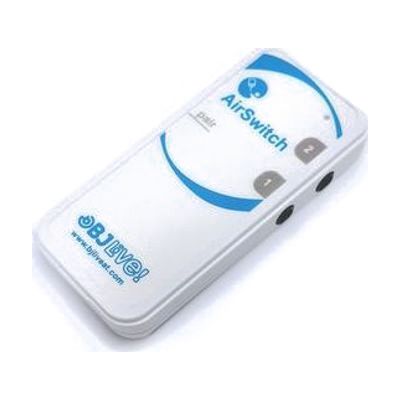
AirSwitch
Est. $79–$149
The AirSwitch is a small wireless switch adapter that connects over Bluetooth, so someone who uses switches can operate a phone, tablet, or computer without a cable. You can pair one or two switches with a device and use them to move around the operating system, open apps like Netflix, YouTube, and WhatsApp, and work with communication software such as Grid 3, either by scanning through cells or selecting them directly. It works with Windows, Linux, Android, macOS, and iOS and reaches about 10 metres, so the person can sit or move a bit away from the device. It runs on a CR2032 battery, which you supply.
Verified 4 days agoProfessional guidance helps -
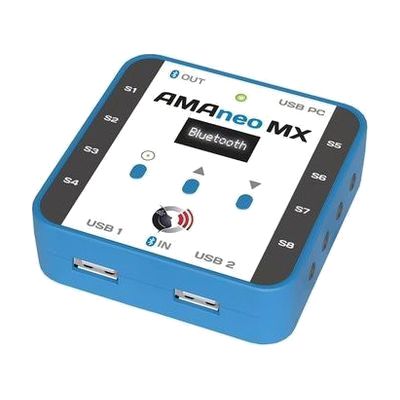
AMAneo MX
Est. $200–$500
The AMAneo MX is a small hub that sits between a person's input device and a computer or other device. It can filter out tremor, accept switches, and turn mouse movement into joystick control, over wired or Bluetooth connections. It's a good fit for someone whose hand shake or limited movement makes a standard mouse or controls hard to use. The vendor listing puts a question mark after Bluetooth, so check which connection types your setup will work with before you buy.
Verified 4 days agoProfessional guidance helps -
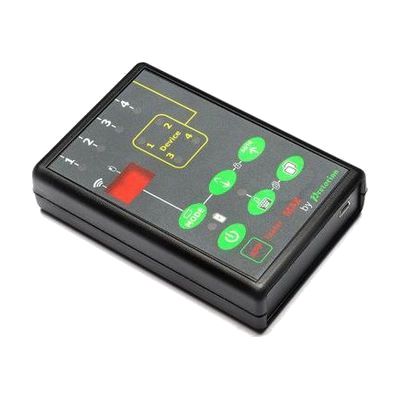
APPlicator MAX
Est. $150–$350
The APPlicator MAX is a switch interface that lets up to four switches work with up to four devices, without unplugging or reprogramming between them. Each switch can be set to do a different job on each device. You can move between devices with a fifth switch or by holding down a working switch. A QuickMedia button gives instant music control, so one switch can play and pause while another skips tracks. A timed play setting plays music for 10 or 30 seconds per press, which helps with practicing cause and effect. It also has a button that shows or hides the on-screen keyboard and a lock that stops accidental setting changes. It suits someone who uses switches to reach switch-adapted apps, such as HelpKidzLearn, and media. This is an interface only, so you'll need your own switches and devices.
Verified 4 days agoProfessional guidance helps -
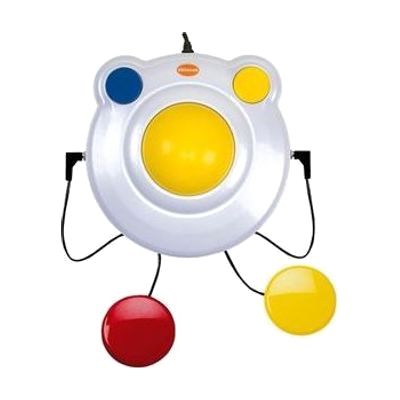
BIGtrack 2.0 with Switch Sockets
Est. $75–$130
The BIGtrack 2.0 is a trackball mouse with a 3-inch ball that moves the cursor with swipes or gentle nudges, so it takes less fine hand control than a standard mouse. The mouse buttons sit behind the ball to cut down on accidental clicks. It also has two 3.5mm switch sockets for left and right click, which lets someone who uses switches click from a different body site. The chunky, high-contrast, durable body suits children, and it plugs in by USB. You can also connect it to an iPad or iPhone, where it works with Switch Control. The switches themselves are sold separately.
Verified 4 days agoSetup with instructions -
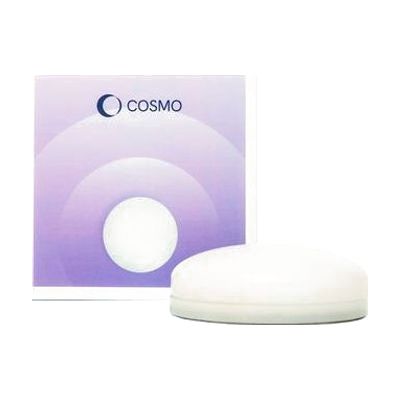
Cosmo Dot
Est. $150–$350
Cosmo Dot is a Bluetooth controller built for learners with special educational needs. It gives them a multi-sensory way to take part in cause-and-effect activities, switch access, AAC, and inclusive play.
Verified 4 days agoProfessional guidance helps -
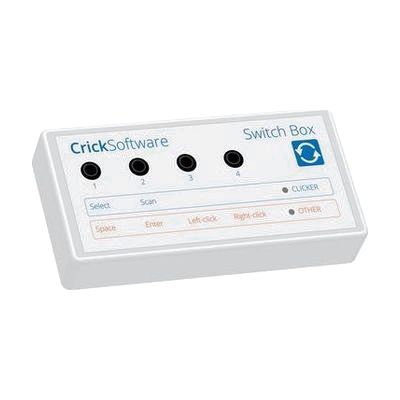
Crick USB Switch Box
Est. $40–$80
The Crick USB Switch Box connects one or more assistive switches to a Mac or PC through a USB lead, which is included. It works with Clicker, a popular educational and communication program, with no setup, so someone who can't use a mouse or keyboard can control the software with a switch. It is built for people who need dependable switch access across different software for learning and communication. This is the interface only, so you'll need your own switches and a switch-accessible program to get any benefit from it.
Verified 4 days agoProfessional guidance helps -
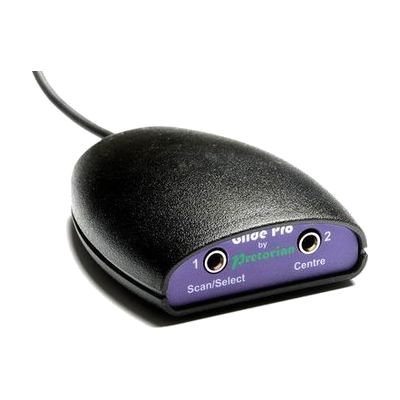
Glide Pro
Est. $150–$350
The Glide Pro is a switch interface that lets someone move the cursor on a computer, tablet, or phone using switches instead of a mouse or touchscreen. It plugs in and runs without any software, and it works with PC, Mac, Chromebook, iOS, and Android devices. This is a way to reach the device, not a full solution on its own: you'll need to supply your own switches, and getting the right switch type and placement for the person using it takes some trial and error.
Verified 4 days agoSetup with instructions -
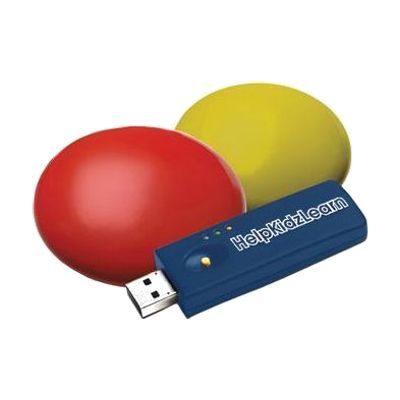
HelpKidzLearn EasySwitch
Est. $60–$150
The EasySwitch gives a child a wireless way to play switch-accessible games and activities on a computer. The bundle has a USB dongle and two low-profile switches, one yellow and one red, and the switches respond to very light movement, so they suit someone with limited movement. Press the 'M' button on the back of a switch to assign a keystroke such as Space or Enter, which lets the switches work with HelpKidzLearn games and other switch-accessible software. It is a complete starter set for computer access, though you still need a computer with a USB port and software that accepts switch input.
Verified 4 days agoSetup with instructions -
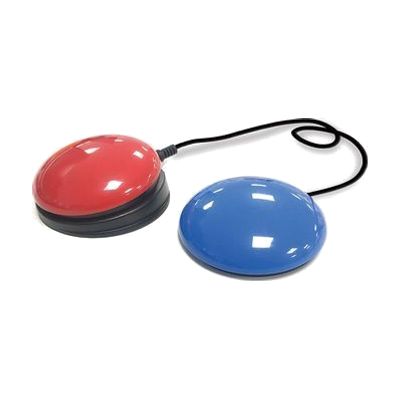
Inclusive iSwitch Bundle
Est. $120–$250
This bundle pairs a Bluetooth switch interface (the iSwitch) with a Smoothie Switch, so someone can control an iPad, tablet, laptop, or compatible software by pressing a switch instead of using a touchscreen, keyboard, or mouse. The iSwitch connects wirelessly, and no extra software is needed. It's a good fit for a person who can press a switch reliably but can't use standard controls, including for communication apps and cause-and-effect or learning activities. Getting real use out of it takes more than pairing: the switch type, where it's placed, and how the device's switch settings are tuned all affect whether it works well for that person.
Verified 4 days agoProfessional guidance helps