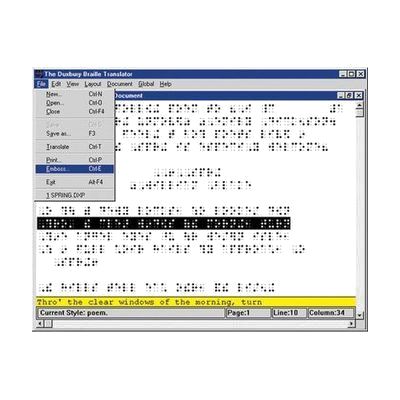
Duxbury Braille Translator for Windows
Price is what the vendor listed when last checked. Confirm it with the vendor before buying.
Last verified September 20, 2026 · classified April 26, 2026
What it is
Summary
AI-generated from vendor-published content · April 26, 2026
Duxbury Braille Translator (DBT) converts standard text documents into correctly formatted braille, supporting Grade 1, Grade 2, and numerous foreign language braille codes — it's widely considered the professional standard for braille translation in North America. It's used by teachers, braille producers, publishers, and accessibility professionals who need to create accurate braille materials: textbooks, correspondence, signage, and more. This is a standalone Windows software application; to actually produce embossed braille you'll also need a braille embosser, though the included Duxbury Braille Font lets you print a visual simulation of braille on a standard inkjet or laser printer. One important heads-up: this is production software with a learning curve — casual users who only need occasional braille output may find it more complex and expensive than their needs require.
Quick Facts Catalog facts · auto-generated
- AT Act lending
- Out of pocket
- School district
- Vocational rehab
What Setup Looks Like
- Out of the box
Install the software on a Windows PC and open a document to begin translating text to braille immediately. - With a guide
- Configure language and braille code settings to match your target output format (Grade 1, Grade 2, or foreign language).
- Connect and configure a compatible braille embosser if physical braille output is needed — consult your embosser documentation.
- Review Duxbury's formatting guides to handle tables, math, or complex layouts correctly. Allow 2-4 hours for initial learning. See manufacturer support resources for detailed instructions.
- With professional help
- A certified braille transcriber or AT specialist can assist with complex document formatting (textbooks, technical content, music braille).
- Training from a braille specialist or Duxbury-certified trainer is recommended for production environments or school district use.
Getting it
Try Before You Buy
Devices like this are often available to borrow through your state's AT Act program — typically free or low-cost — so you can try it before buying or pursuing funding.
Where to Get It
This is the vendor WhatCanHelp tracks for this product — it may also be available from other retailers or a local supplier, and prices vary.
Some links may be affiliate links — WhatCanHelp may earn a small commission from purchases at no extra cost to you. More on affiliates →
As an Amazon Associate we earn from qualifying purchases.
How to Fund This
Equipment like this is often pursued through official state programs. These are common starting points — each program decides its own eligibility and what it covers, so the first step is always a phone call.
Compare & explore
Sources & fine print
Vendor facts (name, price, platforms, vendor link) sourced from Duxbury Systems — view on vendor site; last verified September 20, 2026.
Classification & description AI-generated from vendor-published content on April 26, 2026 · confidence: high. Vendor specs may lag; verify before relying on details in a clinical or funding artifact.