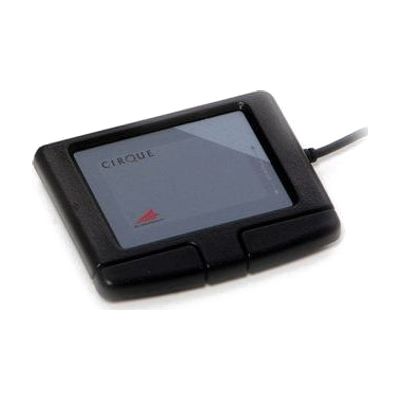
Glidepoint Touchpads
by Cirque
Last verified June 20, 2026 · classified April 26, 2026
What it is
Summary
AI-generated from vendor-published content · April 26, 2026
The Cirque GlidePoint line consists of flat, touch-sensitive pads that replace a standard mouse — you move a finger across the surface to control the cursor, with tapping or physical buttons for clicks. These are particularly useful for people who find gripping or moving a traditional mouse painful or difficult due to reduced hand strength, limited range of motion, or conditions like arthritis. Three models are available (Easy Cat, Smart Cat, and Smart Cat PRO), ranging from a straightforward basic touchpad to a fully programmable unit with customizable sensitivity, audible feedback, scrolling gestures, and programmable hotkeys. These are standalone USB input devices that connect to a computer, but they don't include mounting hardware — consider whether the user needs a tray, arm, or positioning solution to place the pad in a comfortable, reachable location.
Quick Facts Catalog facts · auto-generated
- AT Act lending
- Medicaid waiver
- Out of pocket
- Vocational rehab
What Setup Looks Like
- Out of the box
Plug the USB cable into your computer — the touchpad should be recognized automatically on most operating systems. - With a guide
- Install any included or downloadable driver software to unlock scroll zones, sensitivity adjustment, and Smart Cat/PRO-specific features.
- Adjust cursor speed and touch sensitivity in the driver settings to match the user's motor control — allow 30–60 minutes to dial in comfortable settings. See manufacturer support resources for detailed instructions.
- With professional help
- An occupational therapist (OT) or assistive technology professional (ATP) can assess placement, sensitivity settings, and whether this input method is appropriate versus alternatives like trackballs or head mice.
- Expect one evaluation session of 1–2 hours to determine fit and configure settings for optimal motor access.
Getting it
Try Before You Buy
Devices like this are often available to borrow through your state's AT Act program — typically free or low-cost — so you can try it before buying or pursuing funding.
Where to Get It
Some links may be affiliate links — WhatCanHelp may earn a small commission from purchases at no extra cost to you. More on affiliates →
As an Amazon Associate we earn from qualifying purchases.
How to Fund This
Equipment like this is often pursued through official state programs. These are common starting points — each program decides its own eligibility and what it covers, so the first step is always a phone call.
Compare & explore
Sources & fine print
Vendor facts (name, price, platforms, vendor link) sourced from Cirque — view on vendor site; last verified June 20, 2026.
Classification & description AI-generated from vendor-published content on April 26, 2026 · confidence: high. Vendor specs may lag; verify before relying on details in a clinical or funding artifact.