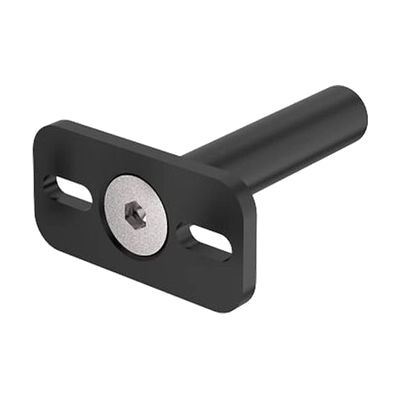
REHAdapt Mini Joystick Mounting Plate
by REHAdapt
Est. $30–$120, see price history
Typical price range, not a vendor quote. Confirm it with the vendor before buying.
Accessory or replacement part Made to go with another product — check it fits what you have.
What it is
Summary
AI-generated from vendor-published content · October 1, 2026
This mounting plate holds a Point-It! Pro Joystick or Ultra Joystick in a fixed spot so it stays put while someone uses it. It's adjustable, so you can position the joystick where the user can reach and control it comfortably. It works with Inclusive Mounting Solutions, so it attaches to that mounting system rather than standing alone. This is a piece of a larger setup: you'll need the joystick itself and a compatible mount to hold the plate.
Getting it
Where to get it
This is the vendor WhatCanHelp tracks for this product — it may also be available from other retailers or a local supplier, and prices vary.
How to fund this
These are common places to ask about paying for equipment like this. Each one decides its own eligibility and what it covers, so start by asking them.
Details
Quick Facts Catalog facts · auto-generated
- Addresses
- Platform
- Age range
- Complexity
- Setup with instructions
- Price
- Est. $30–$120
- Funding
- Medicaid waiver
- Out of pocket
- Vocational rehab
What setup looks like
- With a guide
- Attach the mounting plate to your Inclusive Mounting Solutions mount, following the mounting system's instructions.
- Fasten the joystick onto the plate, then adjust the position so the user can reach it comfortably and move it freely.
- Test the joystick in use and fine-tune the angle and height. Plan on about 30 minutes for the first setup.
Compare & explore
Sources & fine print
Vendor facts (name, price, platforms, vendor link) sourced from Inclusive Technology — view on vendor site (opens in a new tab); last checked October 31, 2026.
Classification & description AI-generated from vendor-published content on October 1, 2026 · confidence: medium. Vendor specs may lag; verify before relying on details in a clinical or funding artifact.