BRF to eBRL Converter
by American Printing House for the Blind
Contact vendor for pricing
Last verified June 15, 2026 · classified May 23, 2026
What it is
Summary
AI-generated from vendor-published content · May 23, 2026
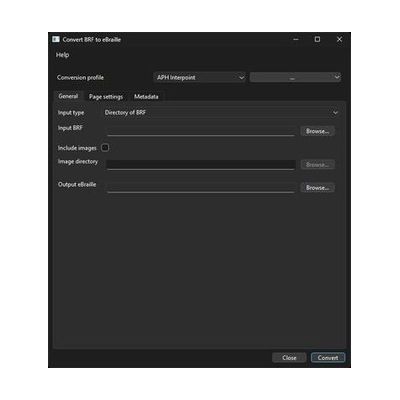
This Windows desktop utility takes standard BRF (braille-ready format) files and converts them into eBRL documents — a format designed to combine braille text with embedded tactile graphics in a single accessible file. It's aimed at teachers of the visually impaired, braille transcribers, and educational resource developers who need to produce richer braille learning materials that pair text with spatial diagrams or images. The output is a packaged document rather than raw braille code, so recipients get formatted content that preserves the original layout and any associated graphics. APH distributes this as a specialized production tool, not a consumer app — it belongs in a workflow where someone is already creating or adapting braille content, not as a standalone reading solution.
Quick Facts Catalog facts · auto-generated
- Out of pocket
- School district
- Vocational rehab
What Setup Looks Like
- Out of the box
Install the Windows application and open an existing BRF file to begin conversion. - With a guide
- Review APH documentation on eBRL document structure to understand how tactile graphic files must be prepared and linked before conversion.
- Run a test conversion with a simple BRF file to verify output formatting before processing full documents — allow 30–60 minutes to evaluate results. See manufacturer support resources for detailed instructions.
- With professional help
- Braille transcribers or Teachers of the Visually Impaired (TVIs) should coordinate on tactile graphic sourcing and file naming conventions to ensure eBRL output is educationally usable.
- Initial workflow setup and quality review of converted documents typically benefits from a certified braille transcriber (NBC/ACVREP) familiar with eBRL standards.
Getting it
Many states lend devices like this for free trial periods — find your state's AT lending program.
Where to Get It
Some links may be affiliate links — WhatCanHelp may earn a small commission from purchases at no extra cost to you. More on affiliates →
How to Fund This
Equipment like this is often pursued through official state programs. These are common starting points — each program decides its own eligibility and what it covers, so the first step is always a phone call.
Compare & explore
Sources & fine print
Vendor facts (name, price, platforms, vendor link) sourced from American Printing House for the Blind — view on vendor site; last verified June 15, 2026.
Classification & description AI-generated from vendor-published content on May 23, 2026 · confidence: medium. Vendor specs may lag; verify before relying on details in a clinical or funding artifact.