TactileView
by American Printing House for the Blind
Last verified June 15, 2026 · classified May 23, 2026
What it is
Summary
AI-generated from vendor-published content · May 23, 2026
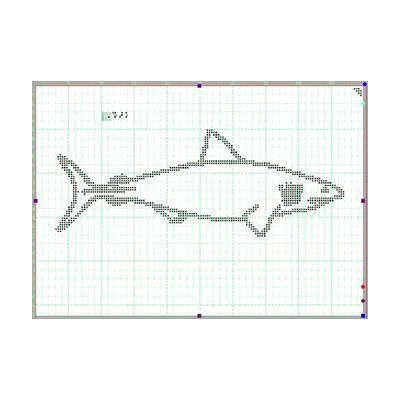
TactileView is a Windows-based software application for designing and producing tactile graphics — images with raised lines and textures that people who are blind or have low vision can read by touch. Teachers, vision specialists, and transcribers use it to create diagrams, maps, charts, and educational illustrations that can be printed on a tactile graphics embosser or swell-touch paper. It includes drawing tools, a library of pre-made graphics, and integrates with APH's Monarch braille device for direct display of tactile content. Getting meaningful output requires access to a compatible output device (embosser or Monarch), so this is one piece of a production workflow rather than a standalone solution.
Quick Facts Catalog facts · auto-generated
- AT Act lending
- Out of pocket
- School district
- Vocational rehab
What Setup Looks Like
- Out of the box
Install the software on a Windows PC and launch to access the built-in graphic library and drawing tools. - With a guide
- Configure TactileView to communicate with your specific output device (embosser or Monarch braille device).
- Review APH's documentation and tutorials to learn the drawing and editing workflow — expect 1-3 hours to reach basic proficiency.
- See manufacturer support resources for detailed instructions.
- With professional help
- A teacher of students with visual impairments (TVI) or braille transcriber should evaluate the software for classroom or production use and train staff on tactile graphic design principles.
- Integration with Monarch may require coordination with an AT specialist familiar with APH devices.
Getting it
Try Before You Buy
Devices like this are often available to borrow through your state's AT Act program — typically free or low-cost — so you can try it before buying or pursuing funding.
Where to Get It
Some links may be affiliate links — WhatCanHelp may earn a small commission from purchases at no extra cost to you. More on affiliates →
How to Fund This
Equipment like this is often pursued through official state programs. These are common starting points — each program decides its own eligibility and what it covers, so the first step is always a phone call.
Compare & explore
Sources & fine print
Vendor facts (name, price, platforms, vendor link) sourced from American Printing House for the Blind — view on vendor site; last verified June 15, 2026.
Classification & description AI-generated from vendor-published content on May 23, 2026 · confidence: high. Vendor specs may lag; verify before relying on details in a clinical or funding artifact.