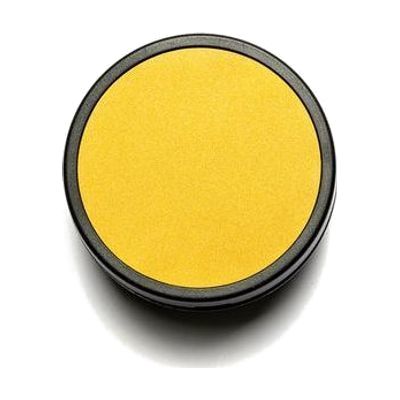
iSwitch50
Last verified June 20, 2026 · classified June 9, 2026
What it is
Summary
AI-generated from vendor-published content · June 9, 2026
A compact Bluetooth switch — 50mm activation surface — that sends signals wirelessly to iOS devices, Android tablets, and compatible AAC systems. It's designed for someone who uses switch scanning to navigate apps, control AAC software, or access a smartphone without touching the screen directly. With 24 programmable functions, it can be mapped to different commands depending on the app or device in use. This is a component, not a complete solution — you'll need a compatible device and likely some programming support to pair it and configure which functions each activation triggers. At 50mm, this is on the smaller side for single-switch access; users who need a larger target surface may want to compare it to the iSwitch75 or similar.
Quick Facts Catalog facts · auto-generated
- AT Act lending
- Medicaid waiver
- Out of pocket
- School district
- Vocational rehab
What Setup Looks Like
- Out of the box
Hold the switch near a Bluetooth-enabled iOS or Android device and follow standard Bluetooth pairing steps. - With a guide
- Review the manufacturer's programming guide to understand how to assign functions to the 24 programmable slots.
- Map specific switch activations to the intended app commands (e.g., scanning in an AAC app, cursor movement).
- Allow 30–60 minutes for initial setup and function testing. See manufacturer support resources for detailed instructions.
- With professional help
- An assistive technology professional (ATP) or occupational therapist (OT) can assess switch placement, activation force, and mounting needs.
- An SLP should be involved if this switch is being integrated into an AAC access method — they'll configure scanning settings in the AAC software.
- Expect 1–2 sessions to establish reliable access and optimize settings.
Getting it
Try Before You Buy
Devices like this are often available to borrow through your state's AT Act program — typically free or low-cost — so you can try it before buying or pursuing funding.
Where to Get It
Some links may be affiliate links — WhatCanHelp may earn a small commission from purchases at no extra cost to you. More on affiliates →
How to Fund This
Equipment like this is often pursued through official state programs. These are common starting points — each program decides its own eligibility and what it covers, so the first step is always a phone call.
Compare & explore
Sources & fine print
Vendor facts (name, price, platforms, vendor link) sourced from Inclusive Technology — view on vendor site; last verified June 20, 2026.
Classification & description AI-generated from vendor-published content on June 9, 2026 · confidence: high. Vendor specs may lag; verify before relying on details in a clinical or funding artifact.