Inclusive Technology — assistive technology products
249 products from Inclusive Technology in our assistive technology catalog. Browse models, compare specs, and find vendor listings.
-
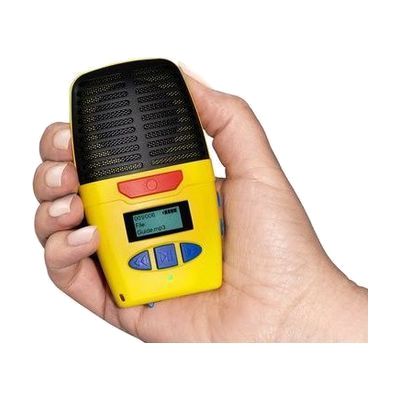
Micro-Speak Plus
Est. $40–$90
The Micro-Speak Plus is a pocket-sized digital voice recorder. You press a button to record, then play the recording back through the built-in speaker or through headphones. It has large, raised buttons you can find by touch, plus spoken prompts and on-board audio instructions, so you can use it without reading a screen. It's handy for quick notes, phone numbers, addresses, prescription instructions, lectures, or doctor visit memos. Recordings are saved as MP3 files, and it charges through a USB-C port. Headphones are not included.
Verified todayReady to use -
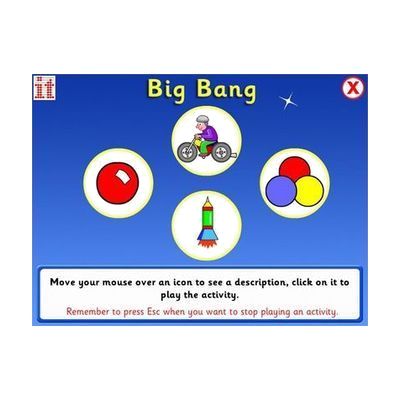
Big Bang
Est. $30–$80
Big Bang is Windows software that turns a press, click, or touch into bright on-screen action like fireworks, bubbles, stars, and color changes. It gives learners who are just starting to link an action to a result a lively way to practice cause and effect, visual tracking, and attention. It has five activity sets (Action, Builds, Movement, Colour, and Sounds), and you can choose gradual builds or continuous movement to match the learner's ability. A learner can use a switch, touch screen, mouse, or keyboard, so it suits sensory rooms and settings with learners who have profound and multiple learning disabilities (PMLD). It runs on Windows 7, 8, 10, and 11 only, and it's delivered by email as a download, not as a disc.
Verified 4 days agoSetup with instructions -
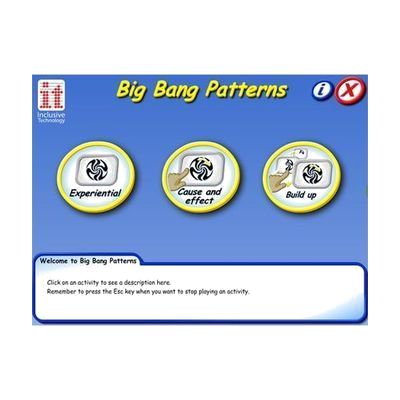
Big Bang Patterns
Est. $30–$80
Big Bang Patterns is a Windows program that fills the screen with more than 60 bright, bold animations, paired with lively music and sound effects. It has three activity modes, one of them for cause and effect and another for simply experiencing the visuals and sound, so you can match it to where a learner is. The sights and sounds can be adjusted to individual preferences. It can be used with a switch, touch screen, keyboard, or mouse, which makes it a fit for learners with complex or sensory needs and for sensory rooms. It is sold as a download for Windows 7 through 11, and the same title is offered separately as an iPad app.
Verified 4 days agoSetup with instructions -
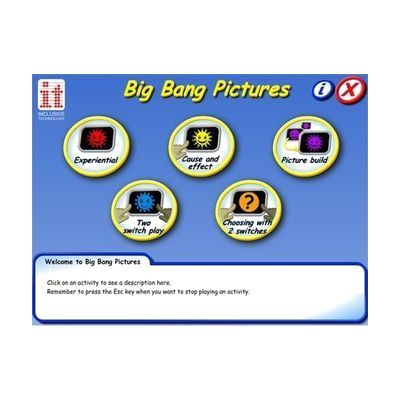
Big Bang Pictures
Est. $30–$80
Big Bang Pictures is a Windows program with 20 animated pictures of familiar objects, drawn in two high-contrast colors. You pick one of three levels of visual complexity and adjust the colors and other settings to fit the learner, so it can be used for cause-and-effect play or just for looking and listening. Sound effects and music go along with the animations, and it can be run with a switch, touch screen, keyboard, or mouse. It was developed with input from specialists in visual impairment and suits learners with complex needs or low vision; an iPad version is sold separately.
Verified 4 days agoSetup with instructions -
Inclusive Cause and Effect Bundle
Est. $40–$120
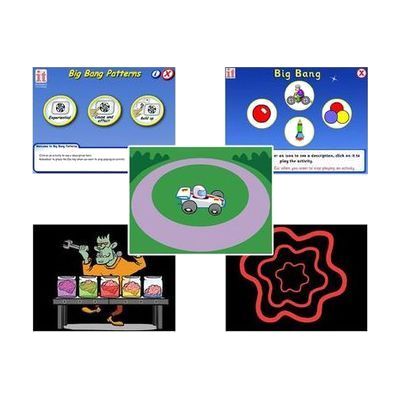
This bundle has five programs that help a child learn cause and effect, which means seeing that an action makes something happen on screen. A child can play using a switch, a touchscreen, or a mouse. It is made for young children just starting to interact with a computer.
Verified 4 days agoSetup with instructions -
Inclusive Easy Choice Bundle
Est. $150–$450
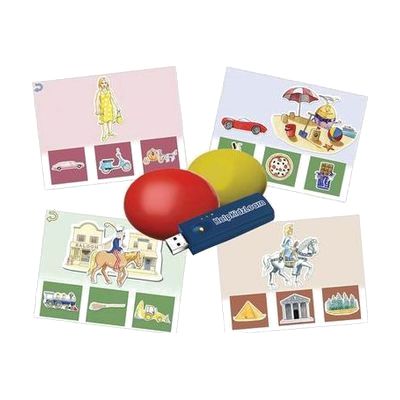
This bundle pairs two wireless switches with HelpKidzLearn software called EasySwitch and Choose and Tell. Together they give a child a way to start making choices and to practice scanning, where options are highlighted one at a time and a switch press picks one. It is made for young learners who are building early choice-making skills and need a switch, rather than a mouse or touchscreen, to take part. Because the switches are wireless, they can be positioned where a child can reach them most easily. The software runs on a computer, so you'll need one set up and ready.
Verified 4 days agoProfessional guidance helps -
Inclusive Switch Progression Bundle
Est. $80–$250
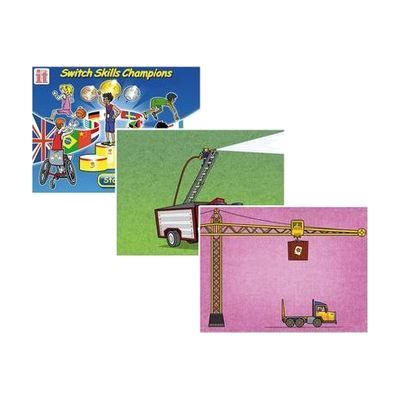
The Inclusive Switch Progression Bundle is a set of interactive programs for building two-switch use, timing skills, and working together with a partner. It suits children who are learning to use switches and need fun, step-by-step practice.
Verified 4 days agoSetup with instructions -
Inclusive Switch Skills Bundle
Est. $600–$1,200
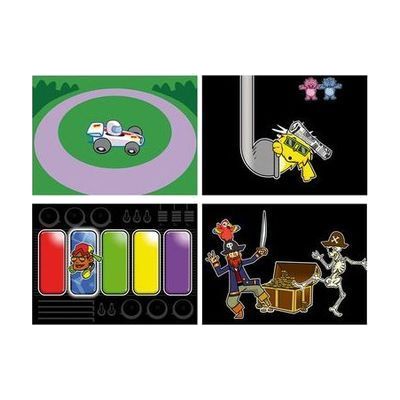
This bundle pairs a Multi2 switch interface and Smoothie Switches with Switch Skills software titles that build core switch control and timing. The activities start with cause and effect and move toward early scanning, so a child can practice using a switch step by step. The listings differ on whether it includes three or four software titles, so confirm that before ordering. It's a ready-made practice kit, but it works best when a therapist or teacher helps match the switches and activities to the child.
Verified 4 days agoProfessional guidance helps -

SwitchIt! Bob The Builder
Est. $30–$80
This Windows software gives learners a set of switch-activated activities built around Bob the Builder characters, such as Bob, Wendy, Spud and Scoop. It has three kinds of activity: flash cards that show a picture and speak the word when a switch is pressed, picture builds that assemble a character step by step and end in an animated reward, and short animated stories that move forward one press at a time with pauses for talking. It is meant for children who are learning basic switch skills like cause and effect, timing, and sequencing, and it works with one or two switches. You can change how many presses each step needs, so the pace can match the learner. You'll need a switch and a way to connect it to the computer, such as a switch interface, and it only runs on Windows.
Verified 4 days agoSetup with instructions -

SwitchIt! Dinosaurs Extra
Est. $35–$80
SwitchIt! Dinosaurs Extra is a Windows program of animated, sound-filled activities about dinosaurs, prehistoric animals and their habitats. A learner can build pictures and follow short stories, such as a mammoth rescuing its young or a fossil forming over time, using one or two switches, a mouse, a touch screen or a keyboard. It's aimed at switch users and early learners, and the activities encourage sequencing, prediction and language. It also comes with printable worksheets (dot-to-dots, matching, story sequencing, colouring) and braille worksheets meant for swell paper and a heat fuser. The braille sheets need that equipment to be useful, and you'll need a way to connect switches if that's how the learner will play.
Verified 4 days agoSetup with instructions -
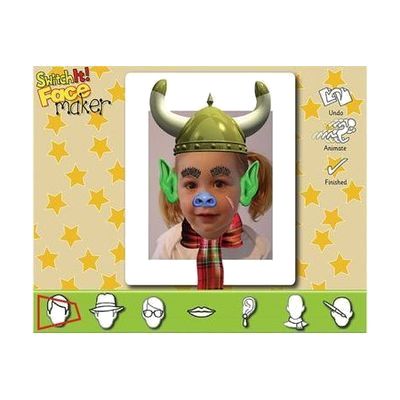
SwitchIt! Facemaker
Est. $40–$90
SwitchIt! Facemaker is a Windows program where learners build a face on screen, picking and placing features to make their own character. It has a simple cause-and-effect mode for switch users, so a single press can make something happen, and more advanced options for open-ended, creative play. Finished faces can be saved and printed, which makes them handy for follow-up classroom activities. It's a good fit for children with a wide range of abilities, including those just starting to learn switch use.
Verified 4 days agoSetup with instructions -

SwitchIt! Farm Extra
Est. $40–$90
SwitchIt! Farm Extra is Windows software that uses farm scenes to teach cause and effect, early choice-making, and language. It has four activity types: five-step animated sequences of farm routines, picture-building with animated rewards, flash cards with spoken text, and a picture menu where a learner picks a scene from a list the teacher sets up. You can adjust the steps and the timing of rewards, and save settings for each learner. It works with one or two switches, a touch screen, a mouse, IntelliKeys or a Concept Keyboard. A bundle of printable worksheets and tactile braille worksheets is included, but the braille pages need swell paper and a heat fuser to print.
Verified 4 days agoProfessional guidance helps -

SwitchIt! Hygiene Extra
Est. $45–$120
SwitchIt! Hygiene Extra is learning software that uses everyday personal hygiene themes to help someone build switch skills. It includes several activity types, from simple cause and effect, to putting steps in order, to choosing from a picture menu on their own. You can adjust the settings to fit the learner, and it works with a wide range of access devices. It suits learners of any age who are learning to use a switch while also learning about daily routines.
Verified 4 days agoSetup with instructions -
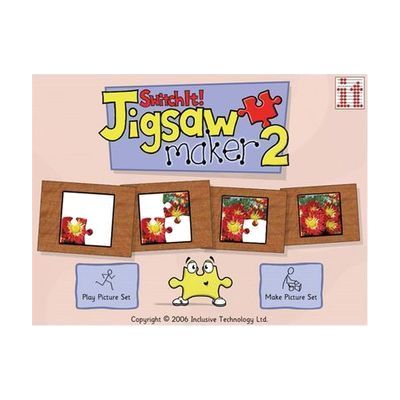
SwitchIt! Jigsaw Maker 2
Est. $40–$90
SwitchIt! Jigsaw Maker 2 lets you turn your own photos, or its ready-made images, into on-screen jigsaw puzzles cut into 2, 4 or 9 pieces. Someone can play with one or two switches, a mouse, a touch screen or a whiteboard. That makes it useful for a child who is working on early problem solving, cause and effect, or learning to use a switch. There are four ways to play, from pressing to build the picture up to dragging each piece into place, so the same puzzle can grow with the child. You can add music or a recorded voice, sort picture sets into folders by class or subject, and print puzzles with jigsaw lines for offline use. It runs on Windows only, and it is delivered by email rather than as a boxed product.
Verified 4 days agoSetup with instructions -

SwitchIt! People Extra
Est. $35–$80
SwitchIt! People Extra is a Windows program that teaches about people who help us, such as community helpers, through simple cause-and-effect activities. Learners can watch twelve five-step animations, build a scene and see it come to life, or flip through large themed flash cards. It works with one or two switches, a touch screen, a mouse, IntelliKeys or a Concept Keyboard, so it fits learners who can't use a standard keyboard. A picture menu lets non-readers pick activities on their own, and you can set the number of steps and how long the animated rewards last. Each learner can have saved preferences, and the package adds printable worksheets, including braille ones meant for swell paper.
Verified 4 days agoSetup with instructions -

SwitchIt! Sports Extra
Est. $40–$95
SwitchIt! Sports Extra is a Windows program with 12 animated sport stories that a learner can play through by pressing one or two switches, tapping a touch screen, or using a mouse. The stories cover sports like football, sprinting, and jogging, plus inclusive ones like wheelchair basketball and kurling. They build switch skills, sequencing, and communication, and they give teachers a way to talk about healthy living and inclusion. It also comes with switch-activated picture builds, flashcards, and printable worksheets, including tactile braille sheets meant for swell paper and a heat fuser. You'll need a Windows computer, and a switch interface if the learner will use switches.
Verified 4 days agoSetup with instructions -
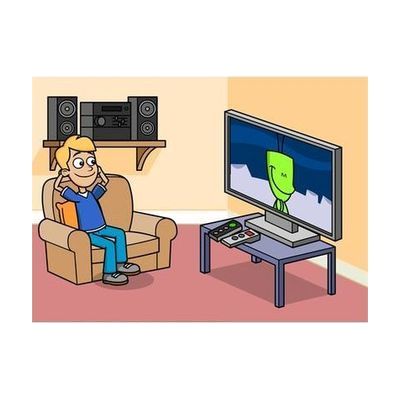
SwitchIt! Technology Extra
Est. $40–$90
SwitchIt! Technology Extra is a Windows program with twelve animated stories about everyday technology, like vending machines, lifts, mobile phones, photo booths and car washes. A learner builds each scene or reveals each step by pressing a switch, clicking a mouse, or touching the screen, so it works for someone who can only use one or two switches. The situations are realistic and often funny, which gives a teacher or parent plenty to talk about and builds language and everyday-life skills. It's a good fit for children who are learning cause and effect and getting ready for outings in the community.
Verified 4 days agoSetup with instructions -
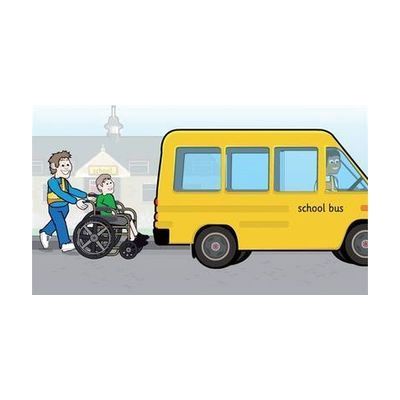
SwitchIt! Transport Extra
Est. $40–$90
SwitchIt! Transport Extra is Windows software that turns twelve transport themes, such as a school bus, ferry, digger, space rocket and taxi, into cause-and-effect and early choice-making activities. Each theme has flash cards that show a picture and say its name, picture builds that put a scene together with a switch press and end in an animated reward, and animated stories. It's meant for young learners who access a computer by switch, touch screen, mouse or auditory scanning, and who benefit from clear graphics, sound cues and picture menus. Printable extras like flashcards, sequencing, colouring and matching games come with it, and you can adjust the subject choices and access settings for each learner. You'll need your own switch and a way to connect it if switch access is the goal.
Verified 4 days agoSetup with instructions -

SwitchIt! Weather Extra
Est. $40–$80
SwitchIt! Weather Extra is a Windows program of weather-themed activities for learners who use a switch, mouse, keyboard, or touch screen. It has three activity types: 12 five-step event sequences, picture building (step by step or one touch), and flash cards with spoken support. A picture menu lets non-readers choose their own stories and scenes. It's a good fit for working on cause and effect, sequencing, and early choice-making while building switch skills. You can adjust the number of steps and the reward time, and save settings for each learner. Printable worksheets and braille worksheets (for swell paper and a heat fuser) are included for offline work. You'll need a switch and a way to connect it to the computer to use it with switches.
Verified 4 days agoSetup with instructions -
SwitchIt! Wildlife Extra
Est. $40–$90
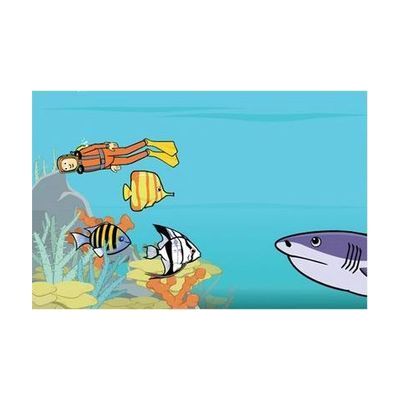
SwitchIt! Wildlife Extra is a Windows software program that uses animal and habitat themes to teach cause and effect, sequencing, and early choice-making. A learner can run it with one or two switches, a mouse, a keyboard, or a touch monitor. It offers three kinds of activities: five-step animated event sequences, picture building (step by step or one touch), and flash cards with spoken support. A picture menu lets children who don't read pick their own scenes. You can change the number of steps and the reward time, and save settings for each learner. It also comes with printable worksheets and braille worksheets made for swell paper and a heat fuser. If you plan to use switches, you'll need the switch hardware and a way to connect it to the computer.
Verified 4 days agoSetup with instructions -
SwitchIt! Xmas Extra
Est. $30–$80
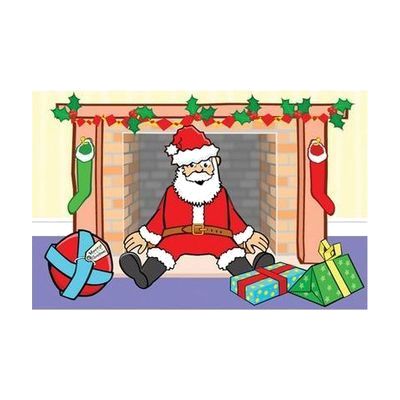
SwitchIt! Xmas Extra is a Windows program of festive-themed activities that a learner can run with a switch, mouse, touch screen, keyboard, IntelliKeys or Concept Keyboard. It has 12 Christmas and New Year sequences, such as building a snowman, pulling a cracker, watching fireworks and decorating the tree. Each one is offered three ways: a step-by-step animation, a picture-building activity, or large flash cards with spoken support. A picture menu lets the learner choose scenes on their own, and you can adjust the number of steps and the timing of rewards to fit one learner's needs. Settings can be saved for different users. It also comes with printable worksheets (dot-to-dot, sequencing, colouring, matching and more) and braille worksheets meant for swell paper and a heat fuser. It works best for children who are building early switch skills, and you'll want a switch and a way to connect it if switch access is the goal.
Verified 4 days agoSetup with instructions -

Counting Songs 1
Est. $30–$80
Counting Songs 1 is Windows software that pairs animated songs with simple activities to build early number skills from 1 to 5. Learners can use a touch screen, a mouse, or switches, so it fits children who need an alternative way to access the computer. It's aimed at young learners working on early counting. Another title in the series, Counting Songs 2, is a separate product aimed at older learners; this one is not.
Verified 4 days agoSetup with instructions -
Counting Songs 2
Est. $30–$80
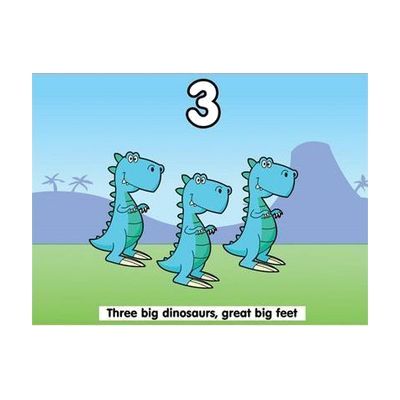
Counting Songs 2 is a Windows program that teaches counting through ten original songs. Seven count up from 1 to 5 and three count down from 5 to 1. Each song comes with activities that practice counting through repetition, visuals, and encouraging feedback. The program has three levels, so it can grow with a learner. It's aimed at older learners with learning difficulties, around KS2 age, and the songs are meant to feel age-appropriate rather than babyish. Learners can use a touch screen, a mouse, or switches, so it can fit different ways of accessing a computer. A separate iPad app version also exists.
Verified 4 days agoSetup with instructions -

Inclusive Multi Skills Switch Bundle
Est. $150–$400
This bundle pairs a Multi2 interface and Smoothie switches with three Switch Skills software titles, so a child can practice the core skills of using a switch, like cause and effect and timing. It's built for young learners who are just starting out with switch access and need structured activities to build that control. The interface is what connects the switches to the computer, and the software gives the practice something to do. You'll still need a computer to run the activities, and the exact number of switches in the bundle isn't spelled out here, so confirm that before ordering.
Verified 4 days agoProfessional guidance helps