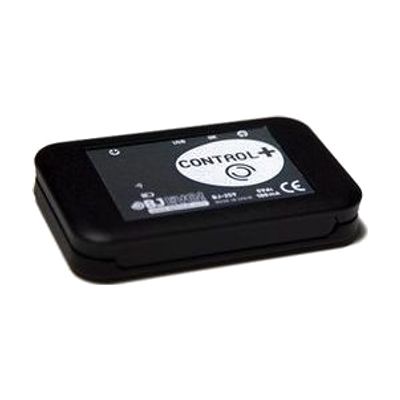
Control+
Price is what the vendor listed when last checked. Confirm it with the vendor before buying.
Last verified September 16, 2026 · classified June 9, 2026
What it is
Summary
AI-generated from vendor-published content · June 9, 2026
Control+ is an environmental control interface that lets a tablet or smartphone operate IR-based devices (TVs, stereos, air conditioning) and, when paired with the separately-sold Enabler Socket+, mains-powered devices like lamps, fans, and kitchen appliances. It's aimed at people who have difficulty physically reaching or manipulating switches, remote controls, and appliances — particularly those who already use a tablet with an alternative access method such as eye gaze, scanning, or a keyboard. The companion app lets you build custom grids with your own images and text, program multi-step macros, and output switch signals to operate switch-adapted devices. This is a platform, not a plug-and-play solution: meaningful use requires configuring the app, learning the IR codes for your specific devices, and integrating it into your existing access setup — an OT or ATP familiar with environmental control will save significant time here. The Enabler Socket+ for mains control is not included and must be budgeted separately.
Quick Facts Catalog facts · auto-generated
- AT Act lending
- Medicaid waiver
- Out of pocket
- Vocational rehab
What Setup Looks Like
- Out of the box
- Download the Control+ app to your iOS or Android device.
- Point the Control+ hardware at a target IR device and use the learning function to capture its remote codes.
- With a guide
- Design control grids in the app — assign images, text, and IR or socket commands to each cell.
- Pair the Enabler Socket+ (if purchased) to extend control to mains-powered devices.
- Configure switch output settings if using with a switch-adapted device.
- Test each programmed action and refine macro sequences — allow 1–2 hours for a basic home setup. See manufacturer support resources for detailed instructions.
- With professional help
- An occupational therapist (OT) or assistive technology professional (ATP) assesses which devices need to be controlled and determines the best access method (eye gaze, scanning, pointer, etc.).
- ATP configures the app layout and access settings to match the user's existing access system and cognitive/motor profile.
- Expect 2–4 sessions over several weeks for full environmental control integration. See manufacturer support resources for detailed instructions.
Getting it
Try Before You Buy
Devices like this are often available to borrow through your state's AT Act program — typically free or low-cost — so you can try it before buying or pursuing funding.
Where to Get It
This is the vendor WhatCanHelp tracks for this product — it may also be available from other retailers or a local supplier, and prices vary.
Some links may be affiliate links — WhatCanHelp may earn a small commission from purchases at no extra cost to you. More on affiliates →
As an Amazon Associate we earn from qualifying purchases.
How to Fund This
Equipment like this is often pursued through official state programs. These are common starting points — each program decides its own eligibility and what it covers, so the first step is always a phone call.
Compare & explore
Sources & fine print
Vendor facts (name, price, platforms, vendor link) sourced from Inclusive Technology — view on vendor site; last verified September 16, 2026.
Classification & description AI-generated from vendor-published content on June 9, 2026 · confidence: high. Vendor specs may lag; verify before relying on details in a clinical or funding artifact.