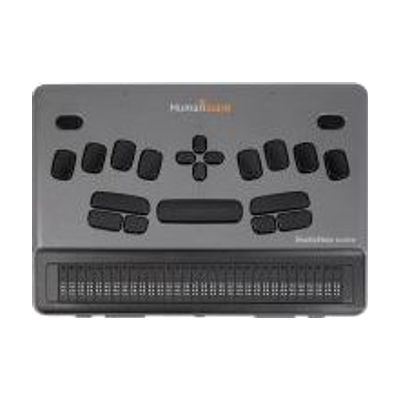
BrailleNote evolve: KeySoft on Windows 11
by HumanWare
Contact vendor for pricing
What it is
Summary
AI-generated from vendor-published content · October 1, 2026
The BrailleNote evolve is a braille notetaker that runs two environments on one device: HumanWare's KeySoft, built for reading and writing in braille, and Windows 11 Pro. It comes with the NVDA screen reader and Microsoft 365, so someone who is blind can write, read, and work on shared documents using braille. You get a notetaker and a Windows computer in one dedicated device, which suits a student or worker who needs to use mainstream software without sight. Choosing it well takes some thought, because it replaces more than one device and the best fit depends on how the person already works.
Getting it
Try before you buy
Devices like this are often available to borrow through your state's AT Act program — typically free or low-cost — so you can try it before buying or pursuing funding.
Where to get it
This is the vendor WhatCanHelp tracks for this product — it may also be available from other retailers or a local supplier, and prices vary.
How to fund this
These are common places to ask about paying for equipment like this. Each one decides its own eligibility and what it covers, so start by asking them.
Details
Quick Facts Catalog facts · auto-generated
- Addresses
- Platform
- Age range
- Complexity
- Professional guidance helps
- Price
- Funding
- AT Act lending
- Out of pocket
- School district
- Vocational rehab
What setup looks like
- Out of the box
Power on the device and open KeySoft to start reading and writing in braille. - With a guide
- Sign in to Microsoft 365 and connect to your Wi-Fi network.
- Switch between KeySoft and Windows 11, and learn how NVDA reads Windows apps through braille. Plan on an hour or two to get comfortable. See manufacturer support resources for detailed instructions.
- With professional help
A teacher of students with visual impairments or an assistive technology professional can help decide if this fits the person's braille skills and daily tasks. They can also set up school or work accounts and teach the first workflows, usually over one or more sessions.
Compare & explore
Sources & fine print
Vendor facts (name, price, platforms, vendor link) sourced from HumanWare — view on vendor site (opens in a new tab); last checked May 3, 2026.
Classification & description AI-generated from vendor-published content on October 1, 2026 · confidence: medium. Vendor specs may lag; verify before relying on details in a clinical or funding artifact.