Monarch
by American Printing House for the Blind
Price is what the vendor listed when last checked. Confirm it with the vendor before buying.
Last verified September 17, 2026 · classified April 26, 2026
What it is
Summary
AI-generated from vendor-published content · April 26, 2026
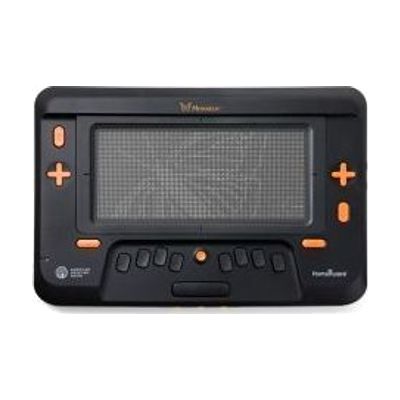
The Monarch is a multiline refreshable braille tablet that displays up to 10 lines of braille text and tactile graphics simultaneously on a single device — something that previously required separate embossed paper materials or single-line braille displays. It's designed for blind and deafblind students and adults who need to read braille documents, textbooks, and tactile diagrams (maps, charts, math figures) in a single portable device. You get the Monarch hardware itself, which connects to digital content sources including accessible textbooks and APH's Tactile Graphics Image Library, but you'll need appropriate content files and likely institutional or professional support to integrate it into a classroom or workflow. This is an expensive and technically sophisticated device — budget is a significant barrier, and meaningful use in an educational setting will require collaboration with a teacher of the visually impaired (TVI) or orientation and mobility specialist to set up content and train the user.
Quick Facts Catalog facts · auto-generated
- AT Act lending
- Medicaid waiver
- Out of pocket
- School district
- Vocational rehab
What Setup Looks Like
- Out of the box
Power on the device and navigate the built-in menus using the braille keyboard and navigation controls. - With a guide
- Connect to Wi-Fi and configure accounts for content libraries (e.g., Bookshare, APH Tactile Graphics).
- Download and open accessible textbooks or tactile graphics files to verify display output — allow 1-2 hours for initial content setup. See manufacturer support resources for detailed instructions.
- With professional help
- A Teacher of the Visually Impaired (TVI) or ATP should assess the student's braille proficiency and configure content, navigation settings, and any integration with school systems.
- Plan for 2-4 sessions with a TVI over several weeks to build fluency with multiline tactile graphics navigation — this is a fundamentally new reading modality for most braille users. See manufacturer support resources for detailed instructions.
Getting it
Try Before You Buy
Devices like this are often available to borrow through your state's AT Act program — typically free or low-cost — so you can try it before buying or pursuing funding.
Where to Get It
These are the vendors WhatCanHelp tracks for this product — it may also be available from other retailers or a local supplier, and prices vary.
Some links may be affiliate links — WhatCanHelp may earn a small commission from purchases at no extra cost to you. More on affiliates →
As an Amazon Associate we earn from qualifying purchases.
How to Fund This
Equipment like this is often pursued through official state programs. These are common starting points — each program decides its own eligibility and what it covers, so the first step is always a phone call.
Compare & explore
Sources & fine print
Vendor facts (name, price, platforms, vendor link) sourced from American Printing House for the Blind — view on vendor site; last verified September 17, 2026.
Classification & description AI-generated from vendor-published content on April 26, 2026 · confidence: high. Vendor specs may lag; verify before relying on details in a clinical or funding artifact.