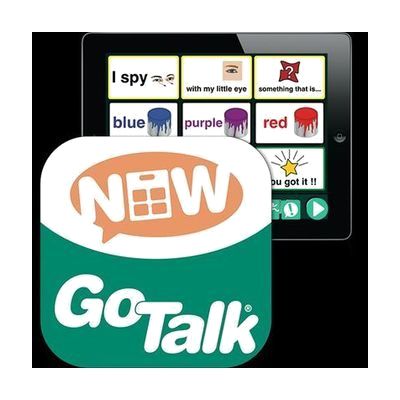
GoTalk NOW
Price is what the vendor listed when last checked. Confirm it with the vendor before buying.
Last verified September 16, 2026 · classified April 26, 2026
What it is
Summary
AI-generated from vendor-published content · April 26, 2026
GoTalk NOW is an iPad-based AAC app from Attainment Company that turns a tablet into a symbol-based speech generating device, allowing users to tap picture symbols or photos to produce spoken output. It's designed for people who need a flexible, visual communication system — whether they're just beginning to use AAC or need a more customizable option than a dedicated hardware device. The app itself is the complete communication tool, but you'll need an iPad to run it, and creating effective page sets with appropriate vocabulary typically benefits from guidance by an SLP or ATP. One important heads-up: if your school or organization uses a Mobile Device Management (MDM) system to manage iPads, check with IT before purchasing, as app distribution may work differently than a standard App Store purchase.
Quick Facts Catalog facts · auto-generated
- AT Act lending
- Medicaid waiver
- Out of pocket
- School district
- Vocational rehab
What Setup Looks Like
- Out of the box
Download the app from the App Store on an iPad and launch it to explore built-in page templates. - With a guide
- Review Attainment Company's tutorial videos and documentation to understand page set structure and symbol import options.
- Build or customize communication pages with photos or symbols relevant to the user's daily routines — allow 1-3 hours depending on vocabulary scope.
- See manufacturer support resources for detailed instructions.
- With professional help
- An SLP or ATP should assess the user's communication needs, language level, and motor access before finalizing vocabulary organization.
- Expect 2-4 sessions to set up core vocabulary, fringe pages, and access method (direct touch, switch scanning) appropriate to the individual.
Getting it
Try Before You Buy
Devices like this are often available to borrow through your state's AT Act program — typically free or low-cost — so you can try it before buying or pursuing funding.
Where to Get It
This is the vendor WhatCanHelp tracks for this product — it may also be available from other retailers or a local supplier, and prices vary.
Some links may be affiliate links — WhatCanHelp may earn a small commission from purchases at no extra cost to you. More on affiliates →
As an Amazon Associate we earn from qualifying purchases.
How to Fund This
Equipment like this is often pursued through official state programs. These are common starting points — each program decides its own eligibility and what it covers, so the first step is always a phone call.
Compare & explore
Sources & fine print
Vendor facts (name, price, platforms, vendor link) sourced from Attainment Company — view on vendor site; last verified September 16, 2026.
Classification & description AI-generated from vendor-published content on April 26, 2026 · confidence: high. Vendor specs may lag; verify before relying on details in a clinical or funding artifact.