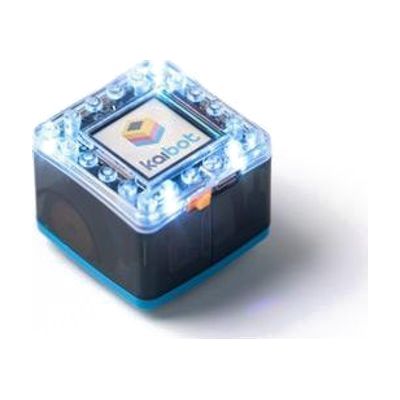
KaiBot
by American Printing House for the Blind
Price is what the vendor listed when last checked. Confirm it with the vendor before buying.
What it is
Summary
AI-generated from vendor-published content · October 1, 2026
The KaiBot is a coding robot kit built so children who are blind or have low vision can learn how programming works through touch. Kids build programs using tactile tiles and braille programming cards, which teaches basic coding ideas through hands-on play rather than a screen. A free companion app called Kainundrum Lite is available for Android and iOS. This is a learning tool for young learners, and an adult or teacher will likely want to sit alongside at first to introduce the pieces.
Getting it
Try before you buy
Devices like this are often available to borrow through your state's AT Act program — typically free or low-cost — so you can try it before buying or pursuing funding.
Where to get it
This is the vendor WhatCanHelp tracks for this product — it may also be available from other retailers or a local supplier, and prices vary.
How to fund this
These are common places to ask about paying for equipment like this. Each one decides its own eligibility and what it covers, so start by asking them.
Details
Quick Facts Catalog facts · auto-generated
- Addresses
- Platform
- Age range
- Complexity
- Setup with instructions
- Price
- $399.00
- Funding
- AT Act lending
- Out of pocket
- School district
What setup looks like
- With a guide
- Unpack the robot, tactile tiles, and braille programming cards, and get familiar with how the pieces feel and fit together.
- Download the free Kainundrum Lite app on an Android or iOS device.
- Work through a first simple program together with the child, then let them try on their own. Plan about 30 minutes for the first session.
Compare & explore
Sources & fine print
Vendor facts (name, price, platforms, vendor link) sourced from American Printing House for the Blind — view on vendor site (opens in a new tab); last checked November 1, 2026.
Classification & description AI-generated from vendor-published content on October 1, 2026 · confidence: medium. Vendor specs may lag; verify before relying on details in a clinical or funding artifact.