Browse Assistive Technology
Products
-
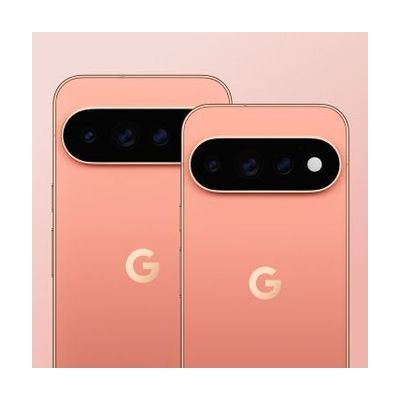
Google Pixel 11 Pro
Est. $999–$1,299
The Google Pixel 11 Pro is an Android smartphone sold unlocked, so you pick your own carrier and plan. It has a bright display (up to 3600 nits), a Gemini assistant for everyday tasks like finding information and drafting ideas, and a HiLight feature meant to keep you in touch with your phone without staring at the screen. This is a general-purpose phone, not a device built for one disability. Its value as assistive tech comes from the accessibility settings and voice features you turn on and tune to your needs. You'll also need to arrange carrier service yourself.
Verified 4 days agoSetup with instructions -

GoTalk Fit
Est. $79–$129
The GoTalk Fit is a small handheld device that speaks recorded messages when someone presses a picture square. You can set it up with 4 or 9 squares per level and use 3 levels, for up to 12 or 27 messages in all. Each message can run up to 20 seconds, and a different colored light shows which level you're on. It's a good fit for a learner who needs to share wants and needs, join in a lesson, or ask a question at school or out in the community. Because the overlay swaps out easily, you can reprogram it for a new class or activity during the day.
Verified 4 days agoSetup with instructions -

GoTalk StepPad
$49.00
The StepPad is a small recorder that plays back spoken directions one step at a time, so someone can get through a multi-step task such as a morning routine without help. You record each step in your own voice, then the user presses Next to hear the next step, Play to hear it again, or Back to review an earlier one. It holds four activities at two levels, with up to 30 steps in each, and any single step can be re-recorded or a new one inserted without disturbing the rest. You can also lock it to one activity so the user doesn't get lost or change the recordings by accident. It's a good fit for someone who loses their place in a sequence or needs prompting to finish a task on their own, and it can serve as a short-term teaching tool or a long-term aid. It's small enough to carry in a hand or purse, with built-in lanyard loops and a belt loop slot.
Verified 2 days agoSetup with instructions -

Freedom
Est. $150–$350
The Freedom lets one switch control up to four different devices. You can move between them by holding the main switch down for a set time, or by tapping a second select switch. Each device plugs in through a standard 3.5mm switch jack, and you can program which channels are active so it skips any that are unused. The hold time is adjustable, and the keypad can be locked after setup so settings don't get changed by accident. Phones and tablets may need an extra adapter to connect, and the switch itself is sold separately.
Verified 4 days agoProfessional guidance helps -
GoTalk Everywhere
$50.00
GoTalk Everywhere is an AAC app, which means it gives someone a way to communicate through tapping buttons that speak or play recordings. It runs on iOS, Android, and the web, and it syncs communication pages across devices through the cloud. A therapist, teacher, or family member can build pages on the web and send them straight to the person who will use them. You get the basics: text-to-speech, voice recording, symbols, your own photos, and grid layouts from 1 up to 30 buttons per page. It's a good fit for someone who needs a simple, adjustable way to start communicating. The best results usually come from a speech-language pathologist helping choose the vocabulary and page layouts.
Verified 3 weeks agoProfessional guidance helps -
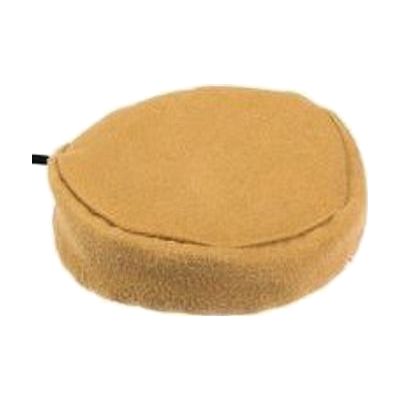
Pillow Switch
$140.00
The Pillow Switch is a soft, smooth switch that someone can press with the head, cheek, or another body part, with a light touch. It plugs in through a 3.5mm mono switch jack, so it can operate compatible communication aids, toys, and other switch-accessible technology. It fastens to a pillow or wheelchair cushion with a safety pin and Velcro, which puts it right where the person's head or cheek rests. This is only the switch. You'll need a switch-accessible device to plug it into, and a therapist can help with choosing a good spot and checking that the person can activate it reliably.
Verified 4 days agoProfessional guidance helps -

Galaxy S26 Ultra
Est. $1,199–$1,399
The Galaxy S26 Ultra is a mainstream Android smartphone with a long list of accessibility tools built into the phone itself. For vision, it has the TalkBack screen reader, magnification, and color adjustment. For hands-free or limited-movement use, it has Voice Access, Bixby voice control, switch scanning through Universal Switch, and an on-screen Assistant Menu that stands in for hardware buttons and gestures. For hearing, it adds Live Transcribe and Live Caption for text of speech, sound detectors for things like a doorbell or a crying baby, and Bluetooth hearing aid support. The tools are powerful but spread across many settings menus, so someone will need to choose which ones fit and tune them, and a person new to a screen reader or switch scanning will need time to learn them.
Verified 4 days agoSetup with instructions -
AAC Speak Helper
Free
AAC Speak Helper is a free Windows program that takes text you copy to the clipboard, then translates it, converts it between writing systems (such as Latin to Devanagari), and reads it aloud using text-to-speech voices from several providers. It's meant to be called from another AAC app on Windows that can run outside programs, so it helps most when someone needs to speak a language their AAC app's voices handle poorly. For example, a Ukrainian speaker could have their text turned into English for caregivers. It has no main window of its own, but a separate Configure app lets you set options and keep different settings files for different tasks. You'll need to run the server and client yourself and edit your pagesets to add a speak button, so it's not a plug-and-play tool.
Verified 4 days agoProfessional guidance helps -

Ping Pong Switch
Est. $35–$75
The Ping Pong Switch is a light-touch switch that needs very little force to activate. That makes it a fit for someone with limited movement who can reliably press with a small motion, such as a head movement. It's built to resist water and moisture and to hold up to daily use at school, in therapy, or at home. It plugs into any device with a 3.5mm mono switch input. A mounting set (gooseneck arm, Super Clamp, and Mini Ball & Socket mount) is offered as an option so you can position it exactly where the user can reach it. On its own it's just the switch, so it only does something once it's connected to a switch-accessible device.
Verified 4 days agoProfessional guidance helps -
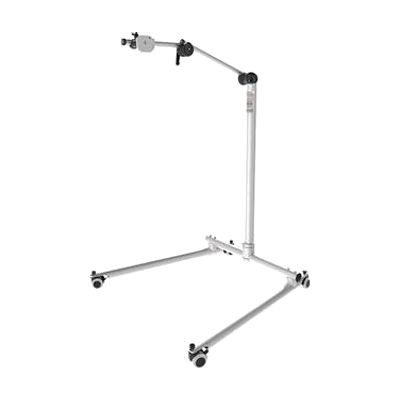
REHAdapt Floor Stand FS EcoLock
Est. $200–$450
The FS EcoLock is a floor stand that holds a lightweight device, like a communication aid or an iPad running eye-gaze software, at a position you choose. Its free-floating arm moves smoothly and stays where you put it, with no knobs or locks to tighten each time. The column is a fixed height, and the small base fits beside a bed, a wheelchair, or a sofa. It holds up to 10 kg and attaches with a quick release system, so the device can be put on and taken off fast. You also need the REHAdapt Mounting Plate, which is sold separately, to connect your device.
Verified 4 days agoSetup with instructions -
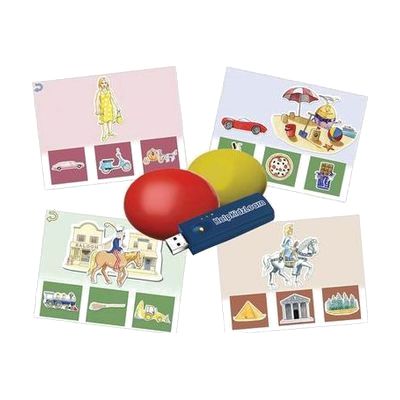
Inclusive Easy Choice Bundle
Est. $150–$450
This bundle pairs two wireless switches with HelpKidzLearn software called EasySwitch and Choose and Tell. Together they give a child a way to start making choices and to practice scanning, where options are highlighted one at a time and a switch press picks one. It is made for young learners who are building early choice-making skills and need a switch, rather than a mouse or touchscreen, to take part. Because the switches are wireless, they can be positioned where a child can reach them most easily. The software runs on a computer, so you'll need one set up and ready.
Verified 4 days agoProfessional guidance helps -

Pocket Braille Slate (Pins Up), Dark Plastic with Large Handle Stylus
$14.77
This pocket braille slate lets you write braille by hand, using the included large-handle stylus to press dots into paper. It has 4 lines of 28 cells, so you can jot down notes, labels, or short messages on the go. At about 8 by 2 inches and under a tenth of a pound, it slips easily into a pocket or bag. The slate is made for people ages 6 and up who read braille and want a simple, battery-free way to take notes. Writing by hand is slower than using a brailler, and it takes practice to form dots correctly.
Verified 3 days agoSetup with instructions -

School Ruler with Sign Language A to Z- Blue
$2.50
This is a 12-inch wooden school ruler with black numerals and the ASL manual alphabet printed along it, so the fingerspelled A to Z is always in view. It works as a measuring tool and an everyday sign language reference for kids learning to fingerspell at home or in class. It comes in five colors: red, yellow, blue, green, and white. It's a simple alphabet reference, so it won't teach signs beyond fingerspelling.
Verified 2 days agoReady to use -

Apple Hearing Accessibility
Free
Apple's hearing accessibility features are built into its devices and cover Live Listen, Live Captions and support for Made for iPhone hearing devices. With Live Listen, your iPhone's microphone picks up people who are speaking from a distance, like across a dining table or in a lecture hall, and sends that sound to your AirPods, Beats headphones, or compatible hearing devices. You can also read Live Captions of the conversation on a paired Apple Watch, or on a nearby iPhone or iPad signed in to the same Apple Account. Apple Watch, iPhone, or iPad can act as a remote to start or stop a session, or jump back a few seconds to catch something you missed. Features and languages vary by region, so check availability before counting on a specific one.
Verified 3 days agoSetup with instructions -
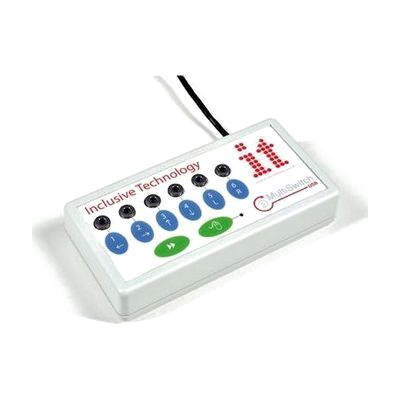
Inclusive MultiSwitch 2
Est. $150–$350
The MultiSwitch 2 is a USB switch interface that lets you plug in up to six assistive switches and use them with a computer. It detects which program is loading and sets up the switches for that program on its own. For software that isn't switch-accessible, the included programming software lets you map each switch to a mouse click, a key press, or an action like print or save. It can also move the mouse cursor with a switch, with four speed settings. This is the interface only, so you'll need to supply the switches, and building the right profile for a person takes some trial and error.
Verified 4 days agoProfessional guidance helps -
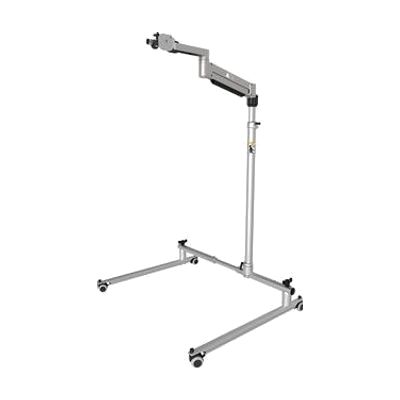
REHAdapt Floor Stand FS VarioFloat Light QP
Est. $600–$1,200
This floor stand holds a lightweight device, such as a communication aid or an iPad running eyetuitive, on a free-floating arm you can move by hand without locking and unlocking joints. The column stays at a fixed height, and a quick-release system lets you attach or remove the device fast. Its small footprint suits tight spots like beside a bed, next to a wheelchair, or by a sofa. It carries 0.7 to 3.0 kg, so heavier tablets or devices with big add-ons won't fit. A mounting plate is sold separately and is needed to attach your device.
Verified 1 week agoSetup with instructions -

Key Chain Talker
$19.00
The Key Chain Talker is a small recorder that holds one eight-second message and plays it back when you press its large button. A light comes on while you're recording, so it's easy to tell when it's working. Because it clips onto a key chain, it suits quick auditory reminders like a shopping item, where you parked, or a spot on your daily schedule. It stores just one short message at a time, so recording a new one replaces the old one.
Verified 3 weeks agoReady to use -
Ultratec Superprint 4425
$399.20
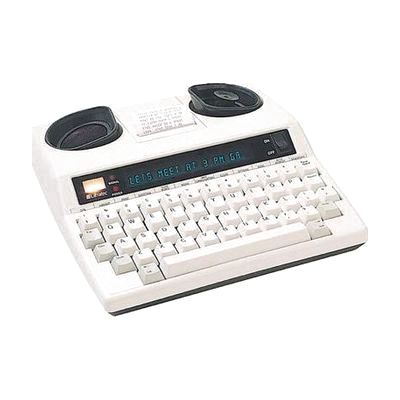
The Superprint 4425 is a TTY, a text telephone that lets two people hold a phone conversation by typing. It connects straight to a standard phone line through built-in jacks, and its display shows whether the number you called is ringing or busy. It can redial a busy number, make three-way calls, and answer for you with a greeting you write yourself. You can store hundreds of numbers, memos, and saved messages by name in its memory. The relay announcer is a handy touch: it tells hearing callers to use a TTY or a relay service and gives them your relay number, which you can program. This is a full-featured machine, so expect to spend some time learning its menus.
Verified 2 days agoSetup with instructions -
SimplyWorks Receive 2
Est. $60–$120
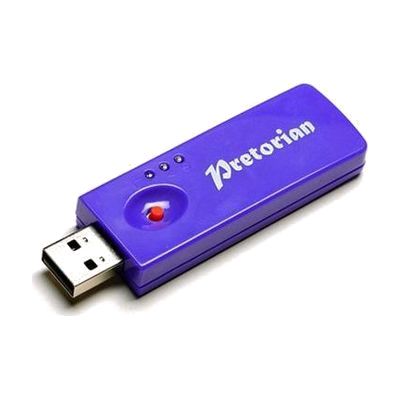
The Receive 2 is a small wireless receiver that plugs into a computer's USB port and lets up to six SimplyWorks transmitters, such as switches, a mouse, or a joystick, control the computer without cables. It works with any mix of transmitters and has a range of more than 10 meters, so a classroom or therapy room can be set up for one person or several without wires crossing the floor. It needs no driver software and works on Windows and Mac. Two LEDs show when Caps Lock and Drag Lock are on. It must go into a USB port; it won't work in an older PS/2 port, even with an adapter.
Verified 4 days agoSetup with instructions -

Boogie Board Jot 8.5 LCD eWriter- Blue
$29.99
The Boogie Board Jot 8.5 is a reusable LCD writing tablet. You write on it with the included stylus, and a button clears the screen when you're done. It gives someone who can't speak, or finds speaking hard, a quick way to share a message, a phone number, or a list by writing it out. The screen needs no power to hold an image, so there's no on/off switch. A small amount of power is used only when you press erase. It's a good fit for keeping around the house or office, or for taking along. It's a handwriting tool, so the person needs enough hand control to write or draw. The maker also offers a free Jot mobile app.
Verified 2 days agoReady to use -
GoTalk 9+ Lite Touch
$339.00
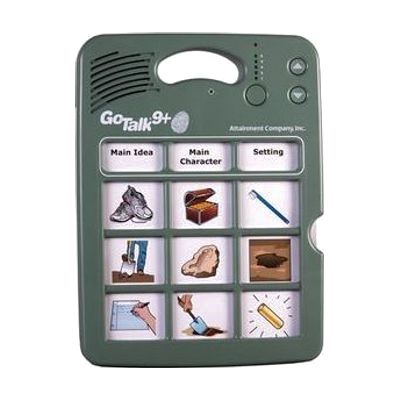
The GoTalk 9+ Lite Touch is a dedicated talking device with nine message keys. You record your own voice messages onto the keys, and each press plays one back. It holds up to 45 messages across five recording levels, with about nine minutes of total recording time, and its keys respond to a much lighter touch than standard GoTalk models, which helps someone with a gentle or limited press. People can use it to start conversations, make requests, answer questions in class, or greet visitors in a hospital room. It has volume control, a record lock and a level lock, and it stores its overlays inside the device. Because every message is recorded by someone, the vocabulary only works as well as it is planned, so it helps to have a speech-language pathologist or teacher decide what goes on each level.
Verified 2 days agoProfessional guidance helps -
SwitchIt! Hygiene Extra
Est. $45–$120
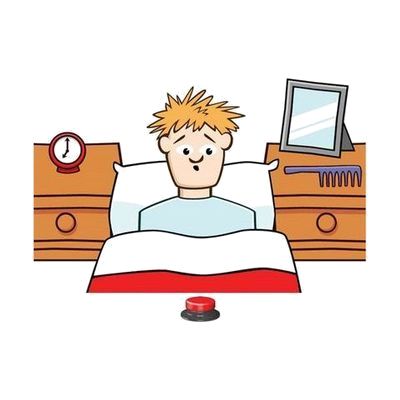
SwitchIt! Hygiene Extra is learning software that uses everyday personal hygiene themes to help someone build switch skills. It includes several activity types, from simple cause and effect, to putting steps in order, to choosing from a picture menu on their own. You can adjust the settings to fit the learner, and it works with a wide range of access devices. It suits learners of any age who are learning to use a switch while also learning about daily routines.
Verified 4 days agoSetup with instructions -

Tactile Strategies for Children Who Have Visual Impairments and Multiple Disabilities: Promoting Communication and Learning Skills
$27.95
This book covers alternative communication strategies for young children who have visual impairments along with other disabilities. It is written as a guide for the adults who work with these children, offering ways to build communication and learning skills through touch. The page lists an EPUB electronic file, so you would need an EPUB reader app or program to open it, and it is made to order or digital.
Verified 3 days agoProfessional guidance helps -

Button Click Switch
$34.95
The Button Click Switch is a small plate switch, about 2½ inches square, that sends a signal each time it is pressed. It needs only about 40 grams of pressure, so a light touch is enough to activate it. It has no battery. This is just the switch, so it does nothing until you connect it to something that accepts a switch, such as a switch-adapted toy, a call chime, or a switch interface.
Not recently verifiedProfessional guidance helps