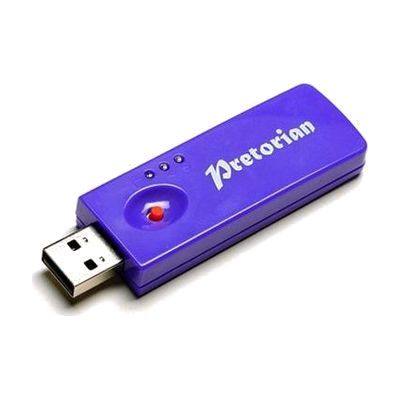
SimplyWorks Receive 2
Last verified June 20, 2026 · classified April 26, 2026
What it is
Summary
AI-generated from vendor-published content · April 26, 2026
The SimplyWorks Receive 2 is a wireless USB receiver hub that allows up to six SimplyWorks switches or other transmitters to connect wirelessly to a computer — no cables running across the room, no dedicated driver software to install. It's designed for classroom or therapy settings where multiple users need switch access to a computer simultaneously, such as a group of students taking turns activating switch-adapted software. This is not a standalone solution — it requires at least one (and typically several) SimplyWorks-compatible wireless transmitters and switches purchased separately, plus a Windows PC or Mac with a USB port. One practical note: the Receive 2 only works over USB and cannot be adapted to older PS/2 ports, so confirm your computer has a standard USB-A or USB-C port before ordering.
Quick Facts Catalog facts · auto-generated
- AT Act lending
- Out of pocket
- School district
- Vocational rehab
What Setup Looks Like
- Out of the box
Plug the Receive 2 into an available USB port on your PC or Mac — the computer will recognize it automatically without installing drivers. - With a guide
- Pair each SimplyWorks wireless transmitter to the receiver following the channel pairing instructions in the SimplyWorks documentation.
- Test each switch or transmitter within the expected 10-metre range to confirm wireless connectivity before your session.
- Allow 15–30 minutes for initial pairing of multiple transmitters. See manufacturer support resources for detailed instructions.
- With professional help
- An assistive technology professional (ATP) or special education teacher should configure switch-accessible software to match each transmitter's input signal to the correct user action.
- For multi-user classroom setups, an OT or ATP can advise on optimal transmitter placement and software settings — expect one planning session of 30–60 minutes.
Getting it
Try Before You Buy
Devices like this are often available to borrow through your state's AT Act program — typically free or low-cost — so you can try it before buying or pursuing funding.
Where to Get It
Some links may be affiliate links — WhatCanHelp may earn a small commission from purchases at no extra cost to you. More on affiliates →
As an Amazon Associate we earn from qualifying purchases.
How to Fund This
Equipment like this is often pursued through official state programs. These are common starting points — each program decides its own eligibility and what it covers, so the first step is always a phone call.
Compare & explore
Sources & fine print
Vendor facts (name, price, platforms, vendor link) sourced from Inclusive Technology — view on vendor site; last verified June 20, 2026.
Classification & description AI-generated from vendor-published content on April 26, 2026 · confidence: high. Vendor specs may lag; verify before relying on details in a clinical or funding artifact.