SwitchIt! Hygiene Extra
Price is what the vendor listed when last checked. Confirm it with the vendor before buying.
Last verified September 16, 2026 · classified April 26, 2026
What it is
Summary
AI-generated from vendor-published content · April 26, 2026
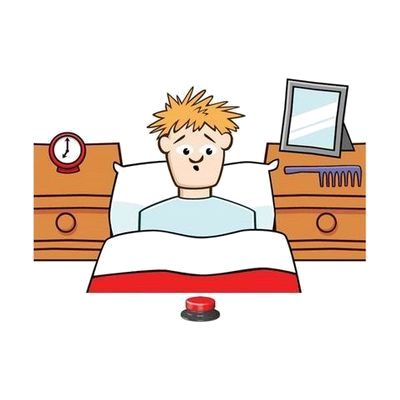
SwitchIt! Hygiene Extra is switch-accessible educational software that uses personal hygiene routines — brushing teeth, washing hands, getting dressed — as the content for building switch skills and daily living concepts. It's designed for learners who are just beginning to use switches and need practice moving from simple cause-and-effect (press button, something happens) through to making picture-menu choices and following short sequences. You get a software title that runs on a computer and requires a compatible switch and switch interface to use — neither of those are included. The activities are highly configurable, but getting the most out of the progression from cause-and-effect to sequencing will benefit from guidance from a teacher or therapist who understands the learner's current switch access level.
Quick Facts Catalog facts · auto-generated
- AT Act lending
- Out of pocket
- School district
What Setup Looks Like
- Out of the box
- Install the software on a compatible Windows or Mac computer.
- Connect a switch via a USB switch interface — the software responds to switch input once configured.
- With a guide
- Configure activity settings to match the learner's current skill level (cause-and-effect, sequencing, or choice-making).
- Select scanning speed and timing to suit the individual user's response rate.
- Trial a short session and adjust timing and activity level based on performance — allow 20-30 minutes for initial setup. See manufacturer support resources for detailed instructions.
- With professional help
- A special education teacher, occupational therapist, or AAC/AT specialist should assess the learner's current switch access ability to select the right starting activity level.
- Ongoing review of progression through activity tiers is recommended to ensure the learner is challenged appropriately without frustration.
Getting it
Try Before You Buy
Devices like this are often available to borrow through your state's AT Act program — typically free or low-cost — so you can try it before buying or pursuing funding.
Where to Get It
This is the vendor WhatCanHelp tracks for this product — it may also be available from other retailers or a local supplier, and prices vary.
Some links may be affiliate links — WhatCanHelp may earn a small commission from purchases at no extra cost to you. More on affiliates →
As an Amazon Associate we earn from qualifying purchases.
Wondering how equipment like this gets paid for? See the official funding programs in your state.
Compare & explore
Sources & fine print
Vendor facts (name, price, platforms, vendor link) sourced from Inclusive Technology — view on vendor site; last verified September 16, 2026.
Classification & description AI-generated from vendor-published content on April 26, 2026 · confidence: high. Vendor specs may lag; verify before relying on details in a clinical or funding artifact.