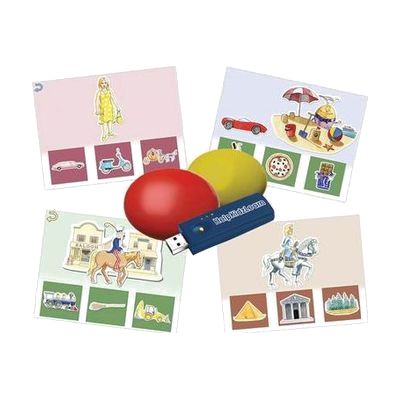
Inclusive Easy Choice Bundle
Price is what the vendor listed when last checked. Confirm it with the vendor before buying.
Last verified September 16, 2026 · classified April 26, 2026
What it is
Summary
AI-generated from vendor-published content · April 26, 2026
This bundle combines wireless two-switch hardware with subscription access to HelpKidzLearn's EasySwitch and Choose and Tell software, giving children a complete setup for learning early cause-and-effect and basic scanning skills. It's designed for young children — often those with physical or cognitive disabilities — who are just beginning to learn that their actions can make things happen on a screen, or who are starting to understand simple yes/no or two-option choices. Because the switch and software are bundled together, you're getting a reasonably self-contained solution rather than individual pieces you'd need to match yourself. That said, the subscription-based software component means you'll want to confirm what's included in the bundle term and what renewal costs look like before committing.
Quick Facts Catalog facts · auto-generated
- AT Act lending
- Medicaid waiver
- Out of pocket
- School district
What Setup Looks Like
- Out of the box
- Power on the wireless switches and confirm the receiver is connected to your computer or tablet.
- Launch HelpKidzLearn EasySwitch or Choose and Tell software using provided access credentials.
- With a guide
- Follow Inclusive Technology's setup guide to pair the wireless switches with the receiver.
- Configure the software to respond to each switch's activation and select an appropriate activity level for the child.
- Full setup with software configuration typically takes 30–60 minutes. See manufacturer support resources for detailed instructions.
- With professional help
- An OT, SLP, or ATP familiar with switch access can assess the child's best access site (hand, head, foot) and position the switches appropriately.
- A professional can also select and sequence activities within the software to match the child's current skill level and learning goals, typically across 1–2 sessions.
Getting it
Try Before You Buy
Devices like this are often available to borrow through your state's AT Act program — typically free or low-cost — so you can try it before buying or pursuing funding.
Where to Get It
This is the vendor WhatCanHelp tracks for this product — it may also be available from other retailers or a local supplier, and prices vary.
Some links may be affiliate links — WhatCanHelp may earn a small commission from purchases at no extra cost to you. More on affiliates →
As an Amazon Associate we earn from qualifying purchases.
How to Fund This
Equipment like this is often pursued through official state programs. These are common starting points — each program decides its own eligibility and what it covers, so the first step is always a phone call.
Compare & explore
Sources & fine print
Vendor facts (name, price, platforms, vendor link) sourced from Inclusive Technology — view on vendor site; last verified September 16, 2026.
Classification & description AI-generated from vendor-published content on April 26, 2026 · confidence: high. Vendor specs may lag; verify before relying on details in a clinical or funding artifact.