Cosmic Number Lines
by American Printing House for the Blind
Contact vendor for pricing
Last verified June 15, 2026 · classified May 23, 2026
What it is
Summary
AI-generated from vendor-published content · May 23, 2026
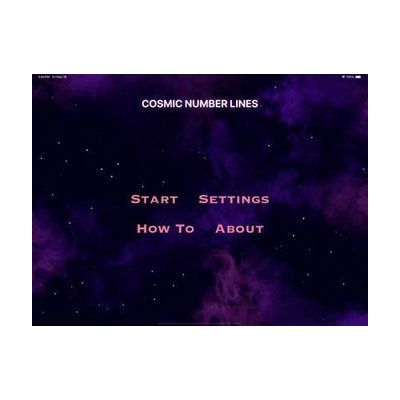
Cosmic Number Lines is an iOS app from APH that teaches early number line concepts — counting, ordering, and positioning numbers — through a space-themed game format designed for young students. It's primarily aimed at children in the early elementary grades who are blind or have low vision, using accessible design principles consistent with APH's educational software line. This is a standalone app that works on an iPad or iPhone without additional hardware, though it likely pairs best with VoiceOver enabled for students who rely on screen access. As a curriculum supplement rather than a complete math program, it covers a specific foundational skill and works best as one tool within a broader instructional approach.
Quick Facts Catalog facts · auto-generated
- AT Act lending
- Out of pocket
- School district
What Setup Looks Like
- Out of the box
Download the app from the App Store and open it — gameplay begins without configuration. - With a guide
- Enable VoiceOver in iOS Settings > Accessibility if the student uses screen reader access.
- Introduce the space-themed interface to the student and demonstrate one activity before independent use — allow 10–15 minutes for orientation.
- With professional help
- A teacher of the visually impaired (TVI) or special education teacher can integrate the app into math IEP goals and track skill progression over time.
- See manufacturer support resources for detailed instructions.
Getting it
Try Before You Buy
Devices like this are often available to borrow through your state's AT Act program — typically free or low-cost — so you can try it before buying or pursuing funding.
Where to Get It
Some links may be affiliate links — WhatCanHelp may earn a small commission from purchases at no extra cost to you. More on affiliates →
Wondering how equipment like this gets paid for? See the official funding programs in your state.
Compare & explore
Sources & fine print
Vendor facts (name, price, platforms, vendor link) sourced from American Printing House for the Blind — view on vendor site; last verified June 15, 2026.
Classification & description AI-generated from vendor-published content on May 23, 2026 · confidence: medium. Vendor specs may lag; verify before relying on details in a clinical or funding artifact.