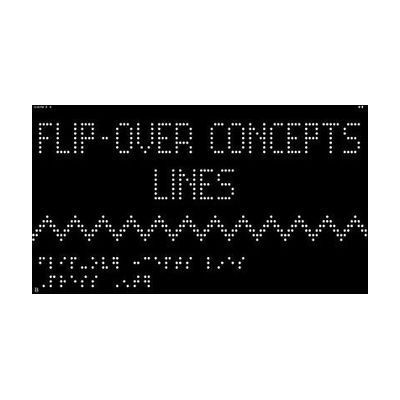
Flip-Over Concept App for the Monarch: Lines
by American Printing House for the Blind
Contact vendor for pricing
Last verified June 15, 2026 · classified May 23, 2026
What it is
Summary
AI-generated from vendor-published content · May 23, 2026
This is a free app designed specifically for the Monarch, APH's multiline refreshable braille display with a tactile graphics surface. It teaches the concept of lines — straight, curved, diagonal, intersecting — through interactive tactile exploration and games, letting students feel and trace dynamic raised-line patterns directly on the device. It's aimed at students who are blind or have low vision who are building foundational tactile literacy skills, particularly the ability to interpret tactile graphics and diagrams. Because this runs exclusively on the Monarch hardware, you need access to that device — it won't work on a standard braille display or tablet. The app itself is free, but the Monarch is a significant investment, so this is most practical for school settings or programs that already have the device.
Quick Facts Catalog facts · auto-generated
- AT Act lending
- Out of pocket
- School district
What Setup Looks Like
- Out of the box
Download the app through the Monarch's app library — no cost, no additional setup required. - With a guide
- Ensure the Monarch device has current firmware before installing.
- Open the app and navigate to the activity menu using standard Monarch controls.
- Review APH's accompanying teacher/parent guide to sequence activities by concept complexity — allow 15–20 minutes to orient to the lesson flow. See manufacturer support resources for detailed instructions.
- With professional help
- A teacher of the visually impaired (TVI) should introduce tactile line concepts and contextualize the activities within the student's broader tactile literacy curriculum.
- Initial integration into an IEP or instructional plan typically takes 1–2 sessions with a TVI.
Getting it
Try Before You Buy
Devices like this are often available to borrow through your state's AT Act program — typically free or low-cost — so you can try it before buying or pursuing funding.
Where to Get It
Some links may be affiliate links — WhatCanHelp may earn a small commission from purchases at no extra cost to you. More on affiliates →
Wondering how equipment like this gets paid for? See the official funding programs in your state.
Compare & explore
Sources & fine print
Vendor facts (name, price, platforms, vendor link) sourced from American Printing House for the Blind — view on vendor site; last verified June 15, 2026.
Classification & description AI-generated from vendor-published content on May 23, 2026 · confidence: high. Vendor specs may lag; verify before relying on details in a clinical or funding artifact.