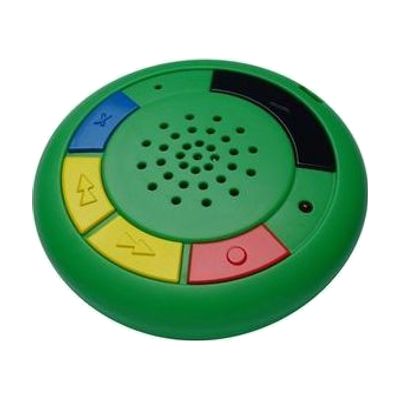
Multi-Memo Voice Recorder
Est. $25–$60, see price history
Typical price range, not a vendor quote. Confirm it with the vendor before buying.
What it is
Summary
AI-generated from vendor-published content · October 1, 2026
The Multi-Memo Recorder is a small, standalone voice recorder that holds up to 60 short messages, with about 6 minutes of recording time in total. You step through the saved messages with skip forward and skip backward buttons, and you can delete a single message without touching the others. A lock switch protects recordings from being erased by accident. It suits speaking and listening activities, such as practicing pace and tone, recording clues for a treasure hunt, or noting thoughts about a story. At roughly 80mm by 15mm, it's easy to carry between settings. The 6-minute limit is shared across all messages, so it works best for brief recordings.
Getting it
Try before you buy
Devices like this are often available to borrow through your state's AT Act program — typically free or low-cost — so you can try it before buying or pursuing funding.
Where to get it
This is the vendor WhatCanHelp tracks for this product — it may also be available from other retailers or a local supplier, and prices vary.
How to fund this
These are common places to ask about paying for equipment like this. Each one decides its own eligibility and what it covers, so start by asking them.
Details
Quick Facts Catalog facts · auto-generated
- Platform
- Age range
- Complexity
- Ready to use
- Price
- Est. $25–$60
- Funding
- AT Act lending
- Out of pocket
- School district
What setup looks like
- Out of the box
- Record a short message, then use the skip forward and skip backward buttons to play messages back one at a time.
- Slide the lock switch on when you want to protect saved messages from accidental erasure.
- Delete individual messages you no longer need to free up space within the 6 minutes.
Compare & explore
Sources & fine print
Vendor facts (name, price, platforms, vendor link) sourced from Inclusive Technology — view on vendor site (opens in a new tab); last checked October 31, 2026.
Classification & description AI-generated from vendor-published content on October 1, 2026 · confidence: high. Vendor specs may lag; verify before relying on details in a clinical or funding artifact.