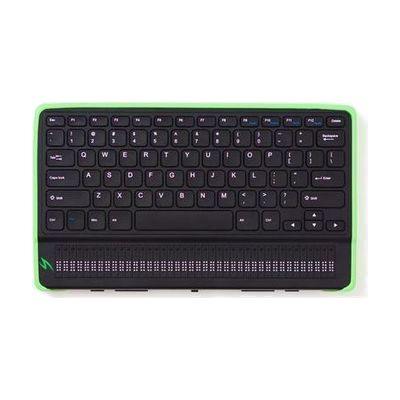
Mantis Q40
by American Printing House for the Blind
Price is what the vendor listed when last checked. Confirm it with the vendor before buying.
What it is
Summary
AI-generated from vendor-published content · October 1, 2026
The Mantis Q40 pairs a QWERTY keyboard with a 40-cell refreshable braille display in one wireless unit. It lets a braille reader type and read braille wherever they are, instead of being tied to a desk setup. You can connect it to other devices as a keyboard and braille display, and it can also work on its own as a dedicated device. One limit to plan for: moving files between a Mac and the Mantis over USB doesn't currently work, so you'll need a USB drive or SD card to carry files across.
Getting it
Try before you buy
Devices like this are often available to borrow through your state's AT Act program — typically free or low-cost — so you can try it before buying or pursuing funding.
Where to get it
This is the vendor WhatCanHelp tracks for this product — it may also be available from other retailers or a local supplier, and prices vary.
How to fund this
These are common places to ask about paying for equipment like this. Each one decides its own eligibility and what it covers, so start by asking them.
Details
Quick Facts Catalog facts · auto-generated
- Addresses
- Platform
- Age range
- Complexity
- Setup with instructions
- Price
- $2,682.00
- Funding
- AT Act lending
- Medicaid waiver
- Out of pocket
- School district
- Vocational rehab
What setup looks like
- With a guide
- Charge the unit, power it on, and learn the keyboard and braille display basics from the user guide. Plan about 30 minutes.
- Pair it with your computer or phone over wireless, and turn on braille support in that device's screen reader settings. Allow another 20-30 minutes.
- If you use a Mac, copy files with a USB drive or SD card instead of a USB cable between the Mac and the Mantis.
Compare & explore
Sources & fine print
Vendor facts (name, price, platforms, vendor link) sourced from American Printing House for the Blind — view on vendor site (opens in a new tab); last checked November 1, 2026.
Classification & description AI-generated from vendor-published content on October 1, 2026 · confidence: medium. Vendor specs may lag; verify before relying on details in a clinical or funding artifact.