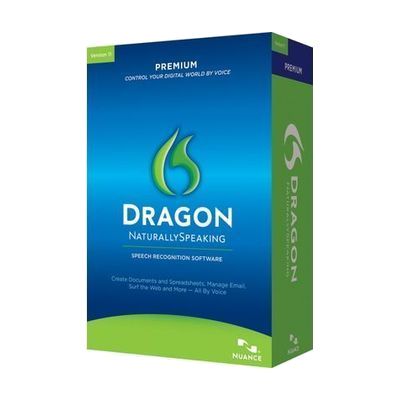
Dragon NaturallySpeaking Premium Version 15.0 Non-Returnable
Price is what the vendor listed when last checked. Confirm it with the vendor before buying.
Last verified September 20, 2026 · classified June 8, 2026
What it is
Summary
AI-generated from vendor-published content · June 8, 2026
Dragon NaturallySpeaking Premium is a speech recognition software that converts spoken words into text in real-time, letting users dictate documents, emails, and commands entirely by voice. It's a well-established solution for people with limited hand or arm function, repetitive strain injuries, or anyone who types slowly or with difficulty — including those with dyslexia who find dictating easier than typing. This is a standalone Windows software license; you'll need a compatible microphone (a quality headset is strongly recommended, as built-in microphones produce much worse results) and a reasonably modern Windows PC. The version numbering on this listing is inconsistent — the title says 15.0 but the URL and the vendor's listing cites 13.0, so confirm with the vendor exactly which version you're purchasing before buying, as Dragon versions differ meaningfully in features and compatibility.
Quick Facts Catalog facts · auto-generated
- AT Act lending
- Out of pocket
- School district
- Vocational rehab
What Setup Looks Like
- Out of the box
Install the software and complete the initial voice profile setup (microphone check and short reading exercise) — takes 10–20 minutes. - With a guide
- Configure accuracy settings and train custom vocabulary for specialized terms (medical, legal, technical).
- Run the tutorial to learn voice commands for editing, formatting, and application control — allow 1–2 hours for a productive baseline. See manufacturer support resources for detailed instructions.
- With professional help
- A vocational rehabilitation specialist or assistive technology professional (ATP) can help configure Dragon alongside other AT (switch access, screen readers) and optimize for a specific workflow.
- Expect 1–2 sessions if integrating with workplace software or other assistive tools.
Getting it
Try Before You Buy
Devices like this are often available to borrow through your state's AT Act program — typically free or low-cost — so you can try it before buying or pursuing funding.
Where to Get It
This is the vendor WhatCanHelp tracks for this product — it may also be available from other retailers or a local supplier, and prices vary.
Some links may be affiliate links — WhatCanHelp may earn a small commission from purchases at no extra cost to you. More on affiliates →
As an Amazon Associate we earn from qualifying purchases.
How to Fund This
Equipment like this is often pursued through official state programs. These are common starting points — each program decides its own eligibility and what it covers, so the first step is always a phone call.
Compare & explore
Sources & fine print
Vendor facts (name, price, platforms, vendor link) sourced from Nuance Communications — view on vendor site; last verified September 20, 2026.
Classification & description AI-generated from vendor-published content on June 8, 2026 · confidence: high. Vendor specs may lag; verify before relying on details in a clinical or funding artifact.