Matrix Maker Plus
Price is what the vendor listed when last checked. Confirm it with the vendor before buying.
Last verified September 16, 2026 · classified April 26, 2026
What it is
Summary
AI-generated from vendor-published content · April 26, 2026
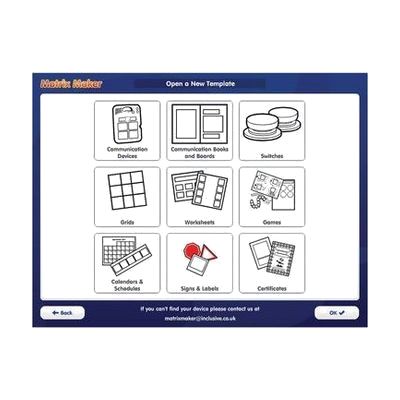
Matrix Maker Plus is Windows software for creating printed symbol-based materials — things like communication boards, visual schedules, reward charts, and activity worksheets — using a library of over 26,000 images from major symbol sets including Widgit and SymbolStix. It's aimed at teachers, therapists, and parents who need to produce low-tech AAC resources or visual supports quickly, without graphic design skills. You get a complete, standalone tool: pick a template, populate it with symbols or photos, and send it to a printer. This produces printed materials only — it has no dynamic or speech-output functionality, so it supports communication but isn't itself a voice-output AAC system.
Quick Facts Catalog facts · auto-generated
- AT Act lending
- Out of pocket
- School district
What Setup Looks Like
- Out of the box
- Download and install the software on a Windows PC.
- Open a ready-made template, drag in symbols from the built-in library, and print.
- With a guide
- Browse the template library to find the right layout for your goal (e.g., visual timetable, choice board).
- Customize cell content, colors, and text to match the learner's needs.
- Save custom symbol sets to the personal library for reuse — allow 1–2 hours to explore features fully.
- See manufacturer support resources for detailed instructions.
Getting it
Try Before You Buy
Devices like this are often available to borrow through your state's AT Act program — typically free or low-cost — so you can try it before buying or pursuing funding.
Where to Get It
This is the vendor WhatCanHelp tracks for this product — it may also be available from other retailers or a local supplier, and prices vary.
Some links may be affiliate links — WhatCanHelp may earn a small commission from purchases at no extra cost to you. More on affiliates →
As an Amazon Associate we earn from qualifying purchases.
Wondering how equipment like this gets paid for? See the official funding programs in your state.
Compare & explore
Sources & fine print
Vendor facts (name, price, platforms, vendor link) sourced from Inclusive Technology — view on vendor site; last verified September 16, 2026.
Classification & description AI-generated from vendor-published content on April 26, 2026 · confidence: high. Vendor specs may lag; verify before relying on details in a clinical or funding artifact.