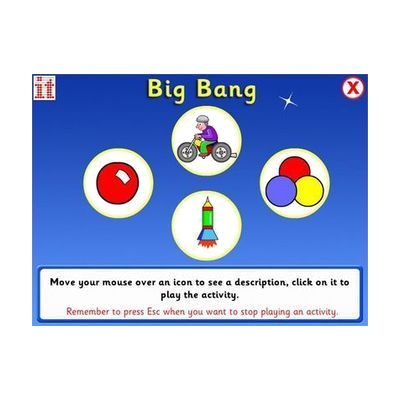
Big Bang
Price is what the vendor listed when last checked. Confirm it with the vendor before buying.
Last verified September 16, 2026 · classified April 26, 2026
What it is
Summary
AI-generated from vendor-published content · April 26, 2026
Big Bang is Windows software that responds to any activation — switch press, touch, mouse click, or keypress — with bright visual and audio effects like fireworks, bubbles, and color bursts, teaching learners that their actions produce results. It's designed for people at the earliest stages of intentional communication and interaction, particularly those with profound and multiple learning disabilities (PMLD), who benefit from high-contrast, high-reward feedback to build attention and cause-and-effect understanding. The package includes five themed activity sets with options for gradual builds or continuous animation, so educators can match the experience to each learner's current responsiveness level. This is Windows-only software, so it won't run on iPads, Chromebooks, or Mac devices commonly found in some classroom settings.
Quick Facts Catalog facts · auto-generated
- AT Act lending
- Out of pocket
- School district
What Setup Looks Like
- Out of the box
Install the software on a Windows PC and launch an activity — any input method (touch, click, keypress, or connected switch) will trigger effects immediately. - With a guide
- Select an activity set that matches the learner's sensory preferences and current attention level.
- Configure input method in software settings to match available hardware (switch interface, touch screen, or standard mouse/keyboard).
- Adjust activity options (gradual build vs. continuous movement) based on observed learner response — allow 15–30 minutes of trial across a session. See manufacturer support resources for detailed instructions.
- With professional help
- A special education teacher, OT, or learning support specialist can assess which activity sets best support each learner's IEP goals around cause-and-effect and early communication.
- Initial integration into a sensory room or classroom routine typically takes 1–2 guided sessions to identify optimal settings per learner.
Getting it
Try Before You Buy
Devices like this are often available to borrow through your state's AT Act program — typically free or low-cost — so you can try it before buying or pursuing funding.
Where to Get It
This is the vendor WhatCanHelp tracks for this product — it may also be available from other retailers or a local supplier, and prices vary.
Some links may be affiliate links — WhatCanHelp may earn a small commission from purchases at no extra cost to you. More on affiliates →
As an Amazon Associate we earn from qualifying purchases.
Wondering how equipment like this gets paid for? See the official funding programs in your state.
Compare & explore
Sources & fine print
Vendor facts (name, price, platforms, vendor link) sourced from Inclusive Technology — view on vendor site; last verified September 16, 2026.
Classification & description AI-generated from vendor-published content on April 26, 2026 · confidence: high. Vendor specs may lag; verify before relying on details in a clinical or funding artifact.