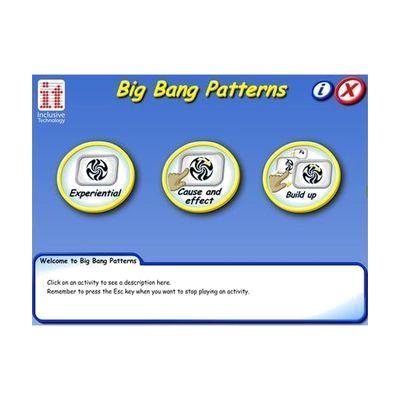
Big Bang Patterns
Price is what the vendor listed when last checked. Confirm it with the vendor before buying.
Last verified September 16, 2026 · classified April 26, 2026
What it is
Summary
AI-generated from vendor-published content · April 26, 2026
Big Bang Patterns is a software program that displays bright, animated visual patterns with synchronized sound effects and music, triggered by switch presses, touch, keyboard, or mouse clicks. It's designed for learners who are working on cause-and-effect understanding — the idea that their action (pressing a switch) directly causes something to happen on screen — as well as for sensory stimulation in low-demand or exploratory activities. The software includes over 60 animations across three activity modes, and settings for visual and audio intensity can be adjusted to match a learner's sensory preferences. This is a complete standalone solution for Windows computers, delivered by email download, though you'll need a switch and switch interface separately if that's your intended access method.
Quick Facts Catalog facts · auto-generated
- AT Act lending
- Medicaid waiver
- Out of pocket
- School district
What Setup Looks Like
- Out of the box
- Open the emailed download link and install the software on a Windows PC.
- Launch the program and select an activity mode — animations begin playing immediately with touch, mouse, or keyboard input.
- With a guide
- Connect a switch and USB switch interface to the computer before launching the software.
- Configure audio and visual settings in the preferences menu to suit the learner's sensory profile.
- Test all three activity modes to determine which best matches the learner's current cause-and-effect understanding — allow 30–60 minutes for initial exploration. See manufacturer support resources for detailed instructions.
- With professional help
- An occupational therapist (OT) or special education teacher can assess whether the learner is at the cause-and-effect stage and select appropriate activity modes and access methods.
- An ATP can configure switch type, interface, and sensitivity settings to match the learner's motor profile — typically 1 session.
Getting it
Try Before You Buy
Devices like this are often available to borrow through your state's AT Act program — typically free or low-cost — so you can try it before buying or pursuing funding.
Where to Get It
This is the vendor WhatCanHelp tracks for this product — it may also be available from other retailers or a local supplier, and prices vary.
Some links may be affiliate links — WhatCanHelp may earn a small commission from purchases at no extra cost to you. More on affiliates →
As an Amazon Associate we earn from qualifying purchases.
How to Fund This
Equipment like this is often pursued through official state programs. These are common starting points — each program decides its own eligibility and what it covers, so the first step is always a phone call.
Compare & explore
Sources & fine print
Vendor facts (name, price, platforms, vendor link) sourced from Inclusive Technology — view on vendor site; last verified September 16, 2026.
Classification & description AI-generated from vendor-published content on April 26, 2026 · confidence: high. Vendor specs may lag; verify before relying on details in a clinical or funding artifact.