Inclusive Cause and Effect Bundle
Price is what the vendor listed when last checked. Confirm it with the vendor before buying.
Last verified September 16, 2026 · classified April 26, 2026
What it is
Summary
AI-generated from vendor-published content · April 26, 2026
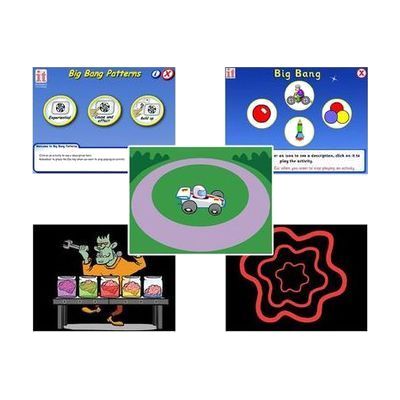
This is a collection of five software programs designed to teach early cause-and-effect understanding — the foundational skill where a learner discovers that their action (pressing a switch, touching a screen, or clicking a mouse) produces a consistent, predictable response on screen. It's aimed at children or adults with significant physical or cognitive disabilities who are at the earliest stages of intentional communication or interaction. The bundle works with switches, touchscreens, and standard mice, so it fits a range of access methods without needing to buy extra hardware beyond what the learner may already have. This is software only — it requires a compatible computer or tablet to run, and the activities are most meaningful when chosen and introduced alongside an educator, SLP, or OT who understands the learner's developmental level.
Quick Facts Catalog facts · auto-generated
- AT Act lending
- Out of pocket
- School district
What Setup Looks Like
- Out of the box
- Install the software on a compatible Windows PC.
- Plug in or pair the learner's switch, touchscreen, or mouse before launching.
- With a guide
- Review each of the five programs to match activity style to the learner's interests and current cause-and-effect level.
- Configure access method settings (switch input, touch sensitivity) within the software — allow 20–30 minutes. See manufacturer support resources for detailed instructions.
- With professional help
- An SLP, OT, or special education teacher should assess the learner's current cause-and-effect understanding to select appropriate starting activities and access method.
- Expect 1–2 planning sessions, then ongoing progress monitoring across weeks of use.
Getting it
Try Before You Buy
Devices like this are often available to borrow through your state's AT Act program — typically free or low-cost — so you can try it before buying or pursuing funding.
Where to Get It
This is the vendor WhatCanHelp tracks for this product — it may also be available from other retailers or a local supplier, and prices vary.
Some links may be affiliate links — WhatCanHelp may earn a small commission from purchases at no extra cost to you. More on affiliates →
As an Amazon Associate we earn from qualifying purchases.
Wondering how equipment like this gets paid for? See the official funding programs in your state.
Compare & explore
Sources & fine print
Vendor facts (name, price, platforms, vendor link) sourced from Inclusive Technology — view on vendor site; last verified September 16, 2026.
Classification & description AI-generated from vendor-published content on April 26, 2026 · confidence: high. Vendor specs may lag; verify before relying on details in a clinical or funding artifact.