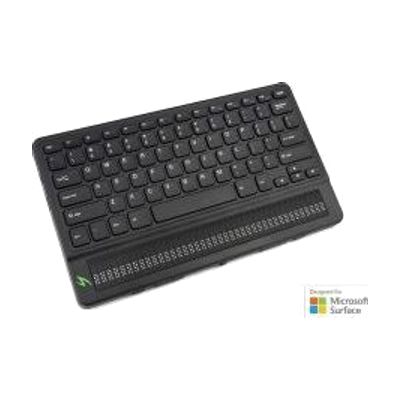
Mantis Q40 braille display
by HumanWare
Price is what the vendor listed when last checked. Confirm it with the vendor before buying.
Last verified May 3, 2026 · classified April 26, 2026
What it is
Summary
AI-generated from vendor-published content · April 26, 2026
The Mantis Q40 is a 40-cell refreshable braille display combined with a full QWERTY keyboard in a single portable device — the braille cells raise and lower to reflect whatever text appears on a paired screen reader or smartphone. It's designed for blind or deaffblind users who are proficient braille readers and want a versatile input/output device that works with a phone, computer, or as a standalone note-taker. You get the full 40-cell display, the QWERTY keyboard, and Bluetooth connectivity in one unit — no separate keyboard purchase needed. At this price point it's a significant investment, and getting full benefit requires familiarity with a screen reader (NVDA, JAWS, VoiceOver, etc.) and some initial pairing and configuration.
Quick Facts Catalog facts · auto-generated
- AT Act lending
- Out of pocket
- School district
- Vocational rehab
What Setup Looks Like
- Out of the box
Power on the device — the braille display functions as a standalone unit immediately without pairing. - With a guide
- Pair the Mantis Q40 with your smartphone or computer via Bluetooth using the device's pairing menu.
- Configure your screen reader (e.g., JAWS, NVDA, VoiceOver) to recognize and output to the braille display — allow 30–60 minutes for first-time setup.
- See manufacturer support resources for detailed instructions.
- With professional help
- An orientation and mobility specialist or assistive technology professional (ATP) can optimize screen reader integration and train the user on efficient braille display navigation.
- Expect 2–4 sessions depending on prior braille display experience.
Getting it
Try Before You Buy
Devices like this are often available to borrow through your state's AT Act program — typically free or low-cost — so you can try it before buying or pursuing funding.
Where to Get It
This is the vendor WhatCanHelp tracks for this product — it may also be available from other retailers or a local supplier, and prices vary.
Some links may be affiliate links — WhatCanHelp may earn a small commission from purchases at no extra cost to you. More on affiliates →
As an Amazon Associate we earn from qualifying purchases.
How to Fund This
Equipment like this is often pursued through official state programs. These are common starting points — each program decides its own eligibility and what it covers, so the first step is always a phone call.
Compare & explore
Sources & fine print
Vendor facts (name, price, platforms, vendor link) sourced from HumanWare — view on vendor site; last verified May 3, 2026.
Classification & description AI-generated from vendor-published content on April 26, 2026 · confidence: high. Vendor specs may lag; verify before relying on details in a clinical or funding artifact.