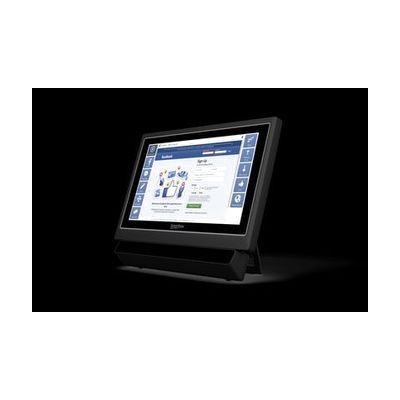
Accessible Apps in Grid
by Smartbox Assistive Technology
Contact vendor for pricing
Last verified September 16, 2026 · classified April 26, 2026
What it is
Summary
AI-generated from vendor-published content · April 26, 2026
Accessible Apps in Grid is a collection of pre-built grid sets within Smartbox's Grid 3 software that connect AAC users to mainstream apps — email, SMS, social media, streaming services, web browsing, and e-books — through whatever access method they use, including touch, switch scanning, pointer, or eye gaze. It's designed for people who use AAC and want to participate in everyday digital life (watching Netflix, texting friends, posting on Instagram) without needing to navigate interfaces that weren't built with their access method in mind. This is not a standalone product — it requires an active Grid 3 license and a compatible device (Windows PC or Smartbox hardware), and is essentially an add-on content library within that ecosystem. The quality and usability of individual app grid sets can vary, and some apps (especially social media) may require periodic updates as platform interfaces change.
Quick Facts Catalog facts · auto-generated
- AT Act lending
- Medicaid waiver
- Out of pocket
- School district
- Vocational rehab
What Setup Looks Like
- Out of the box
If Grid 3 is already installed and licensed, accessible app grid sets can be downloaded and opened from within the Grid 3 software directly. - With a guide
- Install or confirm your Grid 3 license is active on your Windows device or Smartbox hardware.
- Browse the Grid 3 app library and download the specific grid sets for apps you want to use.
- Configure each grid set to your preferred access method (touch, switch, eye gaze) — allow 30–60 minutes for initial setup of multiple apps. See manufacturer support resources for detailed instructions.
- With professional help
- An SLP or ATP can ensure grid sets are configured to match the user's specific access method, vocabulary, and communication goals.
- Professional setup is especially valuable for eye gaze users or those with complex motor access needs — expect 1–2 sessions to dial in settings.
Getting it
Try Before You Buy
Devices like this are often available to borrow through your state's AT Act program — typically free or low-cost — so you can try it before buying or pursuing funding.
Where to Get It
This is the vendor WhatCanHelp tracks for this product — it may also be available from other retailers or a local supplier, and prices vary.
Some links may be affiliate links — WhatCanHelp may earn a small commission from purchases at no extra cost to you. More on affiliates →
As an Amazon Associate we earn from qualifying purchases.
How to Fund This
Equipment like this is often pursued through official state programs. These are common starting points — each program decides its own eligibility and what it covers, so the first step is always a phone call.
Compare & explore
Sources & fine print
Vendor facts (name, price, platforms, vendor link) sourced from Smartbox Assistive Technology — view on vendor site; last verified September 16, 2026.
Classification & description AI-generated from vendor-published content on April 26, 2026 · confidence: medium. Vendor specs may lag; verify before relying on details in a clinical or funding artifact.