Nearby Explorer
by American Printing House for the Blind
Contact vendor for pricing
What it is
Summary
AI-generated from vendor-published content · November 18, 2026
Nearby Explorer is a navigation app for people who are blind or have low vision. It speaks the names and locations of places around you and shows maps on the screen that give audio feedback when you touch them. It covers the United States and Canada, with millions of points of interest. You can add and share your own points. The GeoBeam feature works like a virtual beam from the end of your phone: point the device at something nearby and it tells you what is there, though it needs a device with a compass. You choose how much it announces. The iOS version also includes Indoor Explorer for supported indoor venues. It is meant to be used alongside your usual orientation and mobility (O&M) method, not in place of it. The app has been discontinued, and the maker suggests Goodmaps Explore and Goodmaps Outdoors as free replacements.
Getting it
Try before you buy
Devices like this are often available to borrow through your state's AT Act program — typically free or low-cost — so you can try it before buying or pursuing funding.
Where to get it
This is the vendor WhatCanHelp tracks for this product — it may also be available from other retailers or a local supplier, and prices vary.
How to fund this
These are common places to ask about paying for equipment like this. Each one decides its own eligibility and what it covers, so start by asking them.
Details
Quick Facts Catalog facts · auto-generated
- Addresses
- Age range
- Complexity
- Setup with instructions
- Price
- Funding
- AT Act lending
- Out of pocket
- Vocational rehab
What setup looks like
- Out of the box
- Install the app, turn on location access, and start exploring nearby places.
- Choose which announcements you want to hear so it only says what you need.
- With a guide
Practice the GeoBeam and touch-map features with a sighted helper or an O&M instructor so you learn how the feedback relates to your surroundings. Expect about 30 minutes to get comfortable.
Compare & explore
More accessible software
-
-
-
-
-
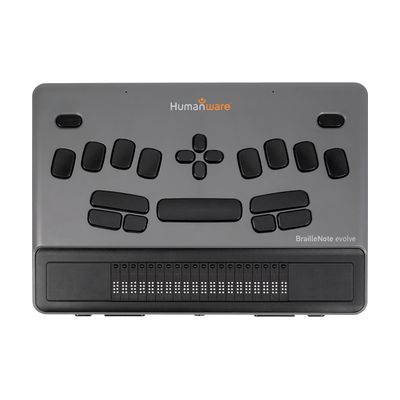
BrailleNote evolve 20
$5,199.00
-

SoundingBoard
Est. $10–$50
Sources & fine print
Vendor facts (name, price, platforms, vendor link) sourced from American Printing House for the Blind — view on vendor site (opens in a new tab); last checked November 23, 2026.
Classification & description AI-generated from vendor-published content on November 18, 2026 · confidence: high. Vendor specs may lag; verify before relying on details in a clinical or funding artifact.