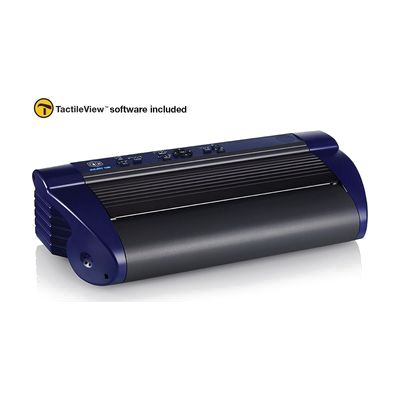
Juliet 120 braille embosser with TactileView software
Price is what the vendor listed when last checked. Confirm it with the vendor before buying.
What it is
Summary
AI-generated from vendor-published content · November 21, 2026
The Juliet 120 is a tractor-fed braille embosser that prints on both sides of the page. It produces up to 140 characters per second, or more than 400 pages an hour, so it suits a school, workplace or braille production center. It has a built-in UEB contracted braille translator, and it comes with TactileView software for making tactile graphics along with braille text. You can adjust the height of the braille dots to suit your reading preference. You can also print documents sideways to keep the layout of newspapers and magazines. Files can be sent from a computer or mobile device over Bluetooth, and it connects to the BrailleNote Touch Plus. This is a large, heavy-duty production tool, so it fits best where one person or team makes braille for many readers.
Getting it
Try before you buy
Devices like this are often available to borrow through your state's AT Act program — typically free or low-cost — so you can try it before buying or pursuing funding.
Where to get it
This is the vendor WhatCanHelp tracks for this product — it may also be available from other retailers or a local supplier, and prices vary.
How to fund this
These are common places to ask about paying for equipment like this. Each one decides its own eligibility and what it covers, so start by asking them.
Details
Quick Facts Catalog facts · auto-generated
- Addresses
- Platform
- Age range
- Complexity
- Professional guidance helps
- Price
- $3,999.00
- Funding
- AT Act lending
- Out of pocket
- School district
- Vocational rehab
What setup looks like
- Out of the box
Load tractor-feed paper and turn the embosser on. - With a guide
- Pair the embosser with your computer or mobile device over Bluetooth, or connect the BrailleNote Touch Plus.
- Install TactileView on your computer and set up your first braille and graphics print. Plan on about an hour.
- With professional help
A teacher of students with visual impairments (TVI) or braille transcriber can help choose braille settings, dot height and formatting for your readers.
Compare & explore
More accessible software
-
-
-
-
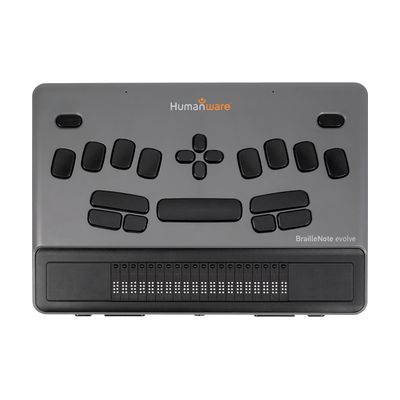
BrailleNote evolve 20
$5,199.00
-

SoundingBoard
Est. $10–$50
-
Sources & fine print
Vendor facts (name, price, platforms, vendor link) sourced from HumanWare — view on vendor site (opens in a new tab); last checked November 23, 2026.
Classification & description AI-generated from vendor-published content on November 21, 2026 · confidence: medium. Vendor specs may lag; verify before relying on details in a clinical or funding artifact.