Browse Assistive Technology
Products
-

Apple Hearing Accessibility
Free
Apple's hearing accessibility features are built into its devices and cover Live Listen, Live Captions and support for Made for iPhone hearing devices. With Live Listen, your iPhone's microphone picks up people who are speaking from a distance, like across a dining table or in a lecture hall, and sends that sound to your AirPods, Beats headphones, or compatible hearing devices. You can also read Live Captions of the conversation on a paired Apple Watch, or on a nearby iPhone or iPad signed in to the same Apple Account. Apple Watch, iPhone, or iPad can act as a remote to start or stop a session, or jump back a few seconds to catch something you missed. Features and languages vary by region, so check availability before counting on a specific one.
Verified 4 days agoSetup with instructions -
MacBook Pro
$1,599.00
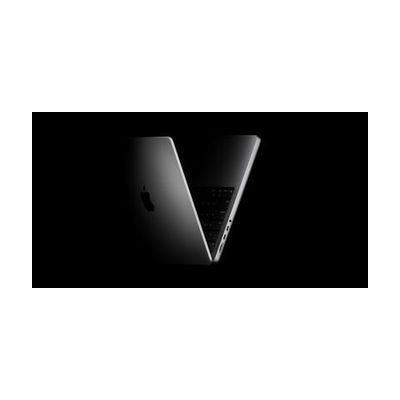
The MacBook Pro is Apple's laptop line, available in 14-inch and 16-inch sizes with M5-family chips and a Liquid Retina XDR display. It is a general-purpose computer, so it is not a single-purpose assistive device, but it runs macOS, which has accessibility settings for vision, hearing, movement, and thinking and learning needs. Those settings can also help with communication, for example by running speech or switch-based communication software. The laptop also has a 12MP camera, a three-mic array, a six-speaker system, and a headphone jack. How much it helps depends on which macOS settings and apps you turn on, so budget time to explore and set them up.
Verified 4 days agoSetup with instructions -

AirPods Max 2
$549.00
The AirPods Max 2 are over-ear wireless headphones from Apple with active noise cancellation, which cuts down background sound so you can focus on what you're listening to. A Digital Crown on the ear cup lets you play and pause, skip tracks, answer or end calls, and change volume by turning it, so you don't need to reach for your phone. The memory-foam cushions and knit-mesh headband canopy are meant to spread out weight and pressure, which can matter if you wear headphones for long stretches. Other listed features include Adaptive Audio, Conversation Awareness, and Live Translation; check Apple's page for which devices support them. These are consumer headphones sold as a complete product, not a hearing aid.
Verified 4 days agoSetup with instructions -
Apple Zoom
Free
Zoom is the built-in screen magnifier on Apple devices. It enlarges what's on the screen so small text and images are easier to see. You can magnify the whole screen, or use Window Zoom to enlarge just one area with a lens you can resize. Follow Focus keeps the magnified view on whatever you select or type. Smart Typing enlarges the text area while leaving the keyboard at normal size. Color filters (inverted, grayscale, grayscale inverted, and low light) can make the magnified area more comfortable to read. Zoom works together with VoiceOver, Apple's screen reader, so you can see and hear the screen at once. On Mac you can split the screen to view content up close and far away at the same time, and set a separate zoom level for each display. On Apple Vision Pro, Zoom can also magnify your surroundings through the headset's camera. Zoom is a software feature, so you need a supported Apple device, and each device has its own settings to learn.
Verified 4 days agoSetup with instructions -

Apple Live Speech & Personal Voice
Free
Live Speech lets you type what you want to say and have your device say it out loud, including during Phone and FaceTime calls and face-to-face conversations. You can save phrases you use often and group them into categories, such as a Coffee Shop set for ordering. You can pick from dozens of system voices or use a Personal Voice, which is a voice you create that sounds like you. Personal Voice is built by reading 10 randomized phrases aloud, and it's aimed at people who are at risk of losing their voice. These are built-in Apple features, so availability varies by device, region, and language.
Verified 4 days agoSetup with instructions -
Mac mini
$599.00
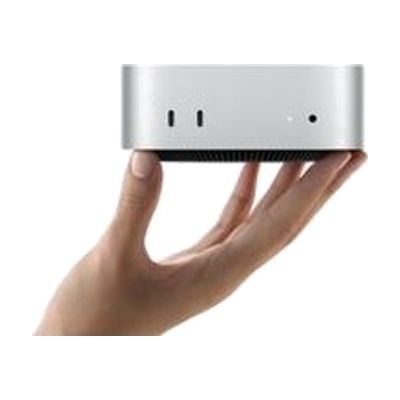
The Mac mini is a small desktop computer, about five by five inches, that runs macOS and connects to the monitor, keyboard, and mouse you choose. That freedom is what makes it useful for assistive technology: you can pair it with larger or specialized displays, alternative input devices, or switch-based setups, and use the accessibility features built into macOS. It has ports on both the front and back, and it can sit next to a monitor or be mounted out of the way. Keep in mind that it is only the computer itself, so you need to supply the screen and input devices, and any assistive setup is up to you.
Verified 4 days agoSetup with instructions -
AirPods 5
$129.00 – $179.00
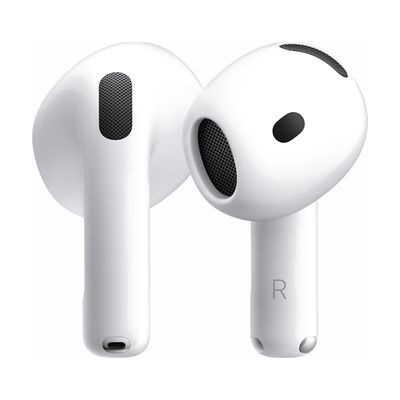
AirPods 5 are wireless earbuds with an open-ear design, meant for all-day wear. They block outside noise, or let you hear your surroundings, or blend the two as your environment changes. That makes them useful if you want to control how much sound reaches you. Dual microphones help calls and recordings sound clear, and a force sensor on the case version lets you swipe to change volume. They pair with an iPhone for features like Siri and Live Translation, and the IP57 rating covers dust, sweat, and water. The case charges by USB-C, Apple Watch charger, or Qi charger, and battery life with noise cancellation on is up to 5 hours per charge. Some features are limited to certain languages and regions.
Verified 4 days agoSetup with instructions -

HomePod mini
$99.00
The HomePod mini is a small Apple smart speaker, about 3.3 inches tall, that you control with your voice by saying "Hey Siri." It plays music with sound that spreads in all directions, and it can also run compatible smart home devices, so someone who has trouble with small buttons, screens, or switches can handle many everyday tasks by speaking. Four built-in microphones help it pick up your voice even when the room is noisy. It's built to work with an iPhone, so plan on having one for setup.
Verified 4 days agoSetup with instructions -
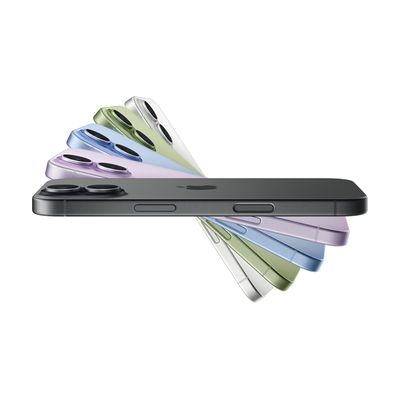
iPhone 17
$799.00
The iPhone 17 is Apple's mainstream smartphone, with a 6.3-inch display, a dual rear camera system, and Apple Intelligence features such as Live Translation. It matters for assistive technology because it is a general-purpose phone that can serve as a platform for many different needs, though the provided details cover its hardware and general features rather than its built-in accessibility settings. This is a full phone, not an add-on, so you get a working device out of the box. Getting real benefit for a specific need usually means turning on and tuning the right settings first.
Verified 4 days agoSetup with instructions -
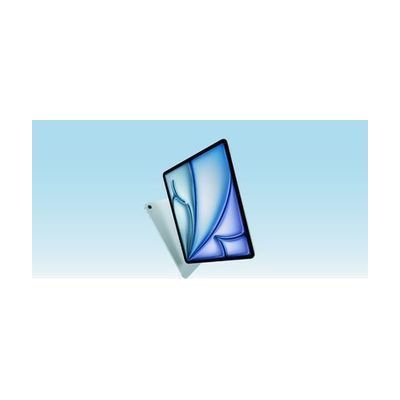
iPad Air
$599.00
The iPad Air is Apple's mainstream tablet, available in 11-inch and 13-inch sizes with a Liquid Retina display and the M4 chip. It matters for assistive technology because iPadOS is the platform many communication, learning, vision, hearing, and alternative-access apps are built for, so one device can serve many different needs depending on which apps and settings you choose. It works with a Magic Keyboard and Apple Pencil Pro if those suit the person using it, but they are separate purchases. The tablet itself is a general-purpose device, not a ready-made AT solution, so the benefit comes from what you set up on it.
Verified 4 days agoSetup with instructions -
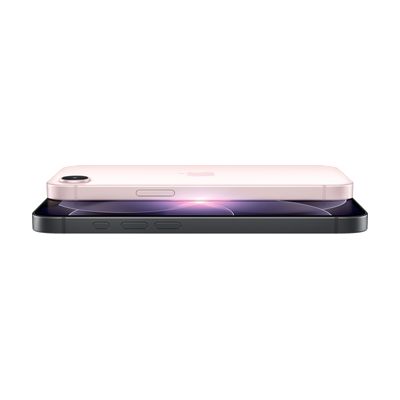
iPhone 17e
$599.00
The iPhone 17e is a smartphone with a ceramic-glass front, an aluminum frame, a 48MP camera, a USB-C port, and MagSafe wireless charging. It starts at 256GB of storage. It runs iOS, the software that carries Apple's built-in accessibility settings for vision, hearing, motor, and communication needs. That makes it a general-purpose phone you can shape to the person using it. The phone itself is not an assistive device, so the benefit comes from which settings you turn on and how you set them up.
Verified 4 days agoSetup with instructions -

VoiceOver
Free
VoiceOver is the screen reader built into Apple devices. It speaks what's on the screen out loud, sends it to a braille display, or does both, so someone who can't see the screen can still use their device. You move around with gestures on a touchscreen or trackpad, or with a Bluetooth keyboard. You can adjust the voice, speaking speed, how much detail it gives, and the sounds and haptic (vibration) feedback. It can also describe images and screen elements, even in apps and web pages that don't label them, and it can describe things the camera sees, like people, doors, text, and furniture. Some features are not offered in every region or language.
Verified 4 days agoSetup with instructions -
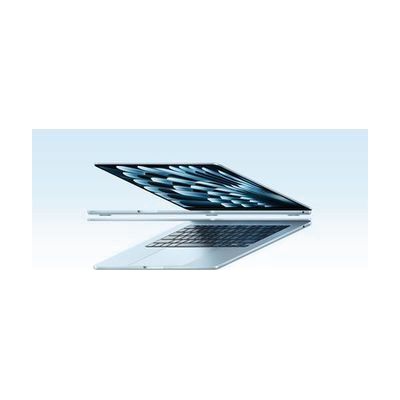
MacBook Air 13-inch and MacBook Air 15-inch
$1,099.00
The MacBook Air is Apple's thin, light laptop, sold in 13-inch and 15-inch screen sizes. It is a general-purpose computer, not a dedicated assistive device, but macOS includes built-in accessibility options and works with the other Apple devices a person may already own. That makes it a common starting point for computer access across many needs, including vision, hearing, motor, learning, and communication. The 13-inch model is the more portable one, while the 15-inch gives you more screen space, which can matter if you use enlarged text or keep several windows open. The accessibility tools are there to use, but you choose and set them up yourself, so the laptop doesn't solve a specific access need until you've done that.
Verified 4 days agoSetup with instructions -

AirPods Pro 3
$249.00
AirPods Pro 3 are wireless earbuds from Apple with active noise cancellation, plus a Hearing Aid feature that now includes automatic Conversation Boost, which helps you pick out the voice in front of you. A Transparency mode lets outside sound in, and Apple says battery life in that mode is 67% longer than before. You get up to 8 hours of listening with noise cancellation on one charge. Touch controls handle play and volume, and they are rated IP57 for dust, sweat, and water. These are consumer earbuds with a hearing aid feature built in. Hearing Aid and Live Translation are available only in select languages and regions, so check availability where you live first.
Verified 4 days agoSetup with instructions -
Apple Magnifier
Free
Magnifier turns the camera on an iPhone or iPad into a digital magnifying glass, so you can zoom in on print, labels, and small details right on the screen. You can change brightness, contrast, and color filters, switch on the flashlight, or freeze a frame for a steady close-up. It also reads out live descriptions of what the camera sees, as speech or high-contrast text. On models with LiDAR, a detection mode uses sounds and vibration to point out nearby people, doors, and furniture. The Mac version works with an iPhone camera or a USB camera. You need an Apple device to use it, and some of the newer features depend on the device model and Apple Intelligence.
Verified 4 days agoReady to use -

Apple Switch Control & AssistiveTouch
Free
Switch Control is the scanning feature built into Apple devices. It lets someone run an iPhone, iPad, Mac, or Apple TV without touching the screen the usual way. Instead, the device highlights items one by one, and you pick the one you want using an adaptive switch, a game controller, a head or hand gesture, AirPods gestures, Back Tap, or a simple sound like a click or pop. You can build custom panels and keyboards, save different profiles for different times or places, and use one device to control other Apple devices on the same Wi-Fi network. It's free software, but plan on setting up the scanning style and your input method before it feels comfortable. If you use a physical switch, you'll need to buy that hardware separately.
Verified 4 days agoSetup with instructions -

iMac
$1,299.00
The iMac is Apple's all-in-one desktop computer, with the screen and computer in one slim unit and an M4 chip inside. It runs macOS, which has built-in accessibility tools, and Apple Intelligence adds writing help like proofreading and rewriting text, plus photo search by description. It can also mirror your iPhone onto the big screen, which can make the phone easier to see and control. This is a general-purpose computer, not a dedicated AT device, so the benefit depends on turning on and tuning the accessibility features that fit the person using it.
Verified 4 days agoSetup with instructions -

HomePod
$299.00
HomePod is an Apple smart speaker that plays music and other audio and responds to your voice through Siri. Because you can speak a request instead of pressing buttons or tapping a screen, it can make everyday tasks easier for someone who has trouble with small controls or screens. It also works as a voice-controlled hub for smart home devices, so you can run compatible lights and other gear by talking. It's a standalone speaker, but getting the most from it means connecting it to your Apple devices and any smart home gear you want to control.
Verified 4 days agoSetup with instructions -

Apple Assistive Access
Free
Assistive Access is a built-in iPhone and iPad mode that swaps the usual interface for a simpler one with high-contrast buttons, large text labels, and pictures in place of words. Someone who finds a regular phone overwhelming can use a trimmed-down set of apps, including Calls, Messages, Camera, Photos, Music, Magnifier, and the Apple TV app. You can pick a grid layout with icons or a row layout with text. Messages offers an emoji-only keyboard and video messages for people who prefer to communicate visually. AAC apps (apps that speak or display messages for people who don't use speech) and other third-party apps are supported. Setup includes a preview of your choices, so you can see how it will look before you commit. A trusted supporter will usually want to be involved in choosing which apps appear and how they're arranged.
Verified 4 days agoSetup with instructions -

iPad Pro
$999.00
The iPad Pro is Apple's high-end tablet, built around the M5 chip and a bright, sharp display, and it runs iPadOS 26. It is a general-purpose tablet, and what makes it useful as assistive technology is the access features built into iPadOS: tools that change how the screen looks, how you control the device, and how it speaks or listens. The tablet also works with a Magic Keyboard and Apple Pencil Pro, which are sold separately. You get a full computer-style device, but you'll need to turn on and tune the settings that fit the person using it.
Verified 4 days agoSetup with instructions -
iPhone Air
$999.00
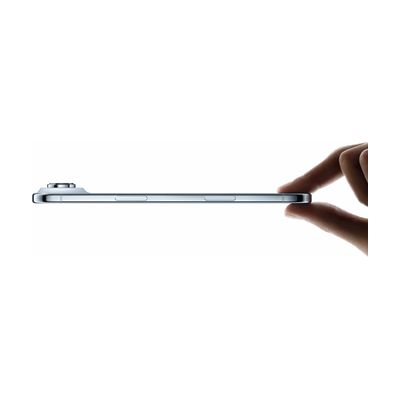
The iPhone Air is Apple's thin, light smartphone, with a 6.5-inch display, a titanium frame, and a 48MP main camera. It isn't made only for people with disabilities. Its value as assistive technology comes from the accessibility tools built into iOS, which Apple offers for vision, hearing, motor, and cognitive needs. You'll want to plan time to explore and turn on the settings that fit the person using it. The phone is the starting point, and the right combination of features depends on the person.
Verified 4 days agoSetup with instructions -

iPad mini
$499.00
The iPad mini is a compact 8.3-inch tablet from Apple that fits easily into a backpack or purse. It's a general-purpose device, not made only for people with disabilities, but it runs iPadOS, which includes built-in accessibility tools that people use for vision, hearing, motor, communication, and learning needs. Its sharp screen is designed to keep text clear and colors vivid in different lighting. It also offers Apple Intelligence tools, such as writing help, image creation, and typing to Siri, which can make some tasks easier. How much it helps depends on which accessibility settings and apps you set up, so plan time to match them to the person using it.
Verified 4 days agoSetup with instructions -

Apple Watch SE 3
$229.00
The Apple Watch SE 3 is a smartwatch that puts a heart sensor, wrist temperature sensing, GPS, and motion sensors on your wrist. Fall Detection and Crash Detection are built in to help get attention quickly if something goes wrong. It has a speaker and microphone, so you can take calls, dictate messages, and listen to audio from the watch itself. An Always-On display lets you check the time without raising your arm, which helps if lifting or turning a wrist is tiring. This is a general consumer device, so its accessibility value comes from how you set it up. It is built for the Apple ecosystem and pairs with an iPhone, so plan on that pairing before you rely on it.
Verified 4 days agoSetup with instructions