Mac mini
by Apple
Price is what the vendor listed when last checked. Confirm it with the vendor before buying.
What it is
Summary
AI-generated from vendor-published content · October 1, 2026
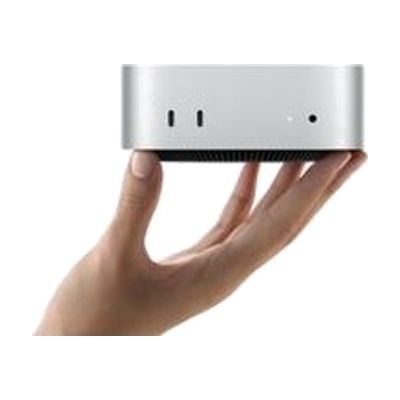
The Mac mini is a small desktop computer, about five by five inches, that runs macOS and connects to the monitor, keyboard, and mouse you choose. That freedom is what makes it useful for assistive technology: you can pair it with larger or specialized displays, alternative input devices, or switch-based setups, and use the accessibility features built into macOS. It has ports on both the front and back, and it can sit next to a monitor or be mounted out of the way. Keep in mind that it is only the computer itself, so you need to supply the screen and input devices, and any assistive setup is up to you.
Getting it
Try before you buy
Devices like this are often available to borrow through your state's AT Act program — typically free or low-cost — so you can try it before buying or pursuing funding.
Where to get it
This is the vendor WhatCanHelp tracks for this product — it may also be available from other retailers or a local supplier, and prices vary.
How to fund this
These are common places to ask about paying for equipment like this. Each one decides its own eligibility and what it covers, so start by asking them.
Details
Quick Facts Catalog facts · auto-generated
What setup looks like
- With a guide
- Connect the Mac mini to power, a monitor, and a keyboard and mouse (or the alternative input device you plan to use).
- Turn it on and follow the on-screen setup prompts to create a user account and connect to Wi-Fi.
- Open System Settings and go to Accessibility to turn on features that match your needs, such as zoom, spoken text, or alternative input options. Plan on about 30 to 60 minutes. See manufacturer support resources for detailed instructions.
Compare & explore
Sources & fine print
Vendor facts (name, price, platforms, vendor link) sourced from Apple — view on vendor site (opens in a new tab); last checked October 31, 2026.
Classification & description AI-generated from vendor-published content on October 1, 2026 · confidence: medium. Vendor specs may lag; verify before relying on details in a clinical or funding artifact.