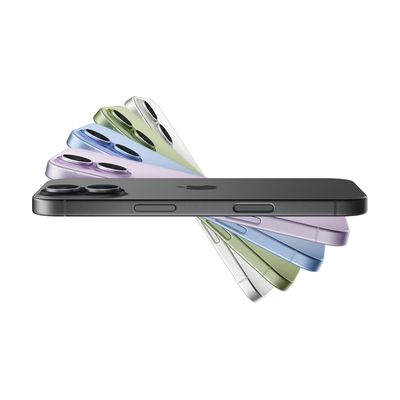
A smartphone shown in profile with a fanned array of color options including black, purple, blue, green, and white.

iPhone 17

by Apple

$799.00

Price is what the vendor listed when last checked. Confirm it with the vendor before buying.

Setup with instructions The iPhone's built-in accessibility features are technically self-serve for someone already familiar with iOS, but realizing meaningful AT benefit — especially for AAC, switch access, or screen-reader workflows — almost always benefits from professional guidance. Choosing the right apps, configuring Switch Control scanning, or setting up an AAC vocabulary system are decisions where an SLP or ATP substantially improves outcomes. Rated professional recommended rather than guided setup because the range of AT use cases is wide and the cost of a misconfigured setup (wrong AAC system, inefficient switch scan pattern) is high.

Last verified September 17, 2026 · classified September 15, 2026

What it is

Summary

AI-generated from vendor-published content · September 15, 2026

The iPhone 17 is Apple's mainstream smartphone running iOS, which includes one of the most comprehensive built-in accessibility suites of any consumer device — VoiceOver screen reader, Zoom magnification, AssistiveTouch for motor access, Switch Control, Live Captions, Sound Recognition, and Apple Intelligence features like Live Translation and image description. Someone who is blind, has low vision, uses a switch for navigation, relies on AAC apps, or needs captioning for conversations can run a significant portion of their AT workflow on this device without any additional hardware. The 6.3-inch 120Hz ProMotion display and 3000-nit brightness are meaningful upgrades for low vision users who benefit from high contrast and sharp rendering. This is a complete consumer device — not a specialized AT tool — so it needs third-party AAC, magnification, or communication apps to fulfill most AT roles, and setup of accessibility features takes time and ideally some guided configuration. Budget for a protective case; the glass display, despite improved scratch resistance, is still the most vulnerable component.

Quick Facts Catalog facts · auto-generated
Platform
Age range
ComplexitySetup with instructions
Price$799.00
Funding
  • AT Act lending
  • Out of pocket
  • School district
  • Vocational rehab
VerifiedSeptember 17, 2026
ClassifiedSeptember 15, 2026 · confidence: high
VendorApple ↗

What Setup Looks Like

  • Out of the box
    1. Power on and complete iOS onboarding — VoiceOver can be activated during first-run setup by triple-clicking the side button.
    2. Enable core accessibility features in Settings > Accessibility (VoiceOver, Zoom, Display & Text Size, AssistiveTouch, Switch Control, Live Captions) — each is self-contained and toggleable.
  • With a guide
    1. Download and configure AAC, magnification, or communication apps from the App Store relevant to the user's needs.
    2. Use Apple's accessibility support pages or manufacturer documentation to configure Switch Control pairing with external switches and scan settings — allow 1–2 hours for initial switch setup.
    3. See manufacturer support resources for detailed instructions at apple.com/accessibility.
  • With professional help
    1. An SLP or ATP can configure AAC apps (e.g., Proloquo2Go, TouchChat) with vocabulary, symbol sets, and access method appropriate to the user — typically 2–4 sessions.
    2. An occupational therapist (OT) can assess optimal mounting, case/stand options, and motor access method (direct touch, switch, or head pointer).
    3. Switch Control configuration for complex scanning patterns benefits from ATP guidance to avoid frustrating or inefficient setups.

Getting it

Try Before You Buy

Devices like this are often available to borrow through your state's AT Act program — typically free or low-cost — so you can try it before buying or pursuing funding.

Where to Get It

Apple Visit
$799.00

This is the vendor WhatCanHelp tracks for this product — it may also be available from other retailers or a local supplier, and prices vary.

Some links may be affiliate links — WhatCanHelp may earn a small commission from purchases at no extra cost to you. More on affiliates →

As an Amazon Associate we earn from qualifying purchases.

How to Fund This

Equipment like this is often pursued through official state programs. These are common starting points — each program decides its own eligibility and what it covers, so the first step is always a phone call.

All funding programs, state by state →

Sources & fine print

Vendor facts (name, price, platforms, vendor link) sourced from Appleview on vendor site; last verified September 17, 2026.

Classification & description AI-generated from vendor-published content on September 15, 2026 · confidence: high. Vendor specs may lag; verify before relying on details in a clinical or funding artifact.