Browse Assistive Technology
Products
-
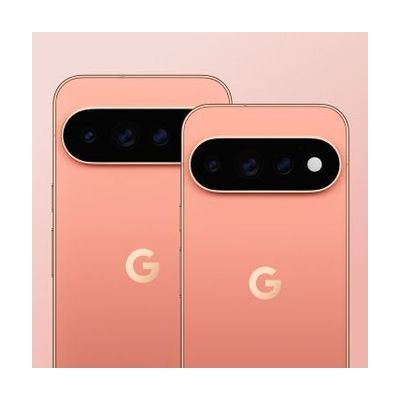
Google Pixel 11 Pro
Est. $999–$1,299
The Google Pixel 11 Pro is an Android smartphone sold unlocked, so you pick your own carrier and plan. It has a bright display (up to 3600 nits), a Gemini assistant for everyday tasks like finding information and drafting ideas, and a HiLight feature meant to keep you in touch with your phone without staring at the screen. This is a general-purpose phone, not a device built for one disability. Its value as assistive tech comes from the accessibility settings and voice features you turn on and tune to your needs. You'll also need to arrange carrier service yourself.
Verified 4 days agoSetup with instructions -

Galaxy S26 Ultra
Est. $1,199–$1,399
The Galaxy S26 Ultra is a mainstream Android smartphone with a long list of accessibility tools built into the phone itself. For vision, it has the TalkBack screen reader, magnification, and color adjustment. For hands-free or limited-movement use, it has Voice Access, Bixby voice control, switch scanning through Universal Switch, and an on-screen Assistant Menu that stands in for hardware buttons and gestures. For hearing, it adds Live Transcribe and Live Caption for text of speech, sound detectors for things like a doorbell or a crying baby, and Bluetooth hearing aid support. The tools are powerful but spread across many settings menus, so someone will need to choose which ones fit and tune them, and a person new to a screen reader or switch scanning will need time to learn them.
Verified 4 days agoSetup with instructions -
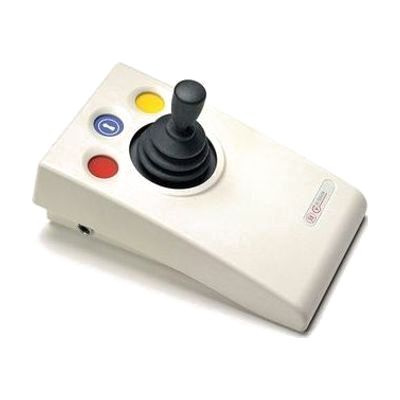
it-Stick Wireless Joystick
Est. $150–$350
The it-Stick is a wireless joystick that moves the cursor on a computer or tablet, for someone who finds a mouse or trackpad hard to control. It responds to a very light touch, so it can suit a person with limited strength or range of movement. It has left-click, right-click, and drag lock buttons, four cursor speed settings, and sounds that confirm each action. It works with Windows, Mac, Chromebook, iPadOS, and iOS, and the built-in battery recharges over USB. The it-Receive receiver is required and isn't in the box with the joystick alone. It comes in the Starter Pack, and it reaches about 10 metres from the receiver.
Verified 4 days agoSetup with instructions -

Big Track Mouse Ball
$100.00
The BIGtrack is an oversized trackball mouse. You move the cursor by rolling a giant yellow 3-inch ball with your palm or fingers, so there is no need to grip and slide a standard mouse. The left and right click buttons are bright blue and sit behind the ball, which helps prevent accidental clicks while you position the cursor. It suits someone with weak hands, trouble with fine finger movements, or limited vision, and it also works for young children building hand-eye coordination. The bold colors make it easy to see and can help hold attention.
Verified todaySetup with instructions -
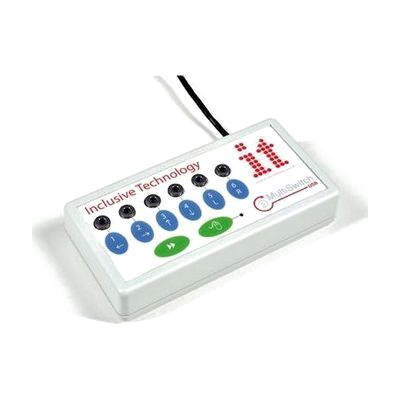
Inclusive MultiSwitch 2
Est. $150–$350
The MultiSwitch 2 is a USB switch interface that lets you plug in up to six assistive switches and use them with a computer. It detects which program is loading and sets up the switches for that program on its own. For software that isn't switch-accessible, the included programming software lets you map each switch to a mouse click, a key press, or an action like print or save. It can also move the mouse cursor with a switch, with four speed settings. This is the interface only, so you'll need to supply the switches, and building the right profile for a person takes some trial and error.
Verified 4 days agoProfessional guidance helps -
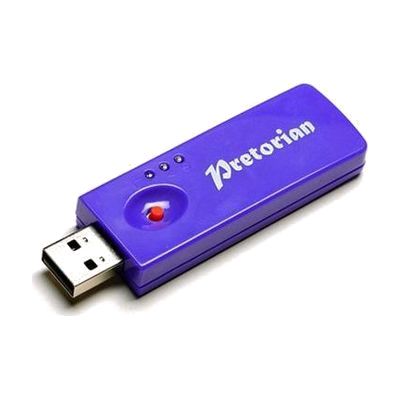
SimplyWorks Receive 2
Est. $60–$120
The Receive 2 is a small wireless receiver that plugs into a computer's USB port and lets up to six SimplyWorks transmitters, such as switches, a mouse, or a joystick, control the computer without cables. It works with any mix of transmitters and has a range of more than 10 meters, so a classroom or therapy room can be set up for one person or several without wires crossing the floor. It needs no driver software and works on Windows and Mac. Two LEDs show when Caps Lock and Drag Lock are on. It must go into a USB port; it won't work in an older PS/2 port, even with an adapter.
Verified 4 days agoSetup with instructions -
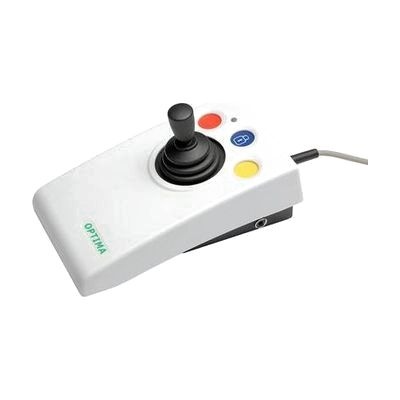
OPTIMA Joystick
Est. $150–$350
The OPTIMA Joystick is a computer joystick that moves the cursor with a light touch, for people who find a standard mouse hard to grip or control. It comes with three interchangeable handles, so you can pick the shape that suits the hand, and the wide base and built-in hand rest help it stay steady during long sessions. Colour-coded, recessed buttons handle left click, right click, and drag lock, and there are sockets for plugging in remote switches. It has four cursor speeds, with a sound each time you change the setting, and it works with PC, Mac, and iOS or iPadOS devices through Switch Control. Because it replaces the mouse, the right handle and speed may take some trial and error to find.
Verified 4 days agoSetup with instructions -

LargePrint Yellow on Black - PC Nero Slimline Keyboard
$132.00
This wired USB keyboard has large yellow letters on black keys, so the characters stand out for someone who has trouble reading standard keyboard labels. The letters are about 3/8 inch wide and 1/2 inch tall. The slim keycaps use scissor-style switches with a soft, responsive touch, which helps with comfort over long typing sessions. Two built-in USB 2.0 ports let you plug in a mouse or other device, and the 5-foot cord lets you place the keyboard where you need it. It's made for Windows computers, and no software is needed.
Verified 2 days agoReady to use -
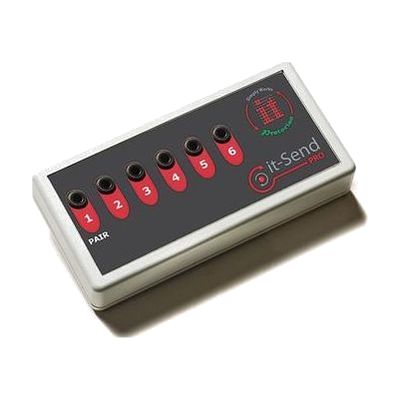
it-Send Pro
Est. $80–$200
The it-Send Pro lets you plug in up to six wired switches (the kind with 3.5mm jacks) and sends their presses wirelessly to a paired it-Receive, so the switches don't need a cable to the computer or toy. It works within about 10 metres, which gives you room to position switches wherever the person can reach them most comfortably. With the it-Receive and the supplied Switch Centre software, each switch function is set up automatically for Simply Works devices. For software that isn't in the database, you can build a custom profile. This is a piece of a larger system: you need the switches themselves, an it-Receive, and a Simply Works-compatible computer program or adapted toy to make it useful.
Verified 4 days agoProfessional guidance helps -
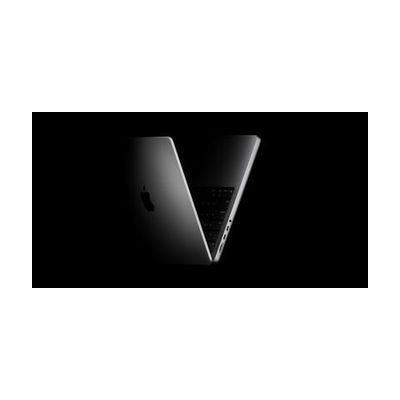
MacBook Pro
$1,599.00
The MacBook Pro is Apple's laptop line, available in 14-inch and 16-inch sizes with M5-family chips and a Liquid Retina XDR display. It is a general-purpose computer, so it is not a single-purpose assistive device, but it runs macOS, which has accessibility settings for vision, hearing, movement, and thinking and learning needs. Those settings can also help with communication, for example by running speech or switch-based communication software. The laptop also has a 12MP camera, a three-mic array, a six-speaker system, and a headphone jack. How much it helps depends on which macOS settings and apps you turn on, so budget time to explore and set them up.
Verified 4 days agoSetup with instructions -
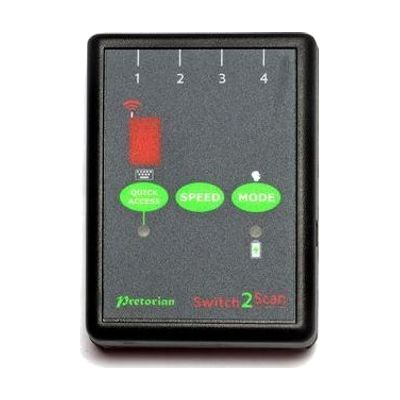
Switch2Scan for iPad
Est. $150–$350
Switch2Scan is a small Bluetooth switch interface that lets someone control an iPad using one or more wired switches instead of touching the screen. It scans through items on screen, either automatically or one step at a time by hand, so it works for apps, turning pages in iBooks, and typing on the on-screen keyboard. You can plug in up to four wired switches, pick from four scanning speeds, and scan forward or backward. This is the interface only, so you'll need your own switch or switches, and the listed compatibility covers older iPad, iPod and iPhone models.
Verified 4 days agoProfessional guidance helps -
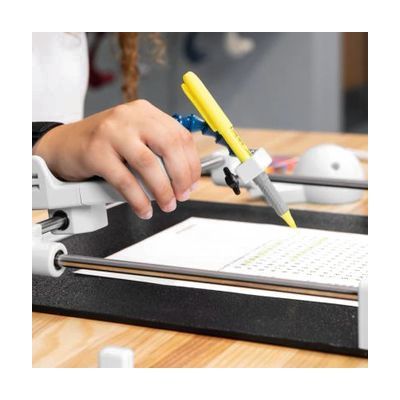
Guided Hands Bundle - Assistive Hand Mobility Kit for Writing, Drawing, Painting & Tech with Custom Adaptations
$999.00
The Guided Hands Bundle is a kit for people who have limited hand mobility and want an easier way to write, draw, paint, and use technology. It's meant for use at home, at school, or in therapy. The product name mentions custom adaptations, so this looks like a set of tools you fit to the person's hands, not a single one-size device.
Verified 3 days agoProfessional guidance helps -
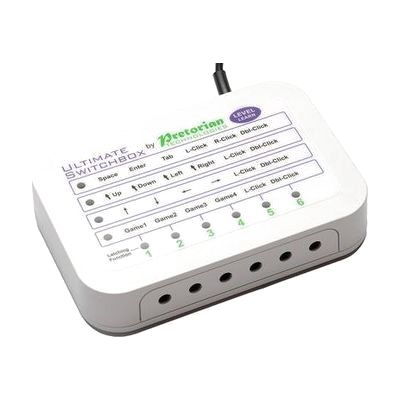
Ultimate Switchbox
Est. $150–$350
The Ultimate Switchbox is a USB switch interface that lets up to six switches control a computer as if they were keyboard keys, mouse buttons, or gamepad buttons. Each socket can be set to a single key, a modifier like Shift or Control, a mouse click or cursor move, or a short macro of up to four keystrokes. Settings are spread across four levels, so one set of switches can do different jobs, and a seventh socket or an onboard button changes levels. It works without extra software and comes with default settings that often need no changes. This is the interface only, so you'll need your own switches and a computer, and finding the right mapping for a particular user is where an ATP, OT, or SLP helps most.
Verified 4 days agoProfessional guidance helps -
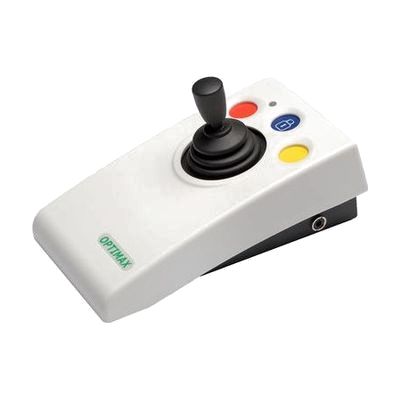
OPTIMAX Wireless Joystick
Est. $150–$350
The OPTIMAX Wireless Joystick lets someone steer a computer or tablet cursor with a light touch, without needing a mouse grip or a cable. It comes with three interchangeable handles, so you can try different shapes to find one that suits the person's hand and control. It has four cursor speed settings and a low, wide base that gives the hand a natural rest and keeps the unit steady. The buttons are recessed so they are hard to press by accident, and there are sockets for plugging in external left and right click switches. The wireless range is over 10 metres, and the joystick works with PC, Mac, iPadOS and iOS.
Verified 4 days agoSetup with instructions -
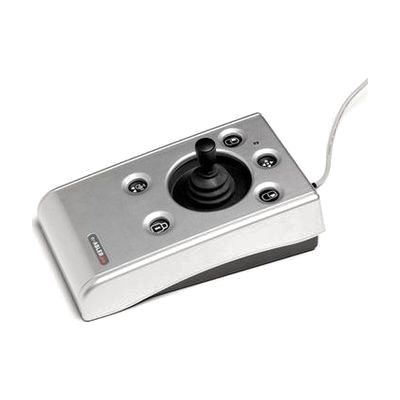
n-ABLER Pro Joystick
Est. $150–$350
The n-ABLER Pro Joystick is a USB joystick that takes the place of a mouse for people who find a standard mouse hard to grip or steer. It has a wide, stable base with a built-in wrist support, and you can swap between a soft ball handle and a T-bar handle to find a comfortable grip. Three anti-tremor settings filter out shaky movement so the cursor stays steadier. Buttons can be switched between left and right click, and it offers double-click, a latching drag lock, and sound or visual feedback. A pan button helps with moving around documents. It connects by USB to PC and Mac with no drivers, and to an iPhone or iPad through an adapter, where it works with Switch Control. Plan to try the tremor level and handle that suit the user, since that choice affects how well it works.
Verified 4 days agoSetup with instructions -
Solo Wheel
Est. $60–$150
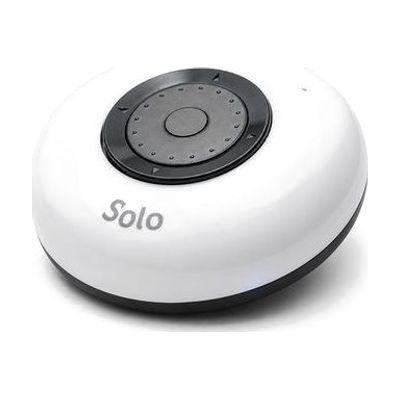
The Solo Wheel is a small wireless controller that connects to a tablet or smartphone over Bluetooth. A central wheel scrolls through items on screen, and a select button chooses the highlighted one. That makes it a simple way to move around a device for someone who finds touching the screen difficult. It is a complete input device on its own, but you will need to pair it and set up your device to work with it before it is useful.
Verified 1 week agoSetup with instructions -
Google Pixel 11
Est. $799–$1,199
The Google Pixel 11 is a general-purpose Android smartphone, and its built-in accessibility settings are what make it useful as assistive technology. It comes unlocked, so you pick the carrier and plan, and it runs on Google's Tensor G6 chip. Look at the screen options: brightness reaches 3000 nits on the standard model, and the glass cover is built to resist scratches. This is a phone, not a ready-made AT system, so any voice, vision, or touch settings need to be turned on and tuned to the person using it.
Verified 4 days agoSetup with instructions -

Clevy Mouse
Est. $25–$60
The Clevy Mouse is a small USB computer mouse made for children who are just starting to use a computer or tablet. The left button is blue and the right button is red, so a child can tell left-click from right-click by color. It measures about 10 x 5.5 x 3.5 cm, which suits small hands. You plug it in by USB and it works with Windows, Mac, and iPad or iPhone, where it can also be used with iPadOS and iOS accessibility features like Switch Control.
Verified 4 days agoReady to use -
Multi2 Switch Box USB-C
Est. $100–$200
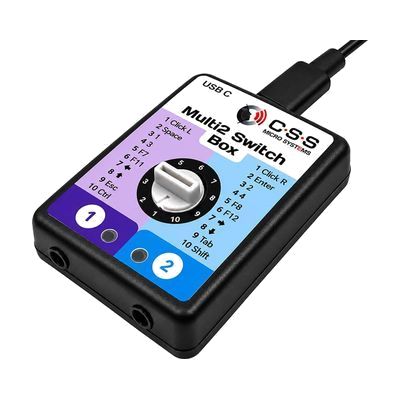
The Multi2 Switch Box USB-C lets one or two wired switches control a computer, tablet, or iPad. It plugs in over USB-C and needs no software, so it works as a simple bridge between a switch and a device that accepts switch input. You'll need your own switches, since none are included. Because the box only passes the switch signal along, you'll also need to set up the device's own switch access or accessibility settings.
Verified 4 days agoProfessional guidance helps -
Glide Pro
Est. $150–$350
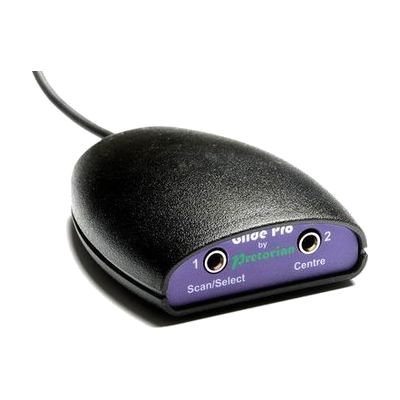
The Glide Pro is a switch interface that lets someone move the cursor on a computer, tablet, or phone using switches instead of a mouse or touchscreen. It plugs in and runs without any software, and it works with PC, Mac, Chromebook, iOS, and Android devices. This is a way to reach the device, not a full solution on its own: you'll need to supply your own switches, and getting the right switch type and placement for the person using it takes some trial and error.
Verified 4 days agoSetup with instructions -

Galaxy Z Fold8
Est. $1,799–$1,999
The Galaxy Z Fold8 is a foldable Android smartphone from Samsung, and its accessibility tools cover vision, hearing, and motor needs in one device. For vision, it has the TalkBack screen reader, magnification, and color adjustment. For hearing, Live Transcribe and Live Caption turn speech and audio into text, sound detectors can alert you to things like a doorbell or a crying baby, and Bluetooth hearing aid support is built in. For motor access, Voice Access and Bixby let you control the phone by voice, Universal Switch supports switch scanning, and Assistant Menu puts the hardware buttons and gestures on screen. Most of these features have to be turned on and tuned to the person, so expect some time in Settings. It's also a high-priced phone, so this is a good fit if you want a mainstream device that already has these tools rather than a dedicated AT product.
Verified 4 days agoSetup with instructions -
Universal Joystick Remapper
Free
UJR is a free Windows program that takes buttons and axes from one or more physical joysticks and combines them onto a single virtual joystick. You can tweak how each input behaves, with options like axis inversion, deadzones, and sensitivity. It's mainly used by gamers, for example to merge two pedal axes into one rudder axis, but the same control remapping can help someone who needs a game controller to respond differently to their movement. The developer says it is no longer maintained and has been replaced by a newer tool called UCR, so look at that one first. It also contacts the developer's website to check for new versions.
Verified 4 days agoSetup with instructions -
PointIt! Pro Joystick
Est. $150–$400
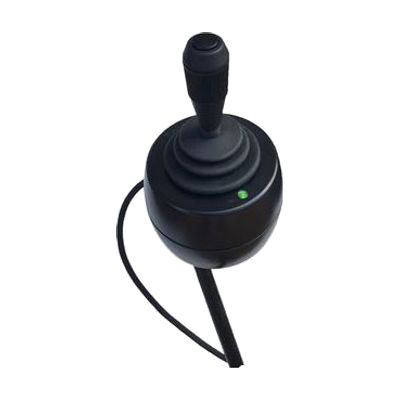
The Point-It! Pro Joystick lets someone move the cursor on a computer or smart device by pushing a joystick instead of using a mouse. A switch on top of the stick handles left-clicks, and you can reach the other mouse buttons through the joystick too. It has two 3.5mm jacks for plugging in outside switches, and you can swap the knob for another style, such as a ball or a chin cup, to match how the person can best reach and control it. The wired version works with Windows and Mac. A Bluetooth version also works with iOS and Android and includes a mounting ring. On the wired model, the mounting ring is sold separately.
Verified 4 days agoProfessional guidance helps -
PointIt! Bluetooth Joystick
Est. $150–$350
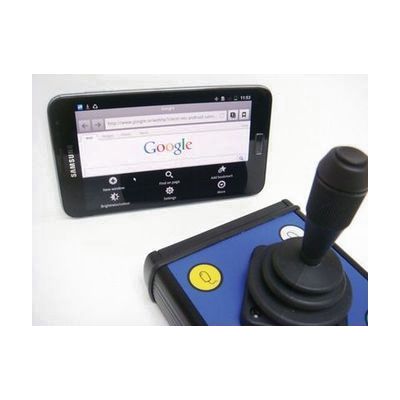
The Point-It! Bluetooth Joystick lets you move a cursor with a joystick instead of a mouse. It gives smooth, proportional movement, so a small push moves the cursor a little and a bigger push moves it more. It connects wirelessly over Bluetooth to Windows, Mac, and iOS devices as a standard Bluetooth mouse. On an iPad or iPhone it can also drive Switch Control. It's a good fit if gripping and sliding a mouse is hard and you want a different way to steer the pointer. A built-in rechargeable battery powers it, and the compact body travels easily. It's one input device, so you'll still need a computer or iOS device to use it with.
Verified 4 days agoSetup with instructions