Browse Assistive Technology
Products
-
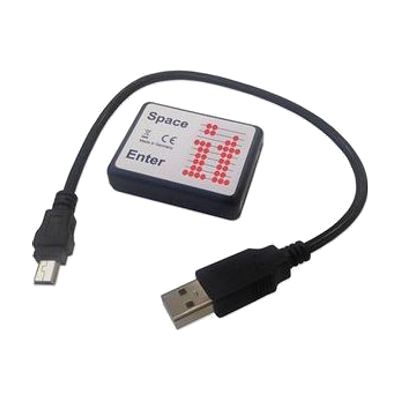
Inclusive Simple Switch Box
Est. $25–$65
The Simple Switchbox lets someone use one or two switches to send space and enter key presses to a computer through a USB port. It has two jack sockets for plugging in switches and needs no software installed. It only works with programs that respond to space and enter keys, such as Inclusive Technology's SwitchIt! and Maker series. You'll need to supply the switches yourself, and anything that needs other kinds of switch input won't work with this box.
Verified 4 days agoSetup with instructions -
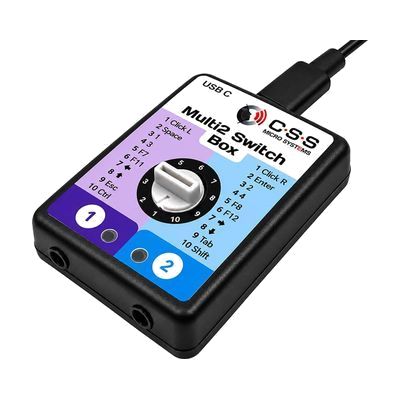
Multi2 Switch Box USB-C
Est. $100–$200
The Multi2 Switch Box USB-C lets one or two wired switches control a computer, tablet, or iPad. It plugs in over USB-C and needs no software, so it works as a simple bridge between a switch and a device that accepts switch input. You'll need your own switches, since none are included. Because the box only passes the switch signal along, you'll also need to set up the device's own switch access or accessibility settings.
Verified 4 days agoProfessional guidance helps -
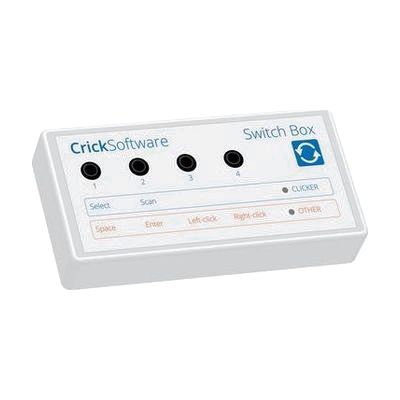
Crick USB Switch Box
Est. $40–$80
The Crick USB Switch Box connects one or more assistive switches to a Mac or PC through a USB lead, which is included. It works with Clicker, a popular educational and communication program, with no setup, so someone who can't use a mouse or keyboard can control the software with a switch. It is built for people who need dependable switch access across different software for learning and communication. This is the interface only, so you'll need your own switches and a switch-accessible program to get any benefit from it.
Verified 4 days agoProfessional guidance helps -
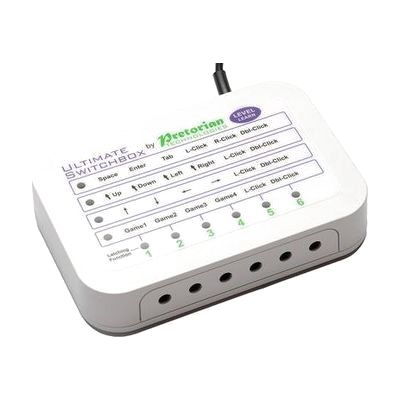
Ultimate Switchbox
Est. $150–$350
The Ultimate Switchbox is a USB switch interface that lets up to six switches control a computer as if they were keyboard keys, mouse buttons, or gamepad buttons. Each socket can be set to a single key, a modifier like Shift or Control, a mouse click or cursor move, or a short macro of up to four keystrokes. Settings are spread across four levels, so one set of switches can do different jobs, and a seventh socket or an onboard button changes levels. It works without extra software and comes with default settings that often need no changes. This is the interface only, so you'll need your own switches and a computer, and finding the right mapping for a particular user is where an ATP, OT, or SLP helps most.
Verified 4 days agoProfessional guidance helps -
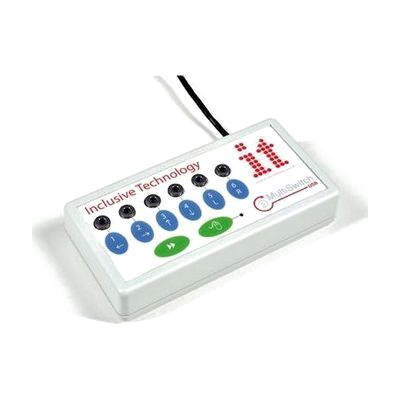
Inclusive MultiSwitch 2
Est. $150–$350
The MultiSwitch 2 is a USB switch interface that lets you plug in up to six assistive switches and use them with a computer. It detects which program is loading and sets up the switches for that program on its own. For software that isn't switch-accessible, the included programming software lets you map each switch to a mouse click, a key press, or an action like print or save. It can also move the mouse cursor with a switch, with four speed settings. This is the interface only, so you'll need to supply the switches, and building the right profile for a person takes some trial and error.
Verified 4 days agoProfessional guidance helps -
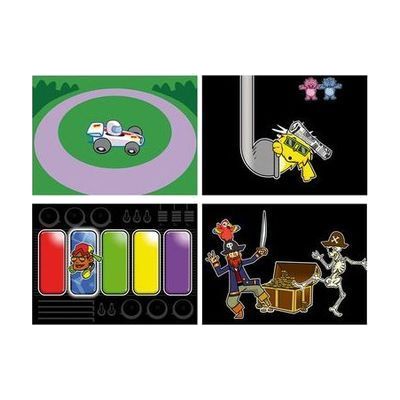
Inclusive Switch Skills Bundle
Est. $600–$1,200
This bundle pairs a Multi2 switch interface and Smoothie Switches with Switch Skills software titles that build core switch control and timing. The activities start with cause and effect and move toward early scanning, so a child can practice using a switch step by step. The listings differ on whether it includes three or four software titles, so confirm that before ordering. It's a ready-made practice kit, but it works best when a therapist or teacher helps match the switches and activities to the child.
Verified 4 days agoProfessional guidance helps -
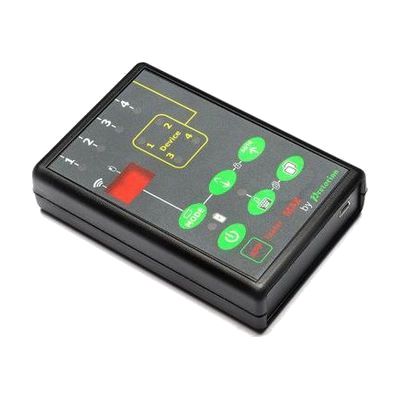
APPlicator MAX
Est. $150–$350
The APPlicator MAX is a switch interface that lets up to four switches work with up to four devices, without unplugging or reprogramming between them. Each switch can be set to do a different job on each device. You can move between devices with a fifth switch or by holding down a working switch. A QuickMedia button gives instant music control, so one switch can play and pause while another skips tracks. A timed play setting plays music for 10 or 30 seconds per press, which helps with practicing cause and effect. It also has a button that shows or hides the on-screen keyboard and a lock that stops accidental setting changes. It suits someone who uses switches to reach switch-adapted apps, such as HelpKidzLearn, and media. This is an interface only, so you'll need your own switches and devices.
Verified 4 days agoProfessional guidance helps -
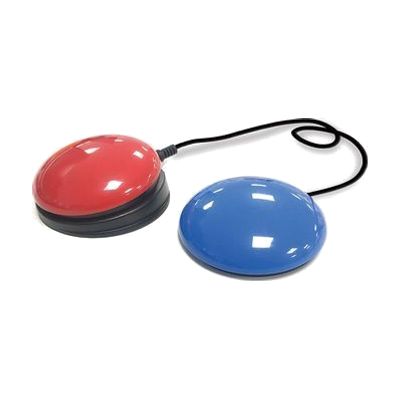
Inclusive iSwitch Bundle
Est. $120–$250
This bundle pairs a Bluetooth switch interface (the iSwitch) with a Smoothie Switch, so someone can control an iPad, tablet, laptop, or compatible software by pressing a switch instead of using a touchscreen, keyboard, or mouse. The iSwitch connects wirelessly, and no extra software is needed. It's a good fit for a person who can press a switch reliably but can't use standard controls, including for communication apps and cause-and-effect or learning activities. Getting real use out of it takes more than pairing: the switch type, where it's placed, and how the device's switch settings are tuned all affect whether it works well for that person.
Verified 4 days agoProfessional guidance helps -
Switch2Scan for iPad
Est. $150–$350
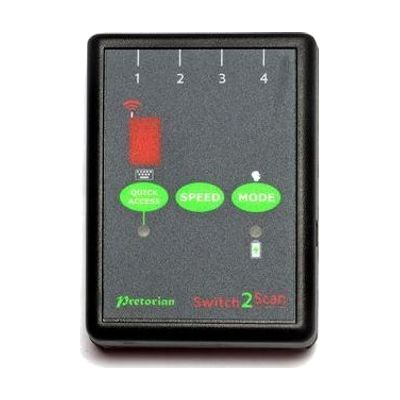
Switch2Scan is a small Bluetooth switch interface that lets someone control an iPad using one or more wired switches instead of touching the screen. It scans through items on screen, either automatically or one step at a time by hand, so it works for apps, turning pages in iBooks, and typing on the on-screen keyboard. You can plug in up to four wired switches, pick from four scanning speeds, and scan forward or backward. This is the interface only, so you'll need your own switch or switches, and the listed compatibility covers older iPad, iPod and iPhone models.
Verified 4 days agoProfessional guidance helps -
SEND-6
Est. $150–$350
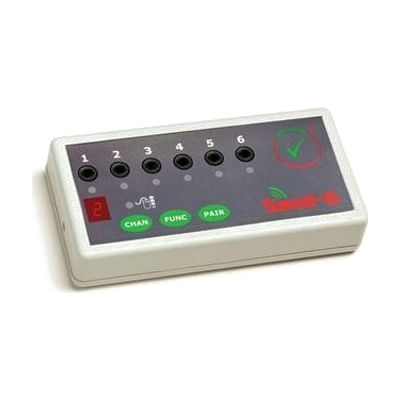
The SEND-6 is a wireless switch interface. You plug up to six wired switches into it, and it sends their signals to a Windows PC or Mac without a cable running to the computer. That helps if someone's wheelchair puts them away from the screen, or if they can't sit close to the computer. Each switch can be set separately to one of 24 functions, including switch accessible software, game pad, mouse and keyboard actions. It needs no software or drivers, so setup is mostly about choosing which switch does what. It's one piece of a switch system: you need your own switches, the it-Receive receiver that plugs into the computer, and 2 AAA batteries.
Verified 4 days agoProfessional guidance helps -
Glide Pro
Est. $150–$350
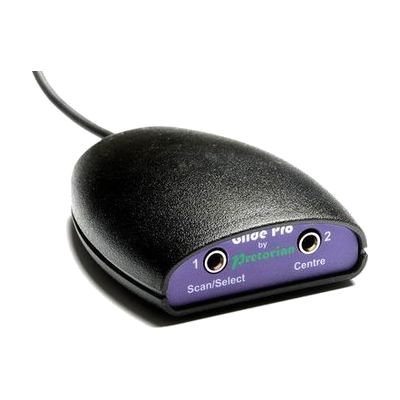
The Glide Pro is a switch interface that lets someone move the cursor on a computer, tablet, or phone using switches instead of a mouse or touchscreen. It plugs in and runs without any software, and it works with PC, Mac, Chromebook, iOS, and Android devices. This is a way to reach the device, not a full solution on its own: you'll need to supply your own switches, and getting the right switch type and placement for the person using it takes some trial and error.
Verified 4 days agoSetup with instructions -
Hitch 2
$120.00
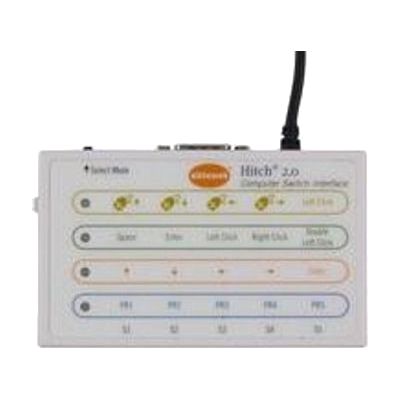
The Hitch 2 is a USB switch interface. It lets one to five switches, or a joystick with a 9-pin D plug, act as a keyboard or mouse for a computer. It sends core keystrokes that switch accessible software commonly uses, and you can program one to four keystrokes of your own. A mouse control mode lets a joystick or several switches move the on-screen cursor. It works with Windows, macOS, Chrome, and Android devices that have a USB connection, and Mac users can pair it with Switch Control for full computer access. This is only the interface: you'll need your own switches or joystick, plus switch accessible software, before anyone gets any benefit.
Verified 4 days agoProfessional guidance helps -

Access Switch
Est. $25–$65
The Access Switch is a touch-sensitive push button that lets someone activate a device with a light press instead of using a keyboard, mouse, or touchscreen. It comes in a small size (30mm pressing area) and a medium size (65mm pressing area). A clear screw-on cap holds a picture or symbol on top, so the switch can be labeled with the item or action it triggers, and you can swap the image as needs change. It clicks and gives a tactile response when pressed, which helps people who need that confirmation. This is only the switch. It has a 150cm cable with a 3.5mm mono plug, so you'll need a compatible device or switch interface to plug into, and the picture symbols are not included.
Verified 4 days agoProfessional guidance helps -

Switches - Specs - Blue
$75.00
The Specs switch is the smallest in AbleNet's switch family, only about 1 3/8 inches across, and it comes in blue. It gives an audible click when pressed and responds across its whole surface, so a person can activate it with a light touch from nearly anywhere on the top. It comes with three detachable bases, so it can be set up in different ways, and it connects with a 6-foot cord and a 3.5mm plug. This is just the switch. It does nothing until it's plugged into a switch-accessible device, toy, communication aid, or switch interface, and a therapist can help match its small size to the right body part and position.
Verified 2 days agoProfessional guidance helps -

Special Switches Offer
$167.95
This is a bundle deal: you pick any three switches from a list of seven, and the three together cost less than buying them one by one. The choices include the Mini-Gumball, Gumball, Cushion Grip, Super Bumpy, Oval Texture and Plate switches, plus a Finger Isolation Button. Switches like these are pressed to activate a switch-accessible device, so they suit someone who can't use a standard button or touchscreen. The switches only work once they're plugged into something, such as a communication device, an adapted toy or a switch interface. Some options come in different colors or sizes, and the oval switch's color may vary.
Not recently verifiedProfessional guidance helps -

Pinch Switch
$48.95
The Pinch Switch is a small, sensitive switch that you squeeze between the fingers to turn on a switch-adapted toy or device. It is about 3 inches long and weighs 2 ounces, so a child can hold it in one hand, and it responds to very light pressure. It also gives a child practice with grasping, fine motor, and pinching skills. On its own it does nothing, because it only works when plugged into something switch-accessible, such as an adapted toy or a switch interface. A tablet would need its own interface first.
Not recently verifiedProfessional guidance helps -

Button Click Switch
$34.95
The Button Click Switch is a small plate switch, about 2½ inches square, that sends a signal each time it is pressed. It needs only about 40 grams of pressure, so a light touch is enough to activate it. It has no battery. This is just the switch, so it does nothing until you connect it to something that accepts a switch, such as a switch-adapted toy, a call chime, or a switch interface.
Not recently verifiedProfessional guidance helps -

Thumb Switch
$47.95
The Thumb Switch is a hand-held switch you grip in your palm and activate by pressing a red button with your thumb. It works as a momentary switch, so it's active only while the button is held down. It's a good fit for someone who has reliable thumb movement but may find other switch styles hard to reach or press. The body is a yellow cylinder about 4½ inches long that weighs 3 ounces, and it has a cord of roughly 4 feet. On its own it does nothing: you'll plug it into a switch-adapted device or toy, or connect it to a computer through a switch interface, since computers don't have switch access built in.
Not recently verifiedProfessional guidance helps -

Bluetooth Super Switch
$209.00
The Bluetooth Super Switch is a wireless switch with a 5-inch round surface, so it gives a big, easy-to-hit target for someone who can't press a small button. It connects over Bluetooth to an iPad or a computer, which means no cable running to the device. It also has a built-in switch interface, so you can plug in a second switch if you want another way to activate it. A switch like this does nothing alone. It needs a device and the right access settings to be useful, and those are worth sorting out with someone who knows switch access.
Verified 3 weeks agoProfessional guidance helps -
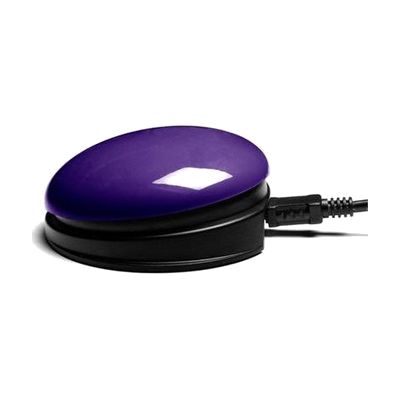
Plug and Play USB Switch
Est. $60–$130
This switch has a 75mm pressing surface and a USB connection built in, so it plugs straight into a PC, Mac, or Chromebook with no separate switch interface or driver. It also has two 3.5mm sockets for connecting extra switches, and a small LED display on the device lets you choose what each switch does. Advanced settings can be adjusted for people whose movements are affected by tremor, ataxia, or chorea. It's a good fit for someone who needs a simple way to press a button instead of using a keyboard or mouse, and it can be fixed in place using the Small Inclusive Mounting Plate with Velcro. The switch only sends input, so the software or activity it controls is something you'll need to set up separately.
Verified 4 days agoProfessional guidance helps -
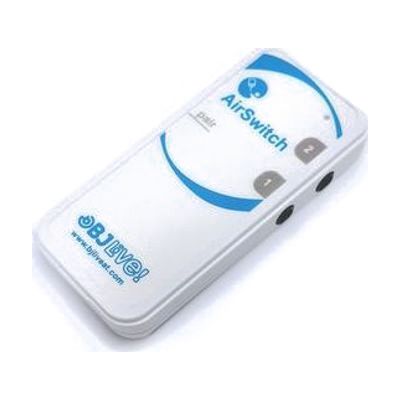
AirSwitch
Est. $79–$149
The AirSwitch is a small wireless switch adapter that connects over Bluetooth, so someone who uses switches can operate a phone, tablet, or computer without a cable. You can pair one or two switches with a device and use them to move around the operating system, open apps like Netflix, YouTube, and WhatsApp, and work with communication software such as Grid 3, either by scanning through cells or selecting them directly. It works with Windows, Linux, Android, macOS, and iOS and reaches about 10 metres, so the person can sit or move a bit away from the device. It runs on a CR2032 battery, which you supply.
Verified 4 days agoProfessional guidance helps -
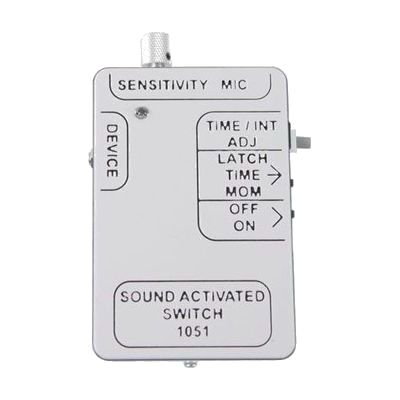
Sound Activated Switch
$125.95
This switch listens for sound instead of needing a press, so a whisper or a clap can turn on a switch-adapted device. Plug it into things like adapted toys, lamps, kitchen appliances, or a computer through a switch interface. It has three modes: timed (stays on for 1 to 120 seconds), latch (one sound turns the device on, the next turns it off), and momentary (stays on only while it hears sound). Sensitivity is adjustable, so you can match it to how loud or quiet the person's voice is. It's a good fit for someone with very limited movement who can still make a sound. It is an access piece, not a full solution, and it only works with devices that accept a switch.
Not recently verifiedProfessional guidance helps -
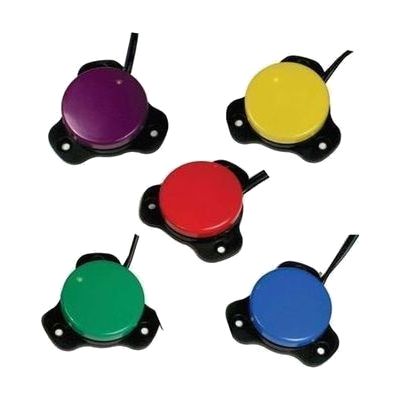
Gumball Switches
$62.95
The Gumball Switch is a pressure switch with a 2½-inch round activation surface. Someone presses it to operate a connected toy or device, and it gives a clear click you can both feel and hear. It suits a person who can reliably hit a smaller target than the very large switches offer. Two plastic covers come in the box, one with a raised lip and one without, so you can choose the feel that works best. The base comes off and has three holes for mounting. This is only the switch. It does nothing until you plug it into a switch-adapted toy, a switch interface, or another compatible device.
Not recently verifiedProfessional guidance helps -

Mini-Gumball Switch
$58.95
The Mini-Gumball Switch is a small, round adapted switch with a 2-inch base that sits half an inch high. When pressed, it gives both a click you can feel and a sound you can hear, so the person knows the press registered. Its base has three holes and a removable mounting plate, so it can be attached to a tray, chair, or other surface. It needs no batteries and comes in several colors. This is only the switch: it does nothing until it's plugged into a switch-accessible device, toy, or communication aid, usually through a switch interface or a device with a switch jack.
Not recently verifiedProfessional guidance helps