AirSwitch
by AbleNet
Price is what the vendor listed when last checked. Confirm it with the vendor before buying.
Last verified September 16, 2026 · classified April 26, 2026
What it is
Summary
AI-generated from vendor-published content · April 26, 2026
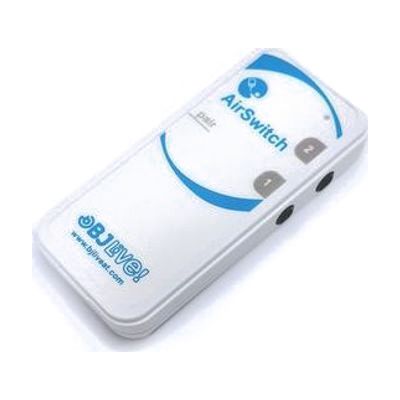
The AirSwitch is a small Bluetooth adapter that lets one or two standard wired switches connect wirelessly to any Bluetooth-enabled device — effectively cutting the cord between a user's switch and their tablet, phone, or computer. It's designed for someone who already uses a physical switch to access technology but wants the freedom to be positioned away from their device, up to about 33 feet. This is not a switch itself — you still need your own access switches (like a Big Red or Jelly Bean) to plug in, plus a device to control; the AirSwitch is the wireless bridge between them. It runs on a single CR2032 coin cell battery, so plan for occasional replacements, and Bluetooth pairing can sometimes be finicky depending on the host device's accessibility settings.
Quick Facts Catalog facts · auto-generated
- AT Act lending
- Medicaid waiver
- Out of pocket
- School district
- Vocational rehab
What Setup Looks Like
- Out of the box
Insert the CR2032 battery (included) and plug in your existing wired switches via the switch jacks. - With a guide
- Put the AirSwitch into pairing mode and connect it to your target device via Bluetooth settings.
- Configure switch access settings on the host device (iOS Switch Control, Android Switch Access, or Windows accessibility settings) to match your switch inputs — allow 20–45 minutes.
- See manufacturer support resources for detailed instructions.
- With professional help
- An assistive technology professional (ATP) or occupational therapist (OT) can configure scanning settings, timing, and switch mapping within AAC or communication software such as Grid 3.
- If used as part of an AAC setup, an SLP should be involved to ensure switch access method matches the user's motor and cognitive profile — expect 1–3 sessions.
Getting it
Try Before You Buy
Devices like this are often available to borrow through your state's AT Act program — typically free or low-cost — so you can try it before buying or pursuing funding.
Where to Get It
This is the vendor WhatCanHelp tracks for this product — it may also be available from other retailers or a local supplier, and prices vary.
Some links may be affiliate links — WhatCanHelp may earn a small commission from purchases at no extra cost to you. More on affiliates →
As an Amazon Associate we earn from qualifying purchases.
How to Fund This
Equipment like this is often pursued through official state programs. These are common starting points — each program decides its own eligibility and what it covers, so the first step is always a phone call.
Compare & explore
Sources & fine print
Vendor facts (name, price, platforms, vendor link) sourced from AbleNet — view on vendor site; last verified September 16, 2026.
Classification & description AI-generated from vendor-published content on April 26, 2026 · confidence: high. Vendor specs may lag; verify before relying on details in a clinical or funding artifact.